
Equipment Checkout Software
Know who has every item, when it is due back
and whether it came home — without chasing anyone.
Key features:
- Multiple items
- Checkout from reservations
- Checkin due time
- QR scanning
What is equipment checkout software?
Equipment checkout software records the handover of shared equipment: who took which items, when they are due back, and whether they actually came back. It replaces the sign-out sheet, the shared spreadsheet, and the group message that asks whether anyone has seen the good tripod.
What do we own?
The register: every item, what it is worth, what condition it is in and where it lives.
“Forty-one laptops, book value £24,000.”
Who has it now?
The handover: who took which items, why, and the time they are due back in.
“Sara has laptop 17, back Friday at 16:00.”
Itefy does both in one system — but if your gear leaves the building and has to come home again, the checkout side is the part you will touch every day.
And a checkout here is a record, not a status flag. It carries:
- Person
- Reason
- Items
- Location
- Due time
-
The handover
Logged against every item that went out, with who took it and when it is due back.
-
The return
Checked back in — all at once, or item by item as a multi-item checkout trickles home.
-
The history
It stays attached to each item permanently, so every piece of equipment builds its own custody record.
Know who has what — at all times
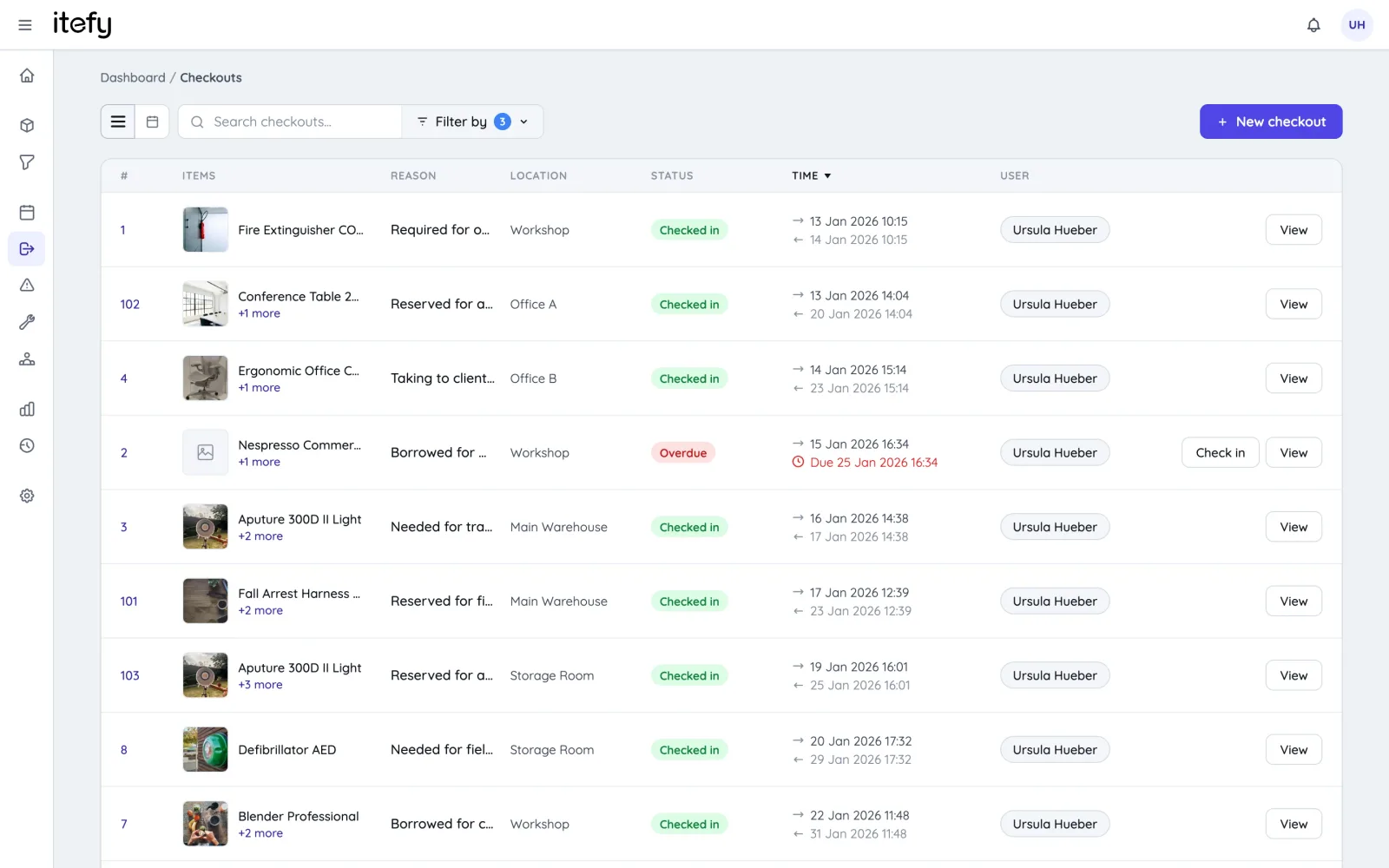
Every checkout records who took the equipment, why, where it is used and when it is due back. The checkout log doubles as a searchable usage history for every single item.
- User, purpose, location and due time on every checkout
- Statuses at a glance: checked out, checked in, overdue
- Every handover stored permanently in the item’s history
Check out in seconds
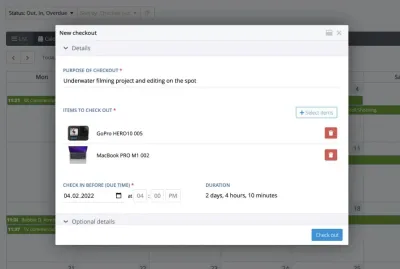
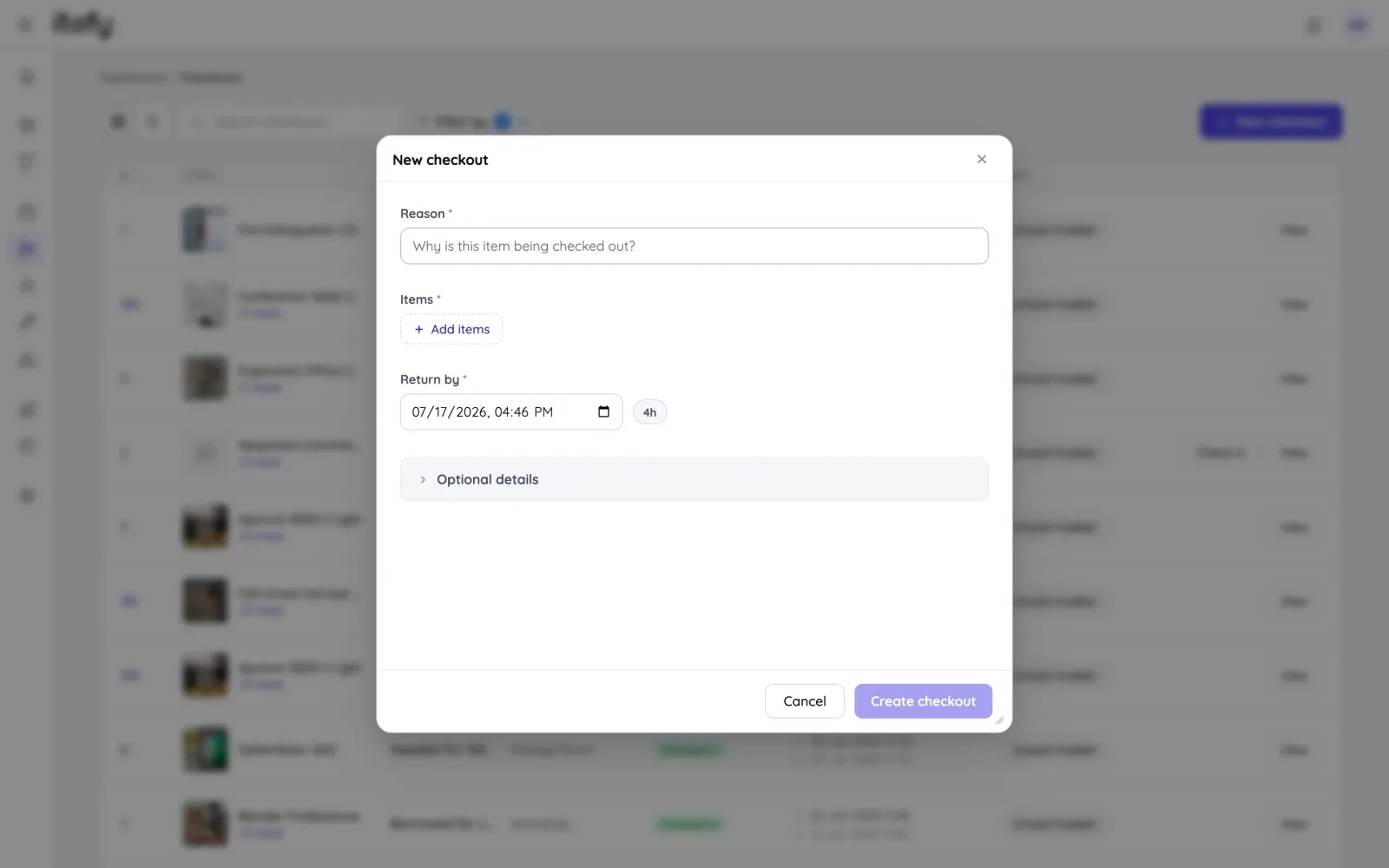
A checkout needs three things: a reason, the items and a return time — with quick presets for common durations. Add optional details like location, assignee, tags or a linked customer when you need them.
- Multiple individual items or entire kits in one checkout
- Convert a reservation to a checkout with all details copied over
- Batch-scan QR labels with Itefy Go for hands-free item picking
Due dates, overdue alerts and partial check-in
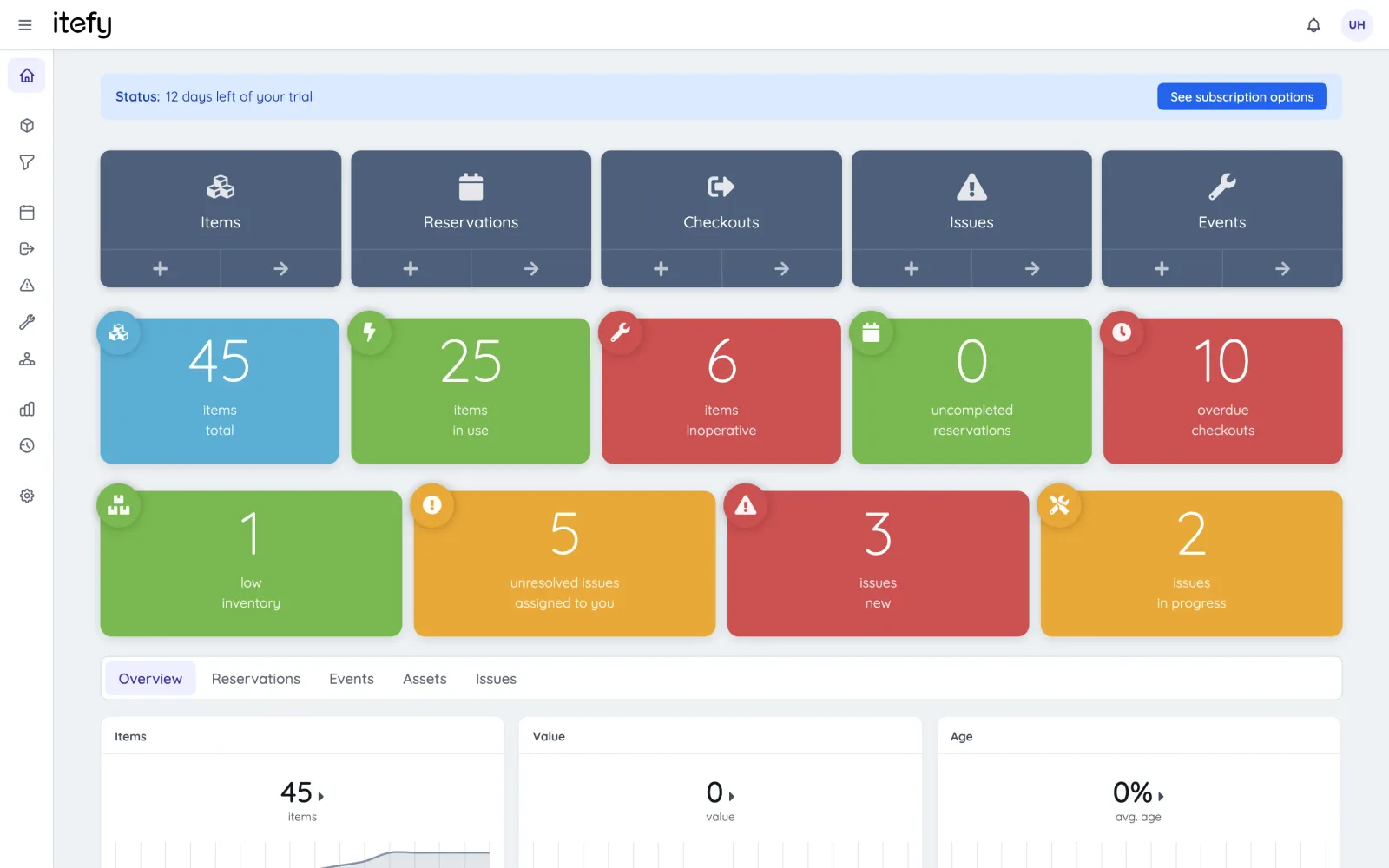
Set a due time and let Itefy do the chasing: overdue checkouts are flagged on the dashboard and the responsible users are notified automatically. Items can be checked in one by one when returns come back in stages.
- Automatic overdue notifications — in the app and by email digest
- Partial check-in on multi-item checkouts
- Comment threads with @-mentions on every checkout
Issued, not lent: custody
A laptop for a new starter or a meter that lives on one site has no return date — so it should not be nagging anyone as overdue. Give it into custody instead: Itefy records who holds it and since when, keeps it out of everyone else’s bookings, and releases it with an ordinary check-in.
- No return date, never overdue, no reminders to ignore
- Holders confirm on a schedule, item by item, that they still have it — or by scanning it
- Anything reported missing, or never confirmed, is flagged to the administrators
Self-service or managed — you decide
Let every user check equipment out and in themselves, or keep handovers in the hands of managers who check out on behalf of others. Granular permissions decide exactly who may do what.
- Per-user permissions with presets, down to “own records only”
- Check out on behalf of other users — they are notified automatically
- Add unlimited team members on every plan tier
See what your equipment is really doing
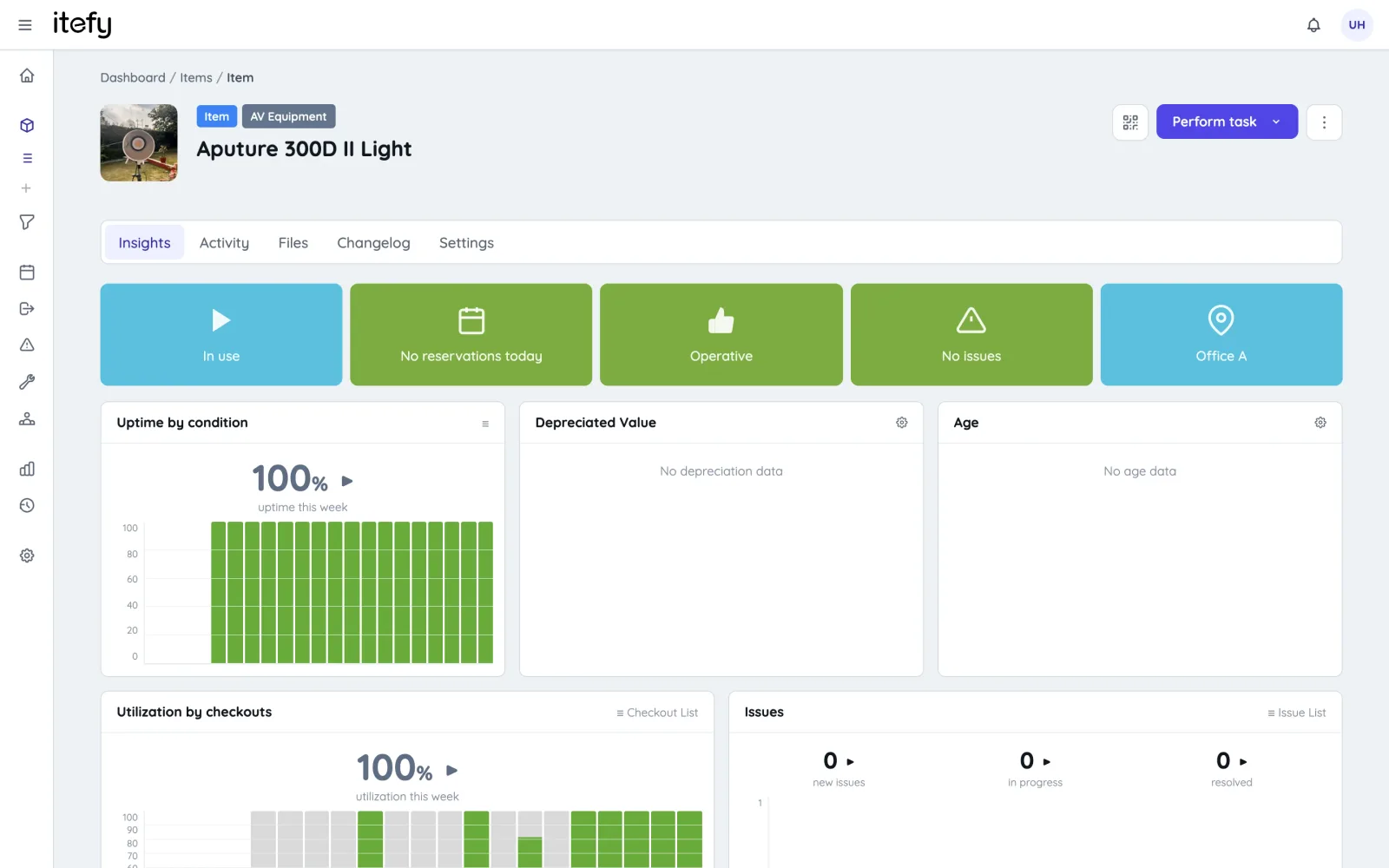
Checkout data feeds live utilization statistics — per item and across the fleet — so idle equipment, bottlenecks and over-used assets become visible instead of anecdotal.
- Live utilization and uptime charts on every item page
- Checkout-time reports grouped by user, item or type
- Planned-vs-actual shows how usage matched the reservations
Scan. Check out. Done.
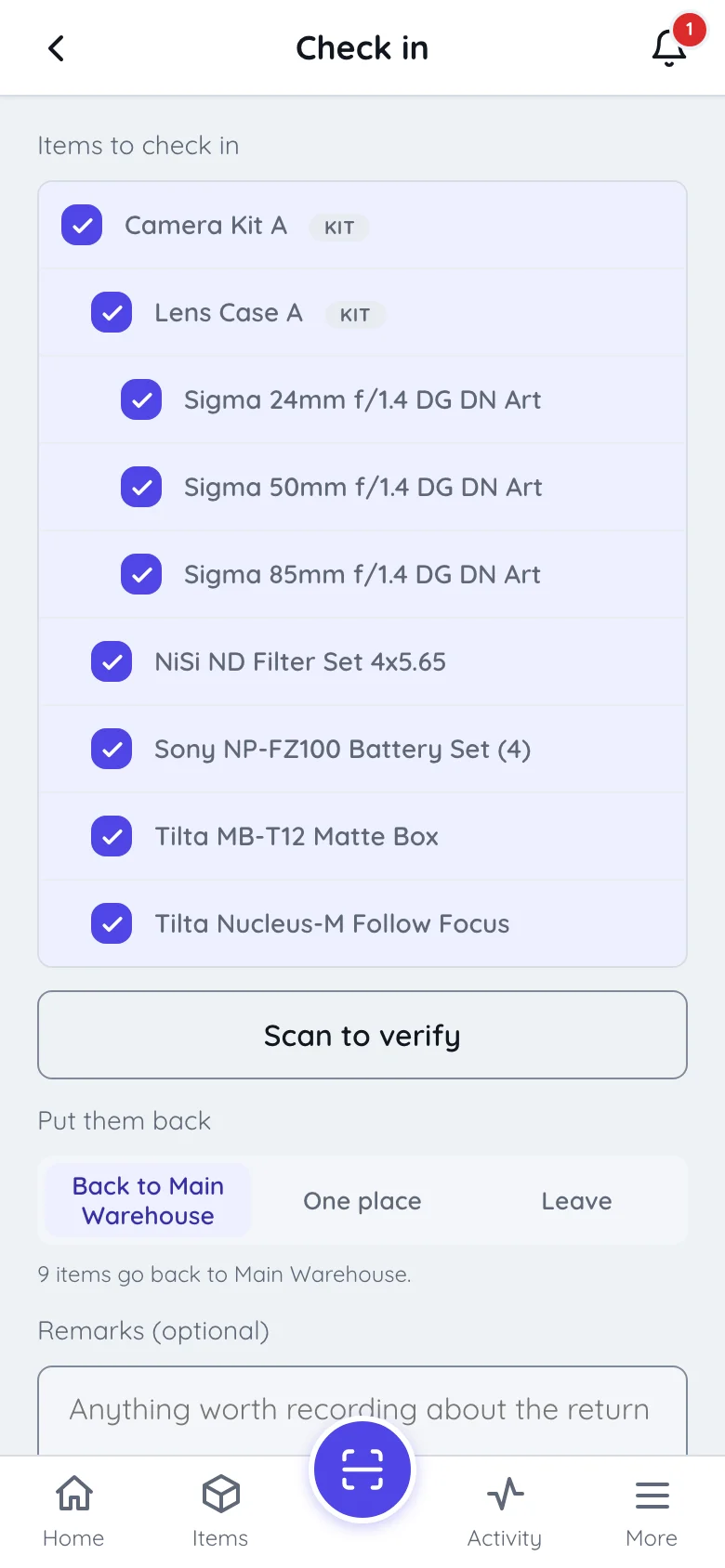
With Itefy Go on a phone, a checkout is as fast as pointing the camera at a QR label. Scan one item or batch-scan a pile of gear — and check it all in again when it comes back.
- Batch-scan multiple QR labels straight into one checkout
- Check out, check in and report issues from the field
- Works in the browser on iOS and Android — no installation required
What the sign-out sheet is actually costing you
A sheet — paper or spreadsheet — tells you what somebody wrote down. That is a different thing from what is true, and the gap always shows up in the same places.
Nothing is ever overdue
A due date in a cell does not chase anyone. Someone has to read the sheet, notice, and start an awkward conversation — so mostly nobody does, until the gear is needed for something else.
The trail ends when a row is edited
Overwrite a cell and the previous answer is gone. When an item turns up damaged there is no way back to who had it in March, because March was typed over in April.
Two people can claim the same kit
A list has no concept of availability, so nothing stops two bookings landing on one camera. You find out on the morning of the shoot.
It is never current in the field
Handovers happen at a van, a stage door, a storeroom — not at the desk where the file lives. Whatever gets typed up afterwards is a reconstruction, and some of it never gets typed up at all.
Damage has nowhere to go
A sign-out sheet records who took what, not that it came back with a cracked lens. Faults end up in an email, a text message or somebody’s memory, and the next person books it anyway.
It cannot tell you what to buy
A sheet records handovers but never adds them up, so the case for another set — or for selling the three nobody signs out — stays a matter of opinion.
Itefy vs. Excel — full comparisonWho uses Itefy for equipment checkout
Any team where shared gear leaves the building and has to come back.
Film & TV production
Camera, sound and lighting packages out to crew and back after the shoot.
TV & filmSchools & universities
Loaner laptops, lab kit and AV gear checked out to students and staff.
EducationIT departments
Laptops, phones and peripherals issued to employees with a clear paper trail.
IT asset management…and checkouts are only part of it
The same system covers the rest of the equipment lifecycle — on every plan.
Equipment register
Every item in one database with pictures, documents, specs and QR labels.
Equipment managementMaintenance & issues
Preventive schedules, fault reports and repair tracking per item.
Maintenance trackingCommon questions about equipment checkout
What is equipment checkout software?
Equipment checkout software records who took which items, when they are due back and when they actually returned — replacing a sign-out sheet or shared spreadsheet. Itefy logs every handover against the item, so each piece of equipment carries its own custody history and nothing depends on someone remembering to update a file.
How is this different from a check in / check out spreadsheet?
A spreadsheet tells you what someone wrote down; it cannot tell you what is overdue, notify the person holding an item, or stop two people claiming the same kit. Itefy flags overdue checkouts on the dashboard, emails the responsible user automatically, and keeps a permanent per-item log. See Itefy vs. Excel for the full comparison and the migration path.
Can staff check equipment out themselves?
Yes — or not, if you would rather managers handle it. Granular per-user permissions decide who may check out, who may check out on behalf of others, and who only sees their own records. Both models work in the same account, and you can add unlimited team members on every plan tier.
Do we need barcode scanners or RFID hardware?
No. Itefy uses printed QR labels and the camera on any iOS or Android phone through the Itefy Go app — including batch-scanning a pile of gear straight into one checkout. Print label sheets on a standard laser printer, or export item codes for DYMO and Brother label printers.
Is there a free equipment checkout system?
Itefy has a 14-day free trial with full access to every feature — no credit card, no setup fee and no mandatory onboarding. After that, paid plans start at $15/month. There is no permanently free tier; what you see in the trial is what you keep.
Can equipment be checked out with no return date?
Yes — that is custody. Equipment issued to someone indefinitely is checked out with no return date, so it is never overdue and cannot be booked by anyone else while it is held. Itefy can ask each holder every few months to confirm, item by item, that they still have it, and flags anything reported missing to the administrators.
Can a reservation become a checkout?
Yes. Equipment booked ahead on the shared calendar converts to a checkout in one click, with the items, dates, purpose and assignee copied across. The reservation side and the checkout side are the same system, so nothing is entered twice.
Take control of your equipment
Try every feature free for 14 days. No credit card, no obligations.