
Equipment Booking & Reservation Software
Book shared equipment on a calendar that knows what you own
— and refuses the clash before anyone drives to the store.
What is equipment booking software?
Equipment booking software records who has claimed which equipment and for when — and settles what happens when two people want the same thing on the same morning. It replaces the shared calendar, the whiteboard by the store room door, and the message thread that ends with somebody saying they were sure it was Thursday.
Reservation
A claim on equipment before anyone has it. Nobody has picked anything up yet — the point is that nobody else can promise it either.
“This camera, that crew, next Tuesday.”
Checkout
Custody, right now. Someone has the equipment, they are accountable for it, and there is a time it is due back.
“Sara has it, back Friday at 16:00.”
Itefy does both, and turns the first into the second in a click — which is the part a shared calendar can never do, because a calendar has no idea what you own. Reservation vs. checkout covers the distinction in full.
And a reservation here is a record, not a coloured rectangle. It carries:
- People
- Items
- Times
- Location
- Purpose
-
The booking
Made against the individual items, so the claim is on the equipment itself rather than on a note in a calendar.
-
The handover
The same record becomes the checkout when the gear is collected. Nothing is entered a second time.
-
The report
Both ends feed planned-vs-actual, so what was booked and what happened can be compared later.
One calendar, and it knows what you own
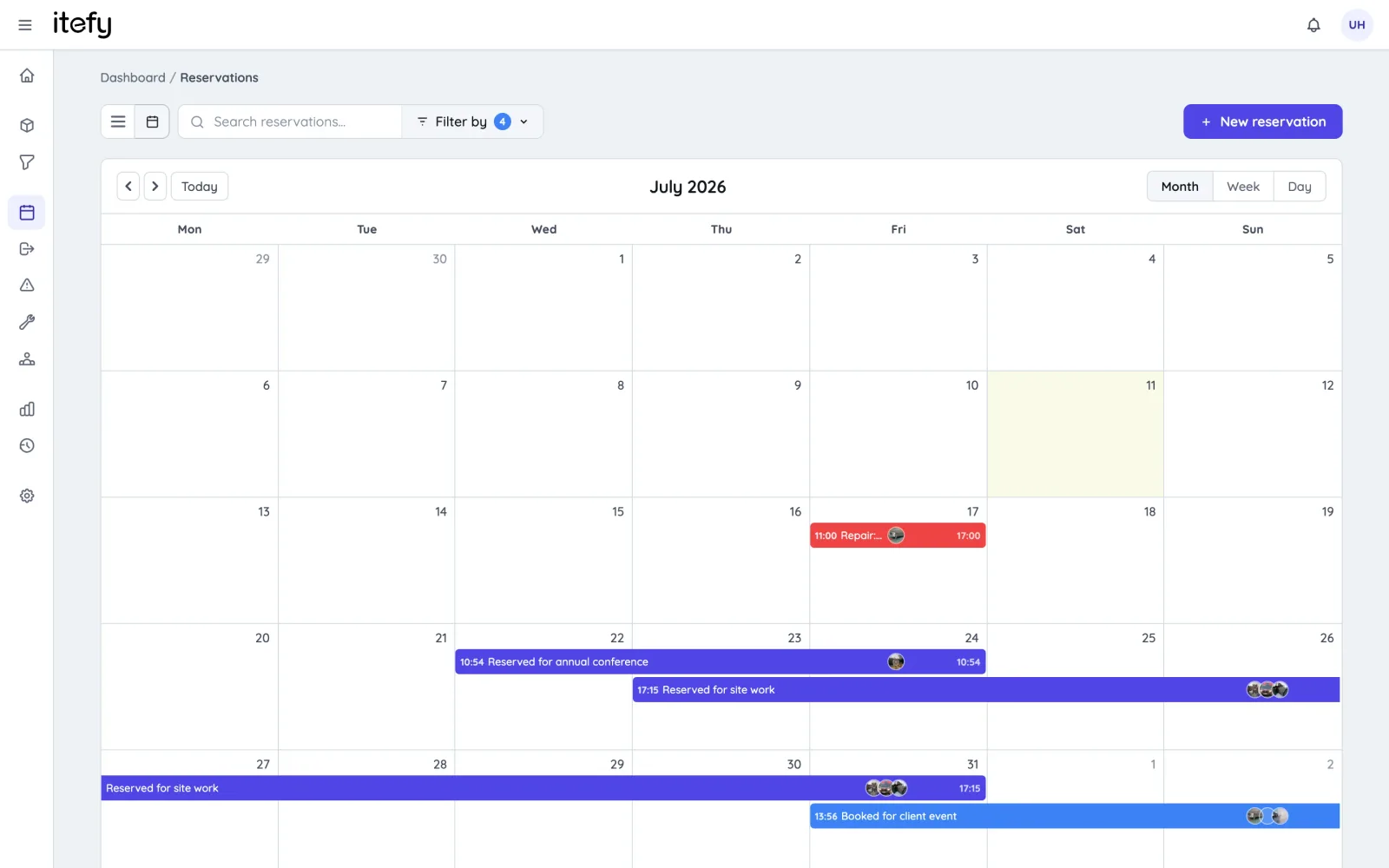
Every booking is held against the individual items rather than against a room, a person or a job number. That is what lets the calendar answer the question an ordinary calendar cannot: is this particular camera free next Tuesday, and if it is not, who has it and until when.
- Month, week and day views, colour-coded by what the booking is for
- Availability tracked per item, so the answer is about the thing itself
- Filter the calendar by item, location, person or classification
Double bookings are refused, not flagged
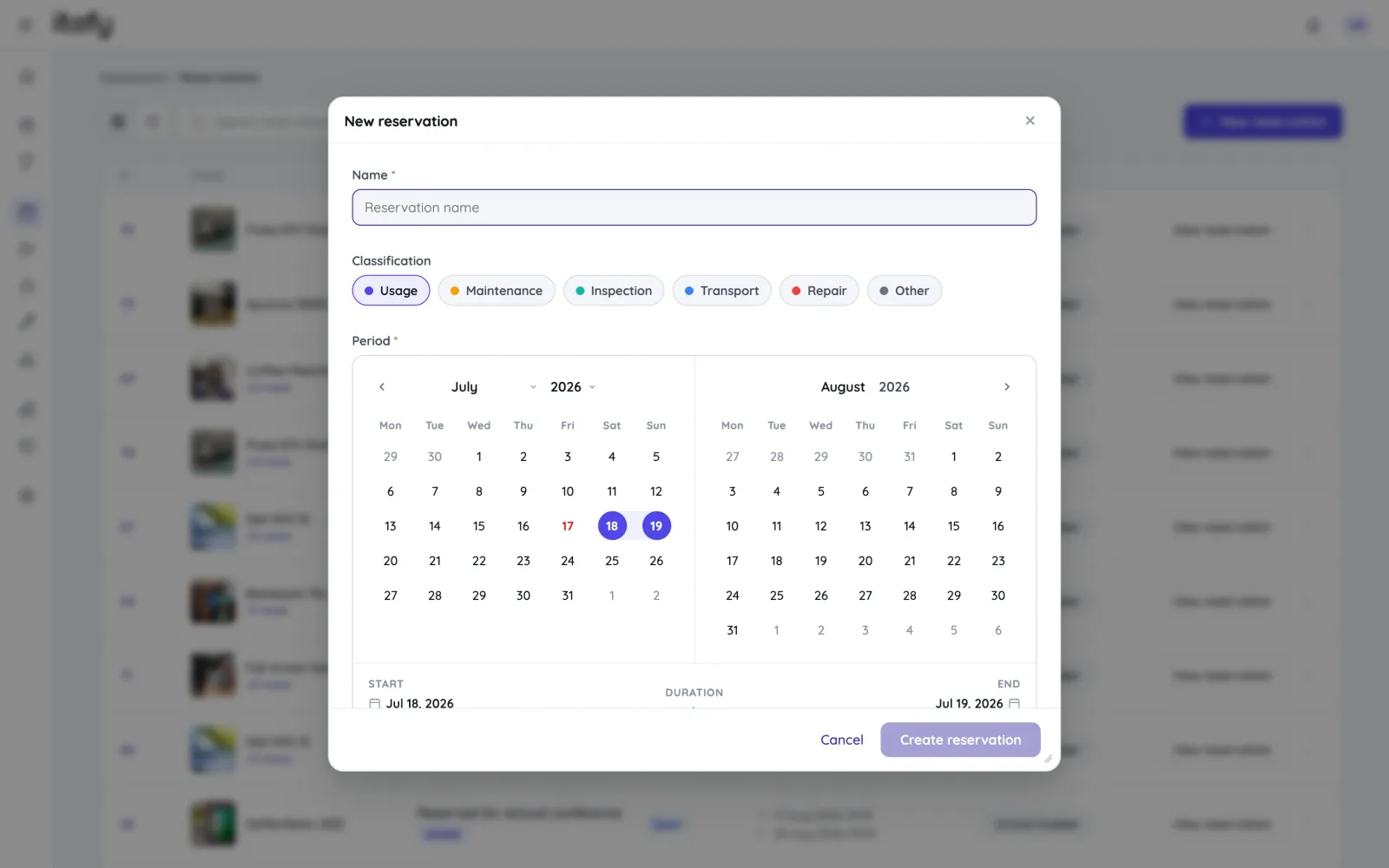
When a reservation would overlap one that already exists, Itefy declines it and names the items standing in the way — at the moment the booking is made, not in a report somebody reads on Friday. There is no state in which two people both believe they have the same camera.
- Overlapping bookings refused as they are created, with the clash named
- Equipment marked inoperative cannot be booked for a job at all
- Repair and inspection bookings are exempt — broken gear can still be scheduled for its fix
Book the whole package, not a list of its parts
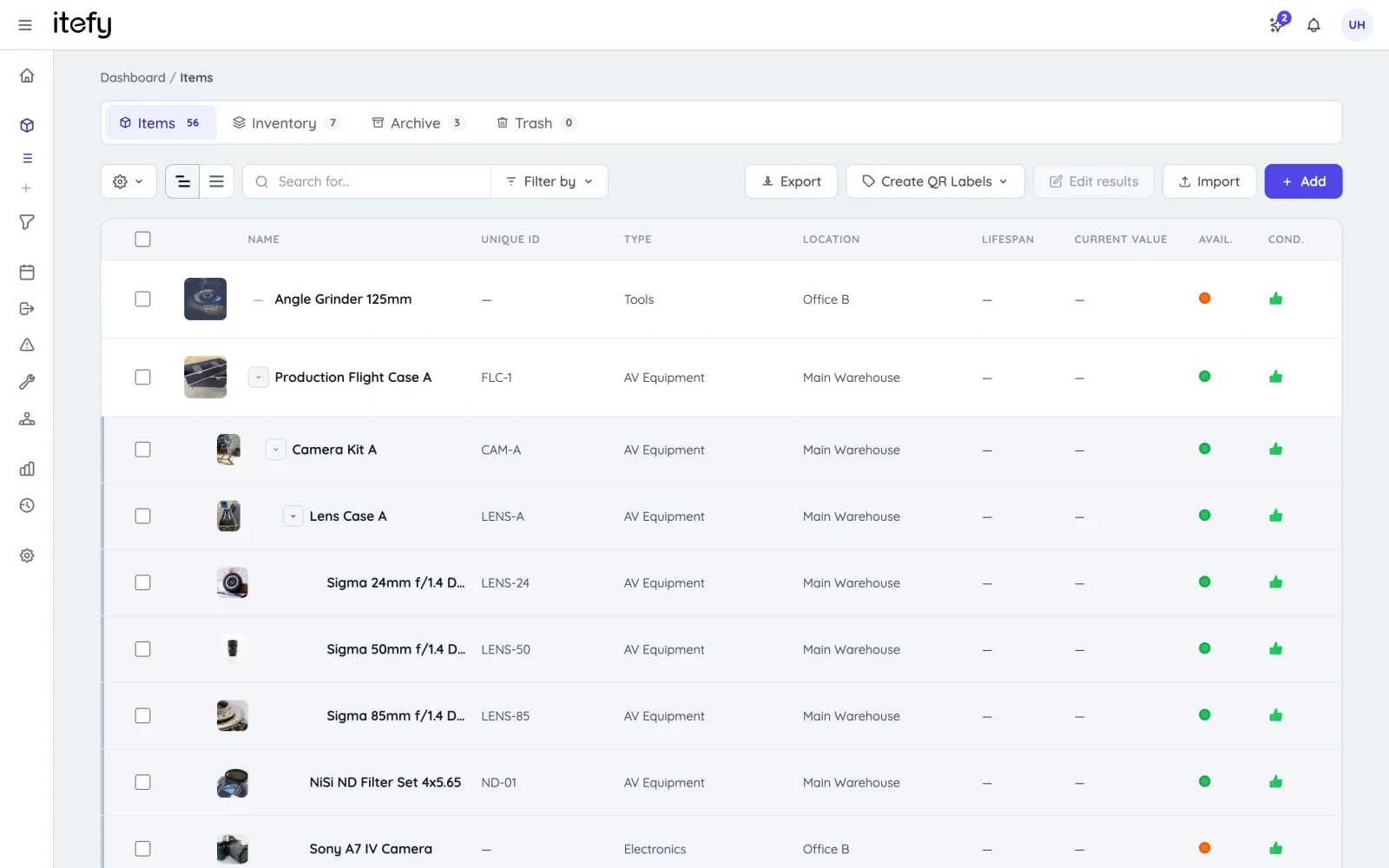
A kit is one thing you book: the camera package, the flight case, the trolley that goes out as a unit. Itefy checks every item inside it before the booking is accepted — including the kits inside that kit, five levels deep. Booking “Camera Package A” therefore cannot quietly commit a tripod that is already promised to Thursday’s job.
- Kits nest up to five levels — a case, inside a case, inside a vehicle
- Every member checked for conflicts at every level before the booking goes through
- One member can go out for maintenance without dismantling the kit
Book it once, not every term
A weekly training slot, a monthly service window, a seasonal shift pattern — entered once as a series instead of retyped each time it comes round. When the timetable moves, the series moves with it rather than being edited one row at a time.
- Daily, weekly, monthly or yearly patterns, with an end date
- Edit or cancel a single occurrence, or the whole series together
- Included from the Startup plan upwards
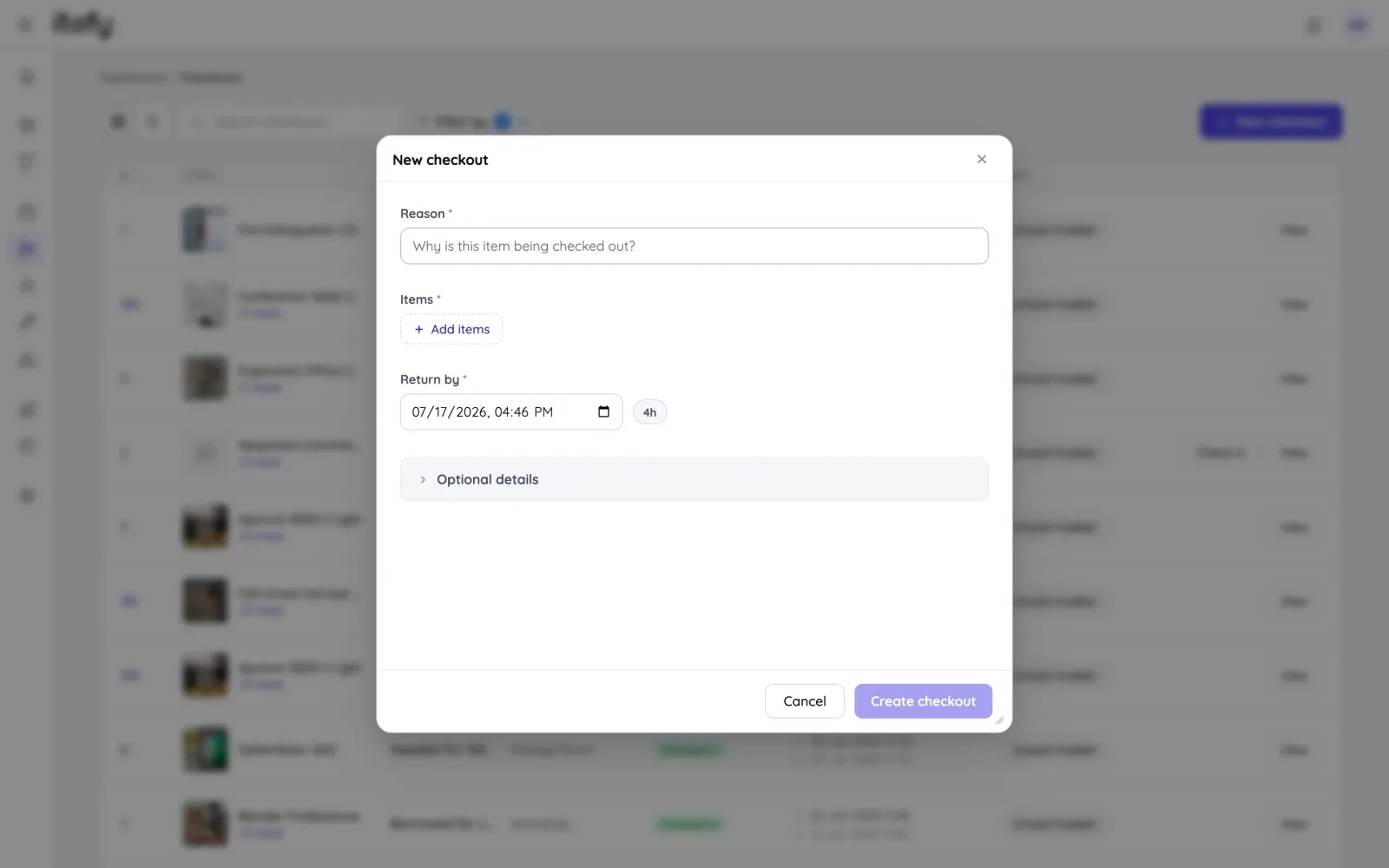
The booking becomes the handover
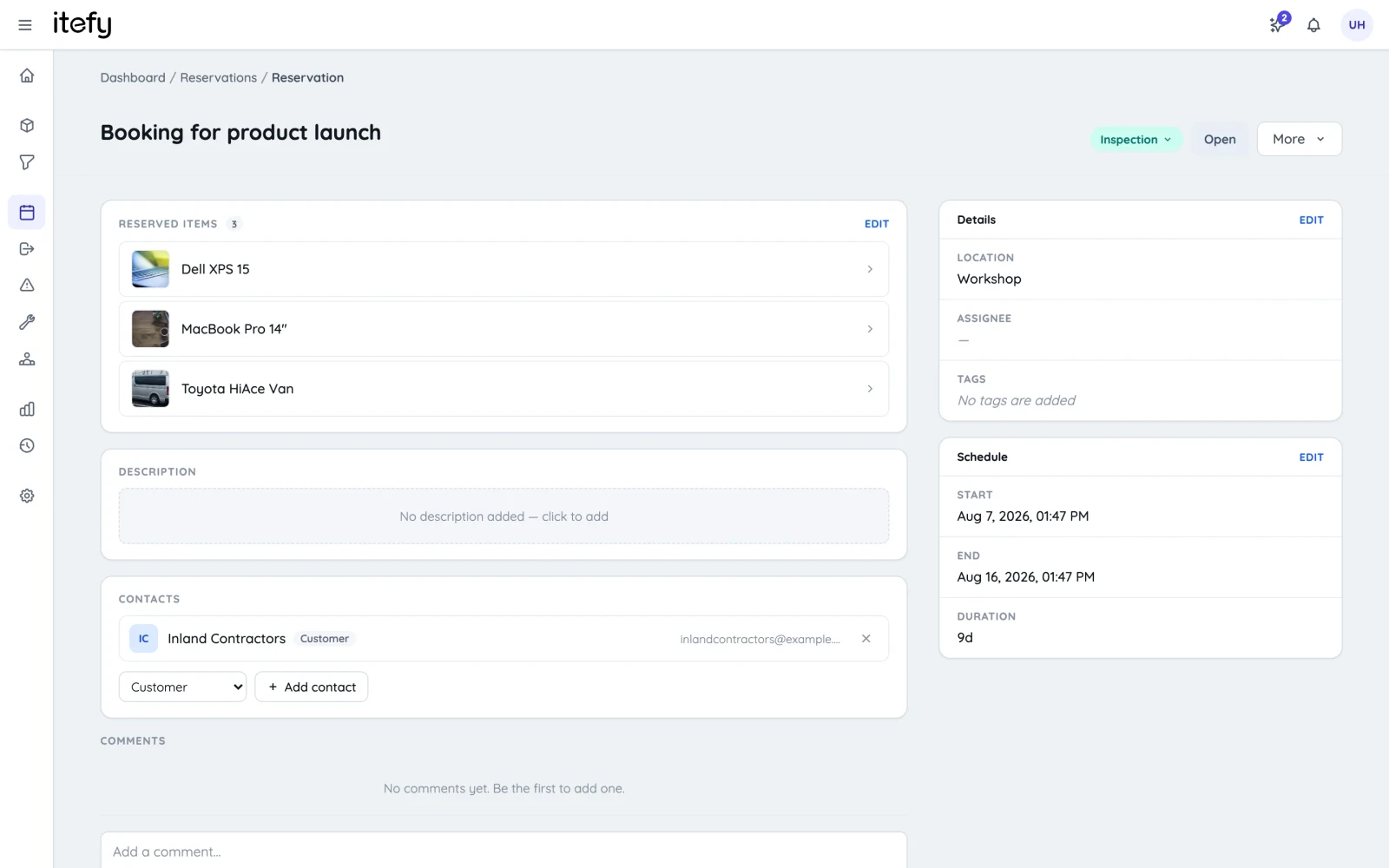
When someone collects the equipment, the reservation converts to a checkout in one click, carrying the items, dates, purpose and assignee across. The same record continues instead of a second one starting somewhere else — which is why nothing has to be entered twice, and why the two never disagree.
- One click from a booking to a live checkout, with everything carried over
- A reminder six hours before a booking starts, and again if a slot ends uncompleted
- Book, collect and return from a phone with Itefy Go
Find out whether the plan survived the week
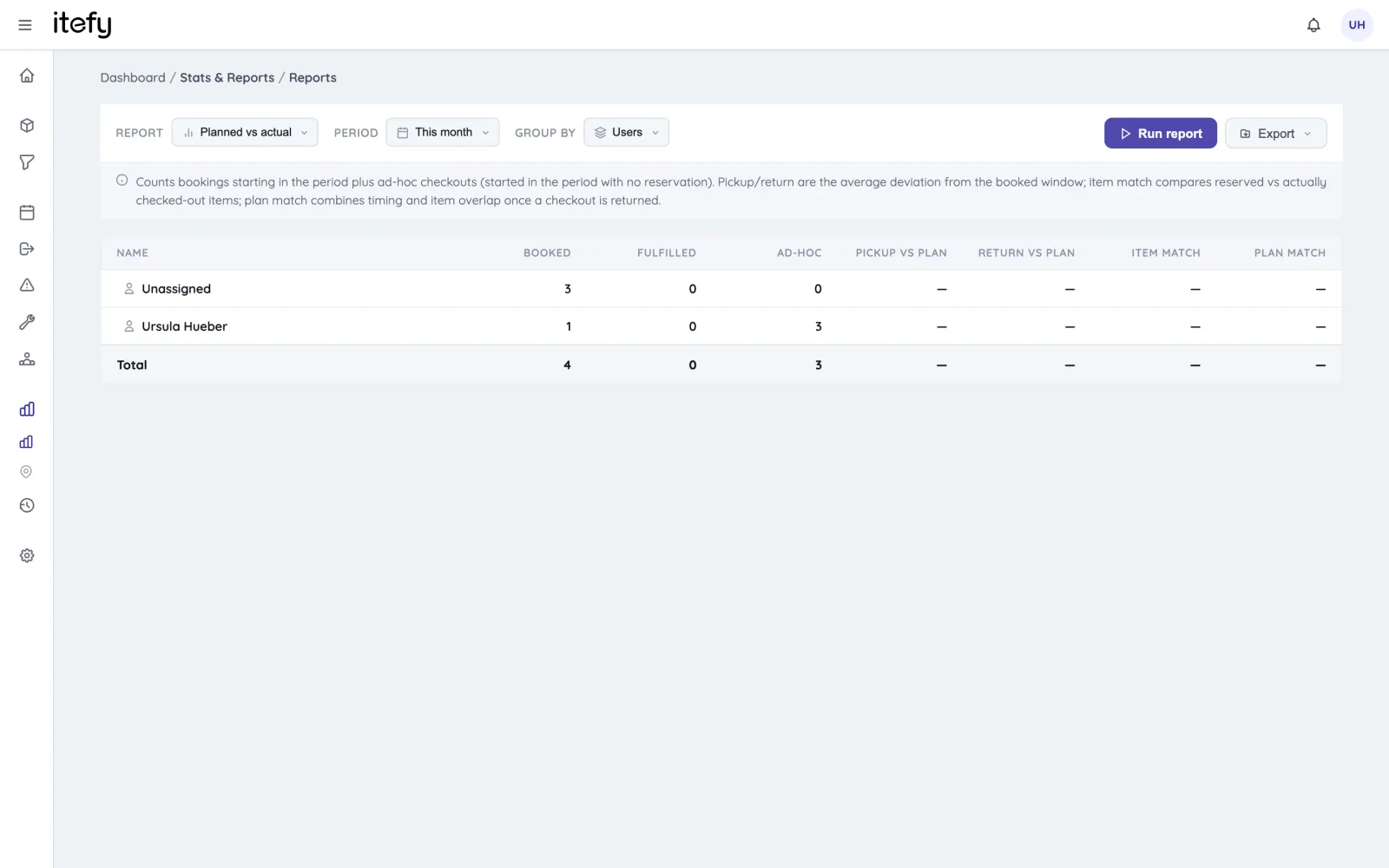
Bookings nobody collected, gear taken without a booking at all, kit that came back three hours after the slot ended. Planned-vs-actual puts numbers on the gap between what was scheduled and what happened, so how well the calendar is working stops being a matter of opinion.
- Booked, fulfilled and ad-hoc usage side by side
- Pickup and return deviation measured against the booked window
- Utilisation figures that make the case for buying another set
What the shared calendar is actually costing you
A calendar is very good at holding appointments and completely indifferent to equipment. The gap between those two things shows up in the same places every time.
Two people, one camera
A calendar has no idea what you own. It will hold two entries for the same camera on the same morning quite happily, because to a calendar they are two rectangles that do not touch. You find out at the van.
Every term, typed again
Weekly lab slots and recurring training get re-entered by hand each term, then edited one at a time when the timetable shifts. The mistakes arrive quietly, in the rows nobody read twice.
The booking and the handover live apart
The calendar says the kit is booked. It cannot say whether it left the building, who signed for it, or whether it came back — so somebody starts a second list, and by Wednesday the two disagree.
A kit is not a calendar entry
Booking “the camera package” as one line checks nothing inside it. The package looks free right up to the moment you open the case and find the tripod went out with someone else.
Nothing to say no with
Without a real availability check, the answer to “can I have it Thursday?” is a guess made by whoever happens to be asked. Confident guesses are what double bookings are made of.
It cannot prove anything
A calendar records intentions and never outcomes. It will not tell you which gear is booked solid and which has not moved since March, so the case for another set stays an argument instead of a number.
Reports & insightsWho books equipment with Itefy
Any team where the same gear is wanted by more than one person, and the answer has to be right before anybody sets off.
Film & TV production
Camera, sound and lighting packages booked per shoot day and per crew.
TV & filmEvents & AV crews
Flight cases and staging booked against a show calendar, then loaded out.
Events & AVEquipment rental
Customer bookings held against real stock, so availability answers are honest.
Equipment rentalConstruction & trades
Plant and tools booked to sites and crews before they are needed on the ground.
Construction…and bookings are only part of it
Itefy is a complete toolbox for all your equipment, inventory and assets — on every plan.
Asset database
Keep track of, organize and categorize all your assets in one database.
Equipment managementCheckouts
Keep track of actual asset usage, and make sure it's being returned in time.
Equipment checkoutMaintenance & issues
Preventive schedules, fault reports and repair tracking per item.
Maintenance trackingThe booking feature in detail
A field-by-field walkthrough of how a reservation works inside Itefy.
Reservations & schedulingCommon questions about equipment reservations
What is equipment reservation software?
Equipment reservation software lets a team book shared equipment ahead of time on a common calendar, so everyone can see what is spoken for and when it comes free. Itefy holds those bookings against the individual items rather than against a room or a person, which is what makes availability accurate when the same camera, trolley or toolkit is wanted twice in one week.
How does Itefy stop two people booking the same item?
Every reservation is checked against the item's existing bookings as it is created, and an overlapping one is refused rather than silently accepted. Because availability is tracked per item, a shared calendar entry cannot quietly commit equipment that is already promised elsewhere.
Can we book a whole kit in one go?
Yes, and the kit is what you book — not a list you reassemble each time. Itefy checks every item inside the kit for conflicts before accepting the booking, including kits nested inside other kits, up to five levels deep. So booking a camera package cannot quietly commit a tripod that is already promised to another job. A single member can still be sent for maintenance without dismantling the kit. See how kits work.
Can we create recurring reservations?
Yes — a weekly training session, a monthly service slot or any repeating pattern is booked once as a series rather than re-entered each time, and the whole series can be edited or cancelled together. Recurring reservations are included from the Startup plan upwards; see plans and pricing.
Can a reservation become a checkout when the equipment is collected?
Yes. When the booking is picked up it converts to a checkout in one click, carrying the items, dates, purpose and assignee across, so the same booking becomes the custody record. The checkout side and the reservation side are one system — nothing is entered twice.
Can staff book equipment themselves, or only managers?
Either, and both can run in the same account. Per-user permissions decide who may reserve equipment, who may reserve on behalf of other people, and who only sees their own bookings — so a self-service model for one team and a managed one for another is a settings question, not a separate system.
Is there a free equipment booking system?
Itefy has a 14-day free trial with every feature unlocked — no credit card, no setup fee and no mandatory onboarding. There is no permanently free tier; paid plans start at $15 per month, and reservations, checkouts and maintenance are included on all of them rather than sold as add-ons.
Take control of your equipment
Try every feature free for 14 days. No credit card, no obligations.