
Itefy Go — your equipment, in your pocket
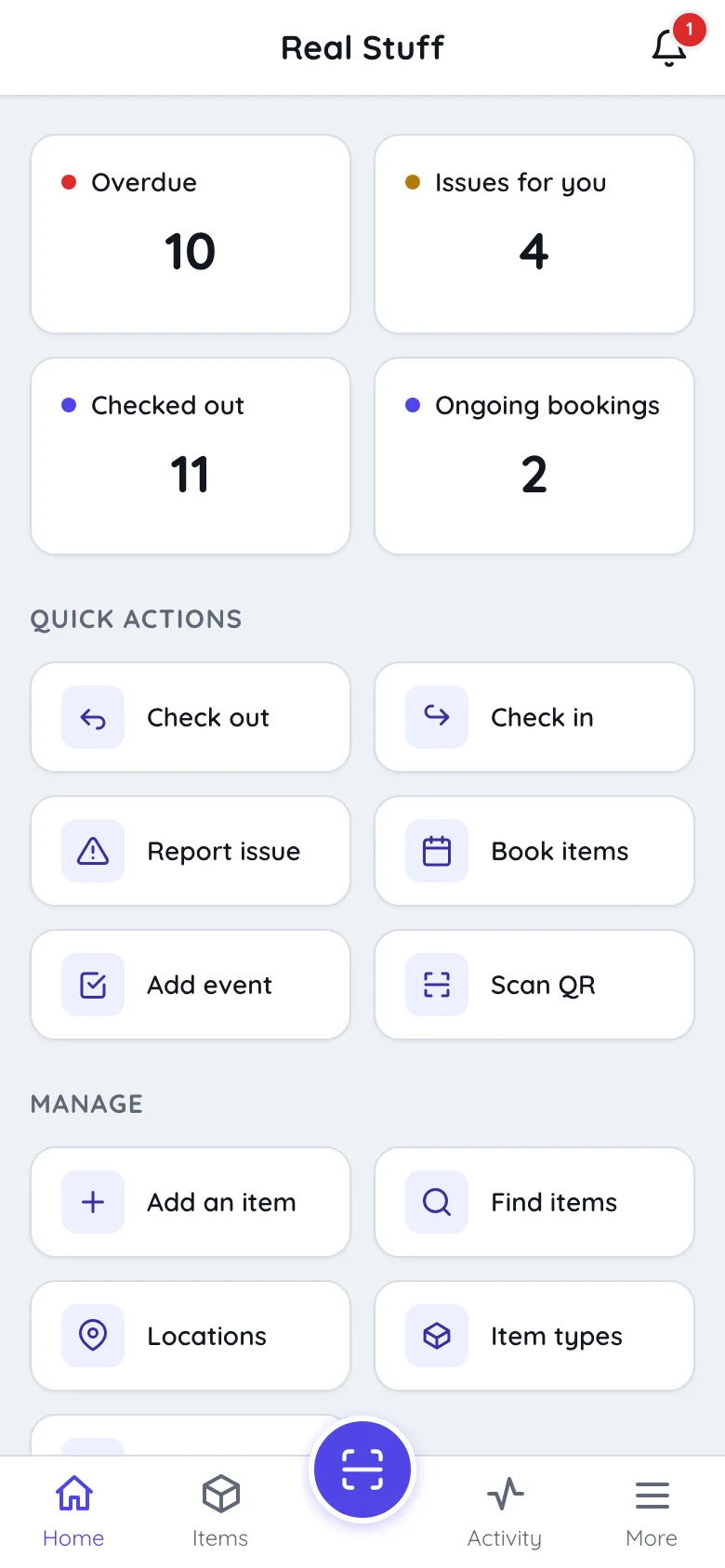
Scan a label and the item is on screen. Check equipment out, take it back and put it away, report a fault with a photo, or register something new — standing next to it, one-handed.
Key features:
- Scan from any screen
- Check out, check in, book
- Report faults with photos
- Register equipment on the spot
- No app store
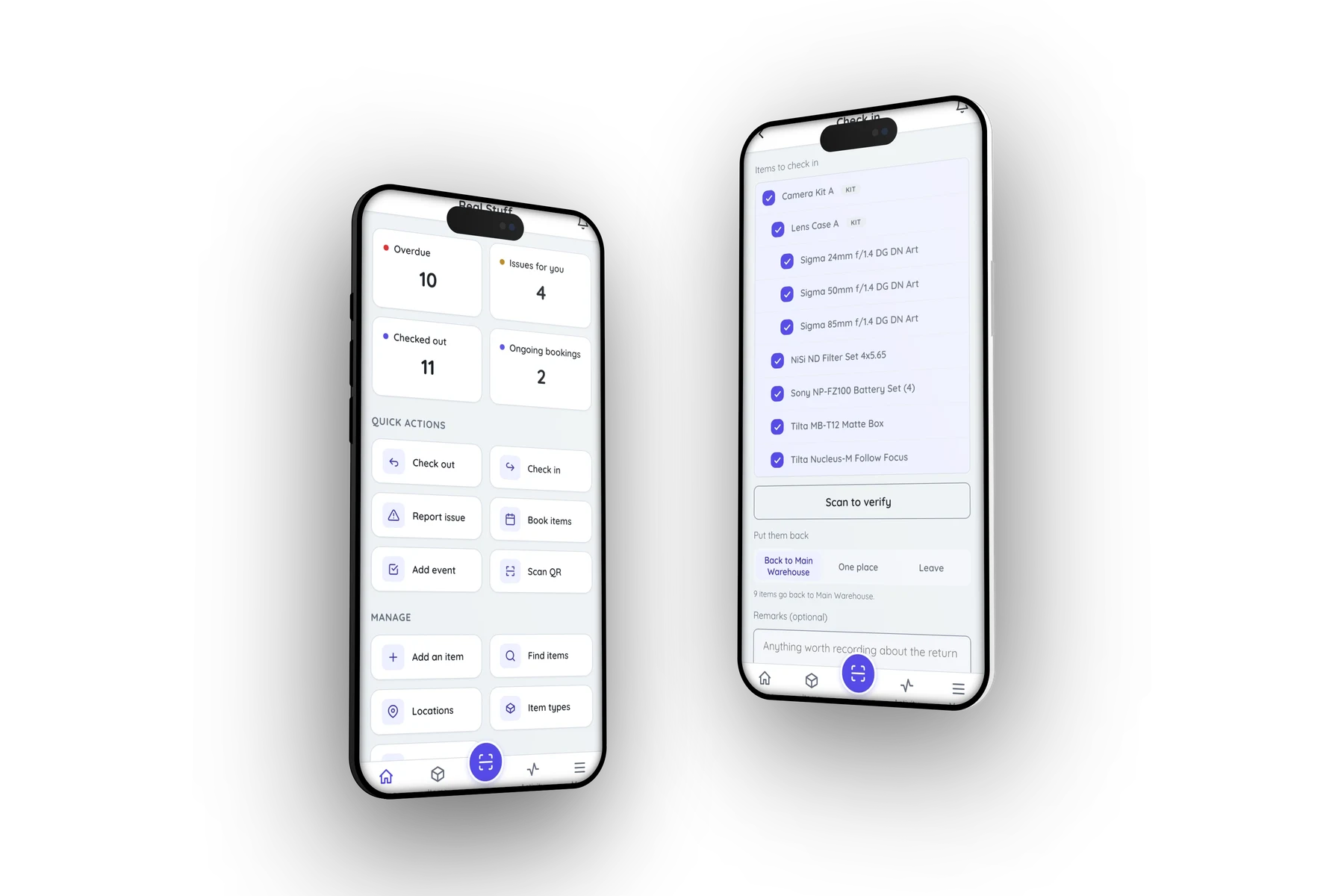
Scan, and it is on screen
The camera is a round button in the middle of the bar, on every screen — you do not find an item and then scan it. Point it at a label and the item opens: availability, condition, where it lives, what has happened to it, and every action one tap away.
- Scan from anywhere in the app, not from a menu
- Scan several things in a row into one checkout or booking
- Assign a freshly printed label to an item in the field
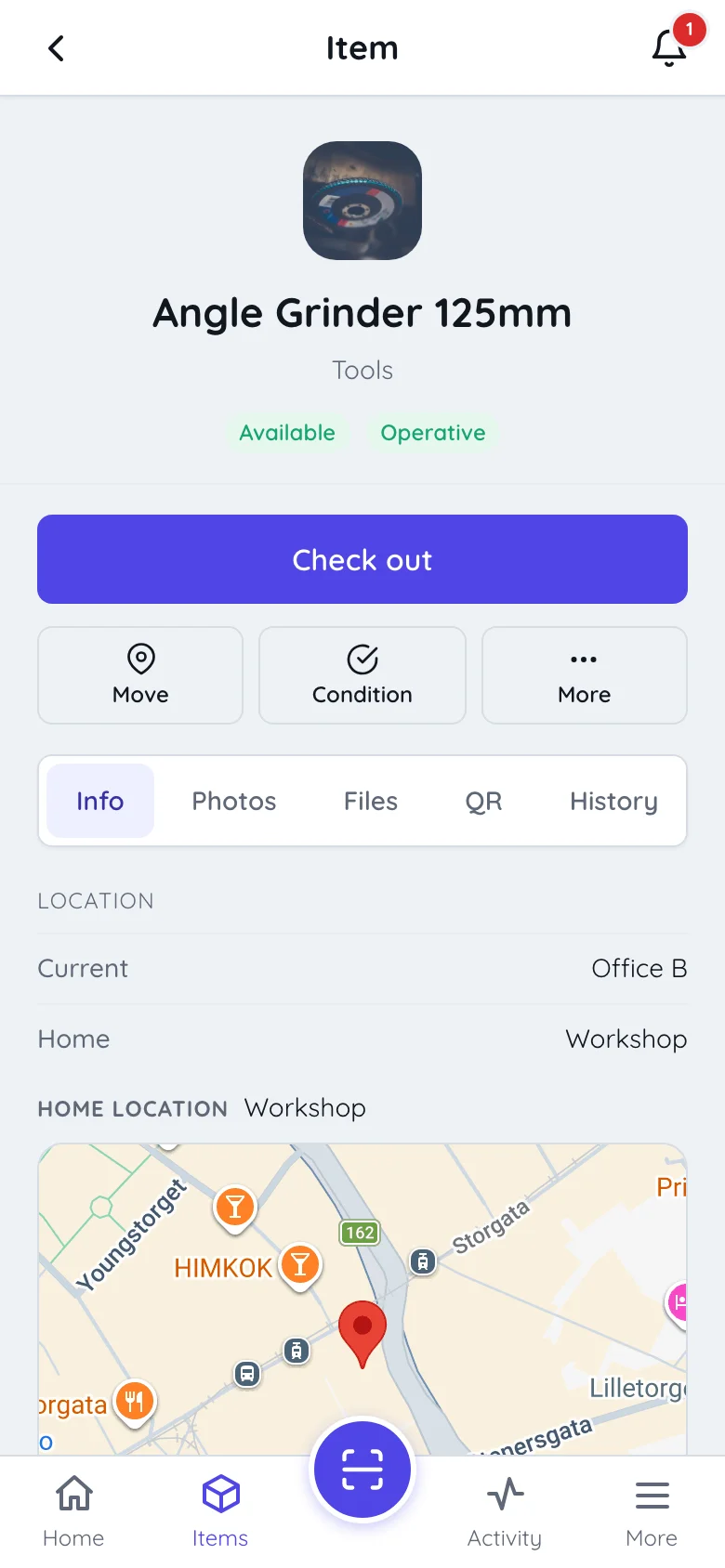
Do the work where the equipment is
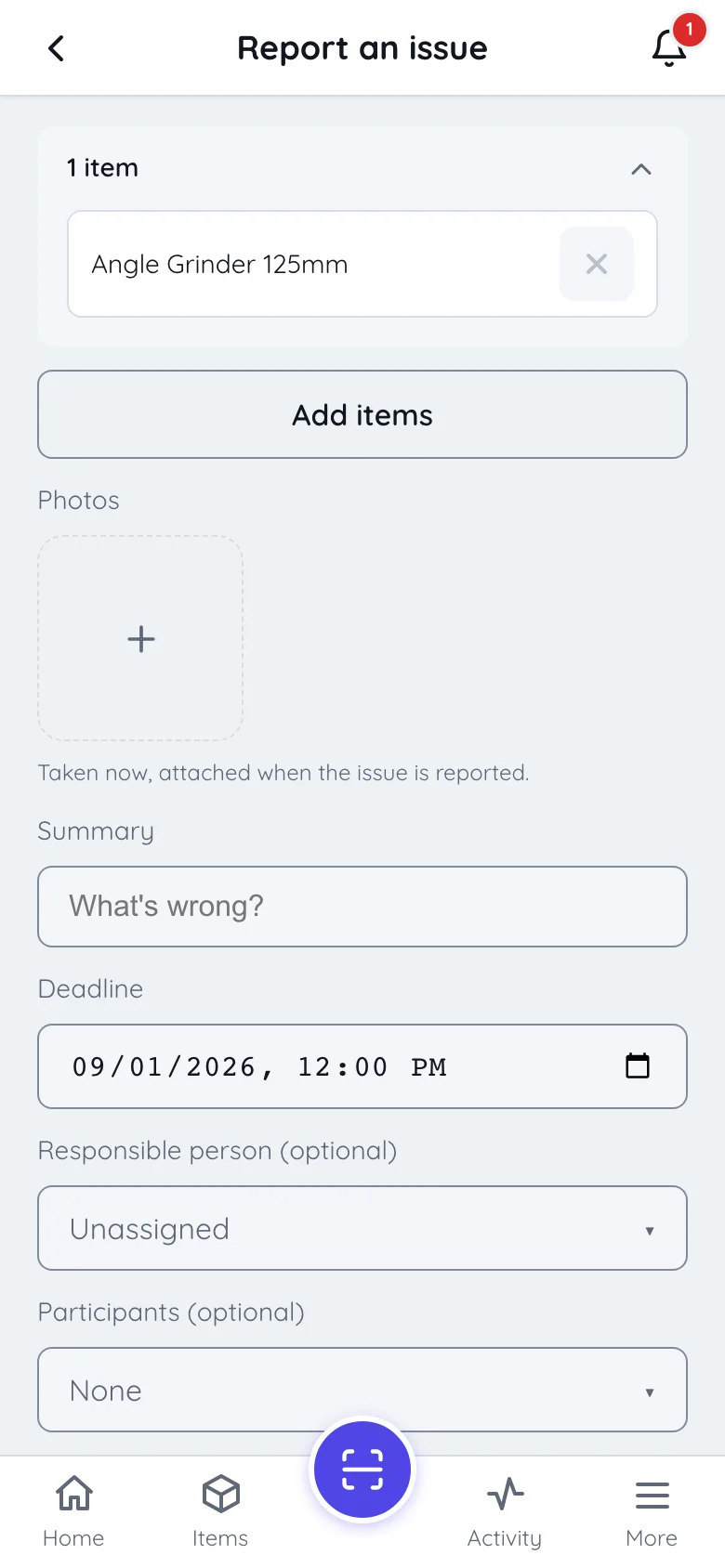
Check equipment out to a colleague, book it for Thursday, report the fault you just found — with the photo that proves it. Itefy Go asks which item first, usually with the camera, so the record is made where the thing is rather than remembered back at a desk.
- Check out and in, on behalf of whoever is actually taking it
- Report a fault with photos taken on the spot
- Book equipment, with clashes flagged before you commit
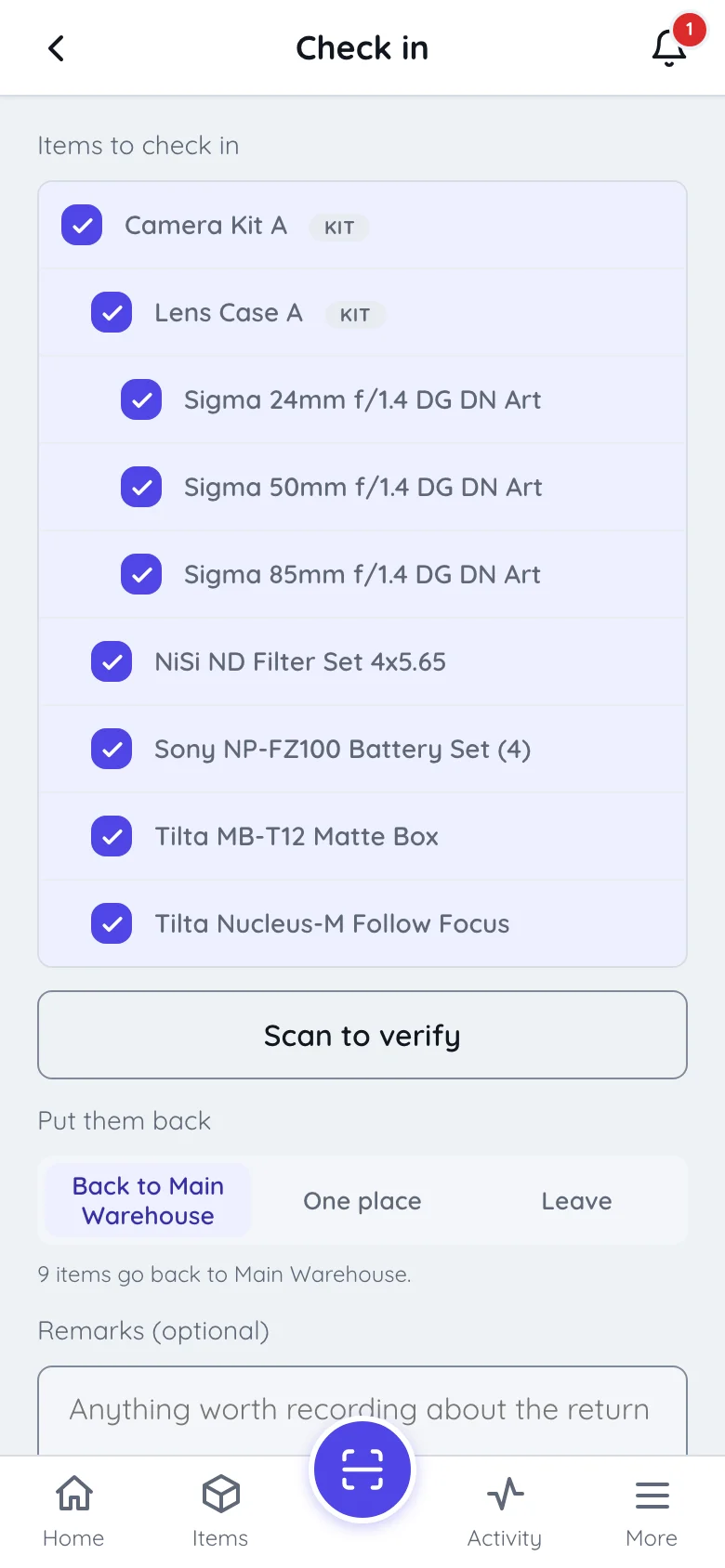
Take it back — and put it away
Check-in ticks off what came back, and can scan to verify it rather than trust the list. Then it asks the question nobody was asking before: where is this going? Everything back to its own home location, or all of it into one place to sort out later.
- Scan each item as it comes off the van and it ticks itself off
- Send every item back to its own home location in one action
- Or put the lot in one place, when the van is being emptied in a hurry
Register it where it stands
New equipment no longer waits for somebody to get back to a desk. Photograph it, name it, and stick a label on it — the whole path is a photo and a name. A location can be named while you are standing in it, with its position dropped on the map from the phone.
- Add an item with a photo and a name, then assign its QR label
- Create an item type or a location without leaving the form
- Drop a location’s position on the map from where you are
What stays on the desktop
Itefy Go is for acting on equipment, not administering it — and saying so is more use than a feature list. Bulk import from a spreadsheet, recurring bookings, archiving and deleting, reports and exports, and event costs are all web app work.
Both use the same account, the same data and the same permissions. Whether a person may use the mobile app at all is itself a permission, so a company can put scanning in everyone’s hands without putting the register there too.
Works on any device
No app store, no rollout project — Itefy Go runs wherever there’s a browser.
No app store
Runs in the browser on any iOS or Android phone or tablet, and installs to the home screen in seconds. Nothing to roll out, nothing to approve.
No special hardware
The phone’s camera is the scanner. Print QR labels in the web app and every device becomes a terminal.
Same data, same rules
One login for web and mobile, the same live data, and the same per-user permissions — including whether someone may use the mobile app at all.
Take control of your equipment
Try every feature free for 14 days. No credit card, no obligations.