
Free equipment tracking spreadsheet
Open it and start typing. Your equipment list lives in your browser, and you can export it to Excel or CSV whenever you like.
Free, up to 500 items, no account, no licence key.
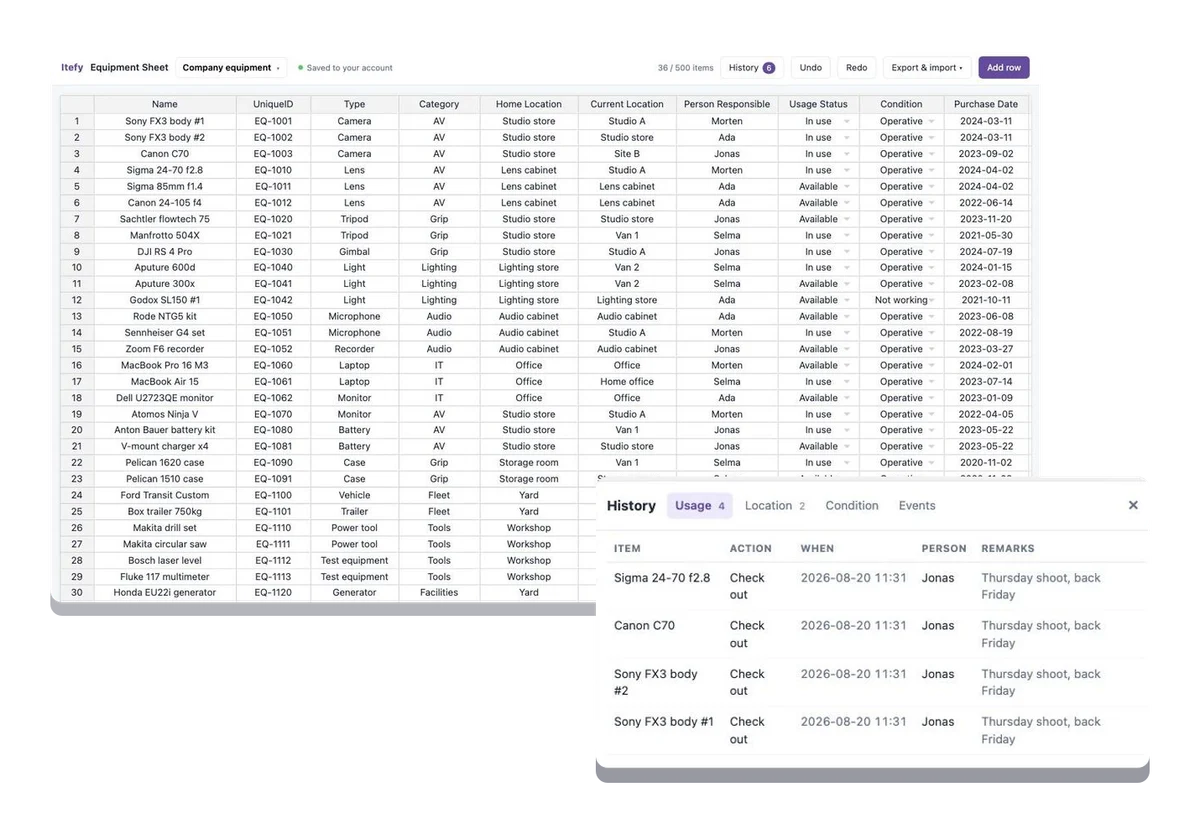
A template hands you a file
and then you are on your own.
Every equipment template works the same way: you download it, delete the sample rows, and start again from a grid of empty cells. Nothing in it knows what a location is. Nothing stops the same store room being typed four different ways. And a year later the file has been copied into three inboxes and nobody can say which one is current.
This is an equipment tracking spreadsheet that already knows what equipment is — and you never download anything to start. When you do want the file, it exports to Excel or CSV in a click.
Columns that already mean something
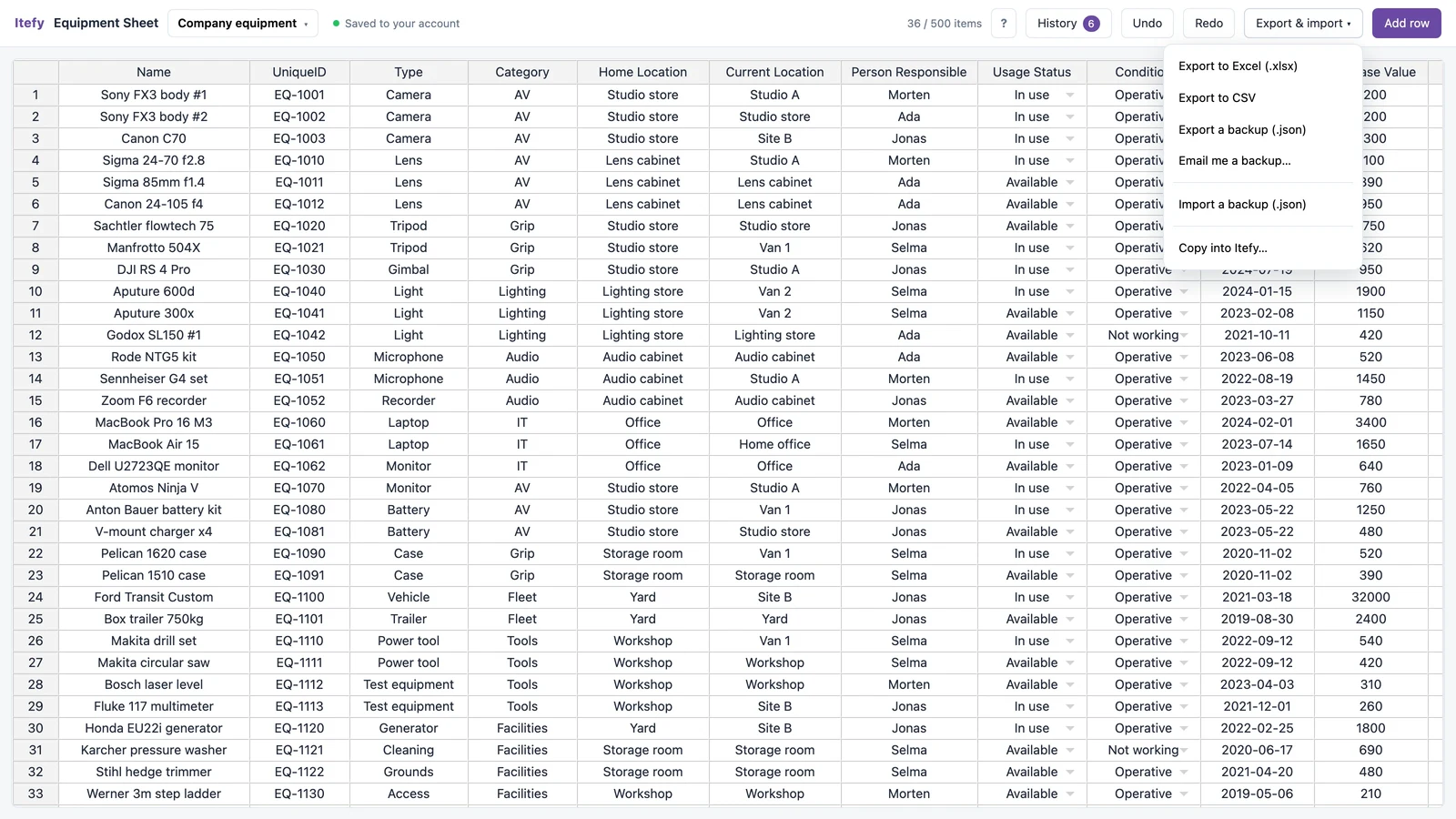
Fifteen columns, set up for equipment rather than left blank: name, ID, type, category, home and current location, who is responsible, status, condition, purchase and expiry dates, values, specifications and notes. Only the name is required. Leave the rest empty until you know it.
- Type, category, location and person are managed lists — type a new value once and it is suggested from then on
- Specifications are proper key/value pairs, not a cell full of semicolons
- Undo works, and so does dragging a value down a column
- Nothing is validated into a corner: blank is always allowed
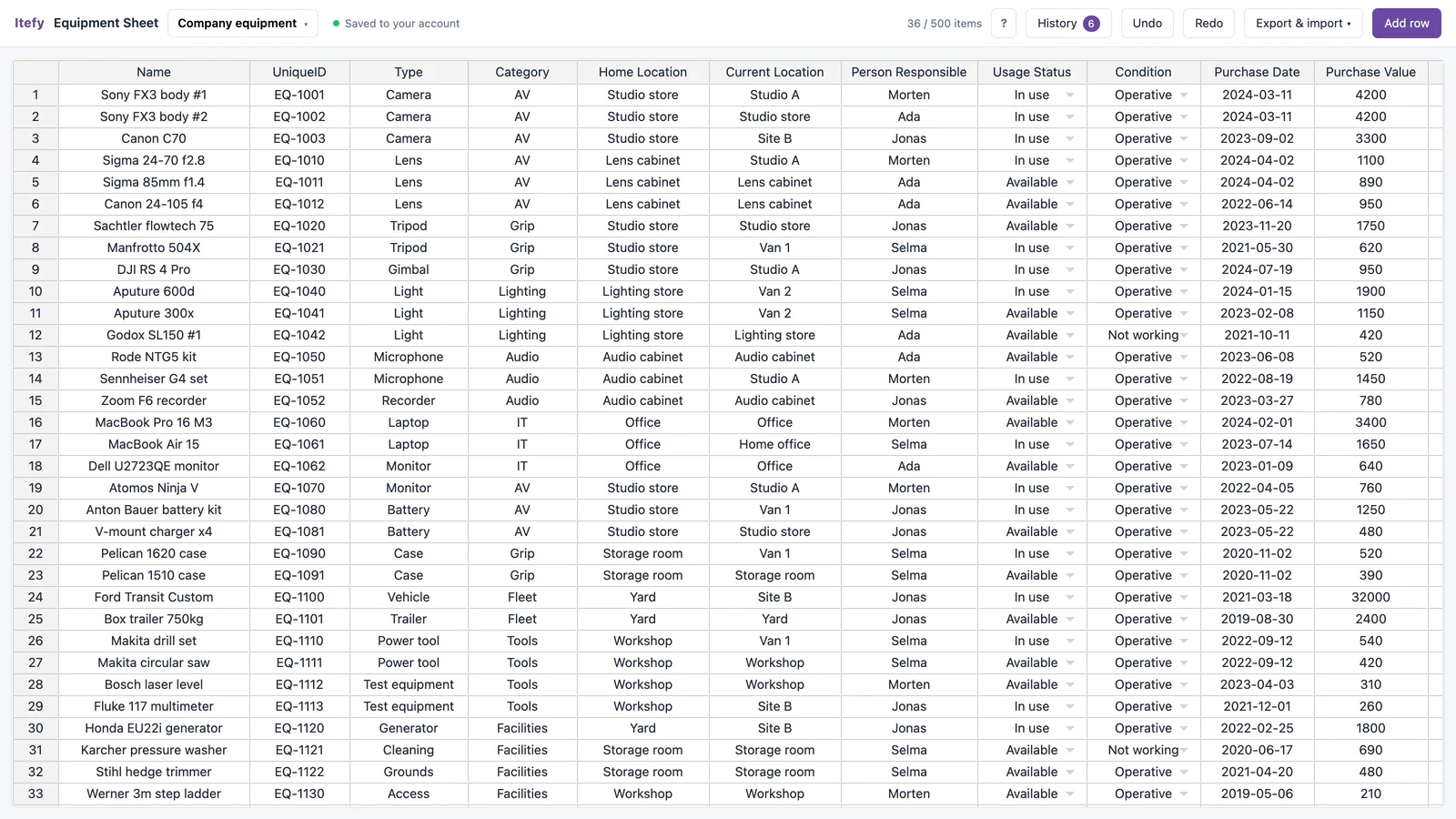
Already have a list? Paste it in.
Copy the cells straight out of Excel, Google Sheets, Numbers or a table in a document, and paste them into the grid. It reads the same tab-separated clipboard those programs write, so a list you have already typed does not have to be typed twice.
- Paste a block of rows and columns in one go
- Values it has not seen before are offered to the matching list, so pasting builds your locations and types for you
- Rows are added as you paste past the bottom

Check something out and the equipment tracking log writes itself
This is the part a spreadsheet template cannot do. In a normal sheet, checking something out means two edits — add a row to the usage log, then remember to change the status on the items sheet. People do the first and forget the second, and a month later the status column is fiction. Here one action does both, or neither.
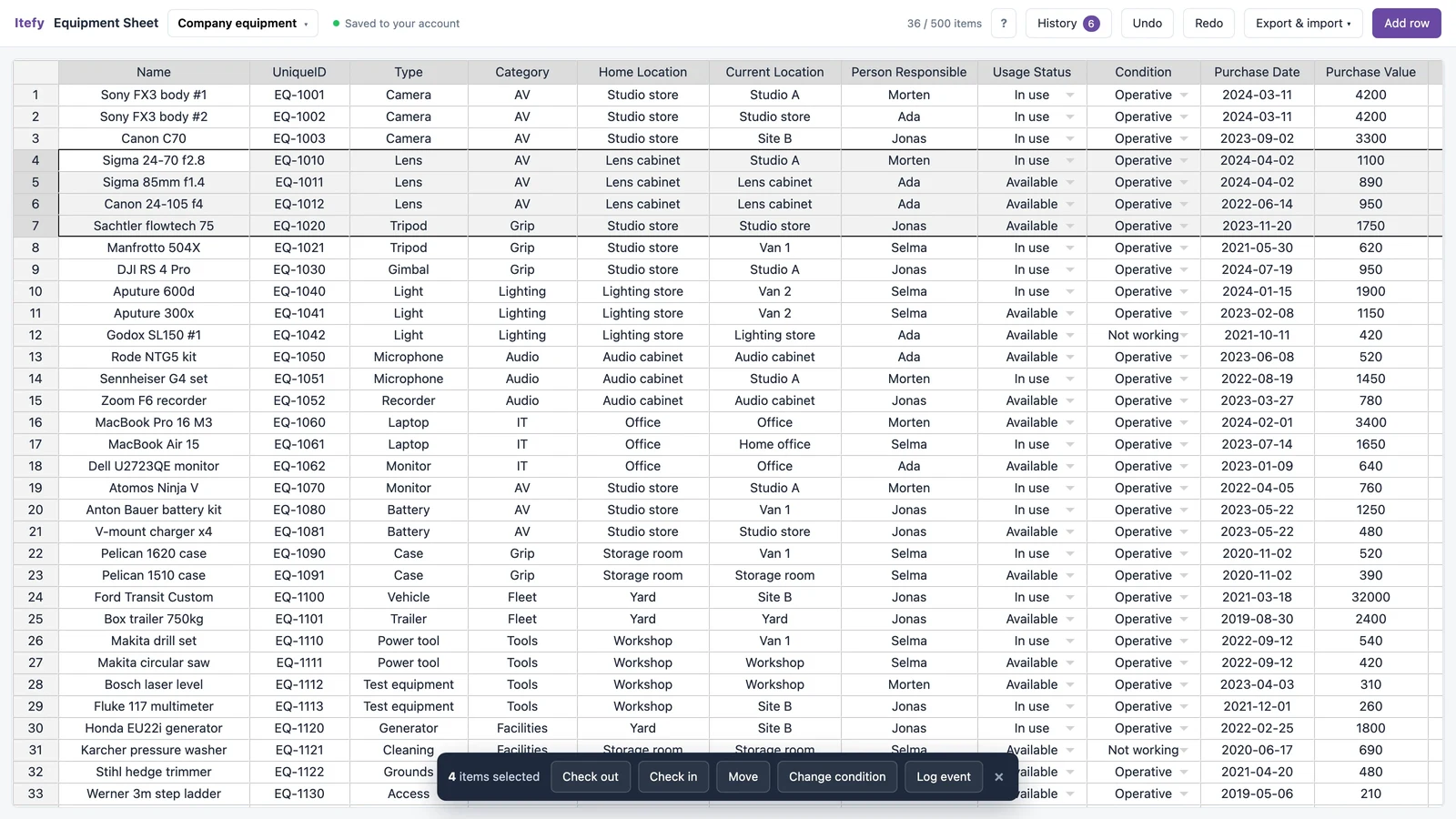
- Check out and check in — sets the status and records who has it
- Move — updates the current location and logs the movement
- Change condition — records what changed and when
- Log an event — a service, a repair, an inspection
- Select several rows and do all of them at once; one undo takes the whole thing back
Find anything in it, and see what it adds up to
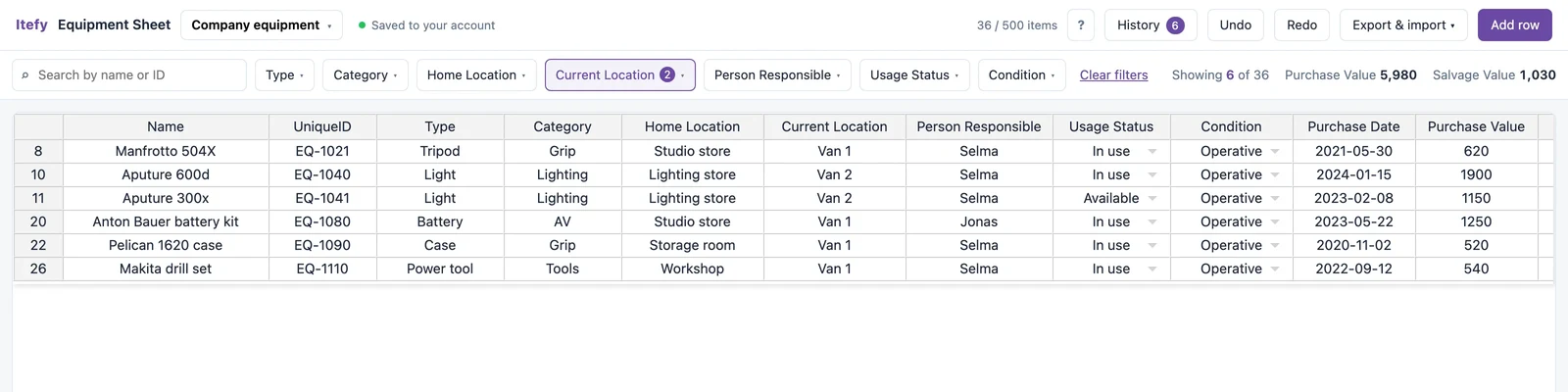
Once the list is longer than a screen, a template starts working against you. Search by name or ID, and filter any of the columns that hold a list — type, category, either location, person responsible, status or condition — by ticking the values you want. The totals follow the filter, so filtering to a van answers what the gear in that van is worth.
- The filter offers the values actually in your sheet, blanks included
- Filters combine: Van 1 plus Not working is what is broken in the van
- Purchase and salvage values are summed for exactly the rows on screen
- Row numbers stay as they were, so it is always obvious something is hidden
Export to Excel or CSV, whenever you like
The data is yours and it never stops being yours. Export a real .xlsx workbook, a .csv, or a JSON backup you can load straight back into the tool. Export an empty sheet on day one and you have a clean equipment template for Excel, with the columns already right.
- Excel and CSV open anywhere, with no formulas to break
- A JSON backup restores the whole sheet, specifications and history included
- The Excel file has a sheet each for usage, location, condition and events
- The column names match Itefy’s own spreadsheet importer, so an export loads without you mapping anything
What this free tool does not do
It records what happened. It does not act on it. It cannot chase anyone: there are no reminders when something is overdue, no notifications, no photos or documents, no QR labels to scan, and no way for two people to edit it at the same time. It will not stop a double booking, because it does not know what a booking is.
It is also free, unsupported and stored in your browser. Clearing your browsing data removes it, and Safari deletes it after about a week of not visiting. Export a copy you can keep — that is what the export is for. We are not able to recover a sheet that is gone.
If those limits start to hurt, that is not a failure of the spreadsheet. It is the point at which equipment management software earns its money.
What people track with it
It is deliberately generic. The columns fit most things that get borrowed, moved or maintained.
AV & production gear
Cameras, lenses, lights and audio — what you own, what it cost, and who has it.
TV & filmConstruction tools and site equipment
A tool register that says which van, which site, and who signed for it.
ConstructionFacilities & grounds
Mowers, cleaning machines and plant, with service dates against each one.
FacilitiesWhen a spreadsheet stops being enough
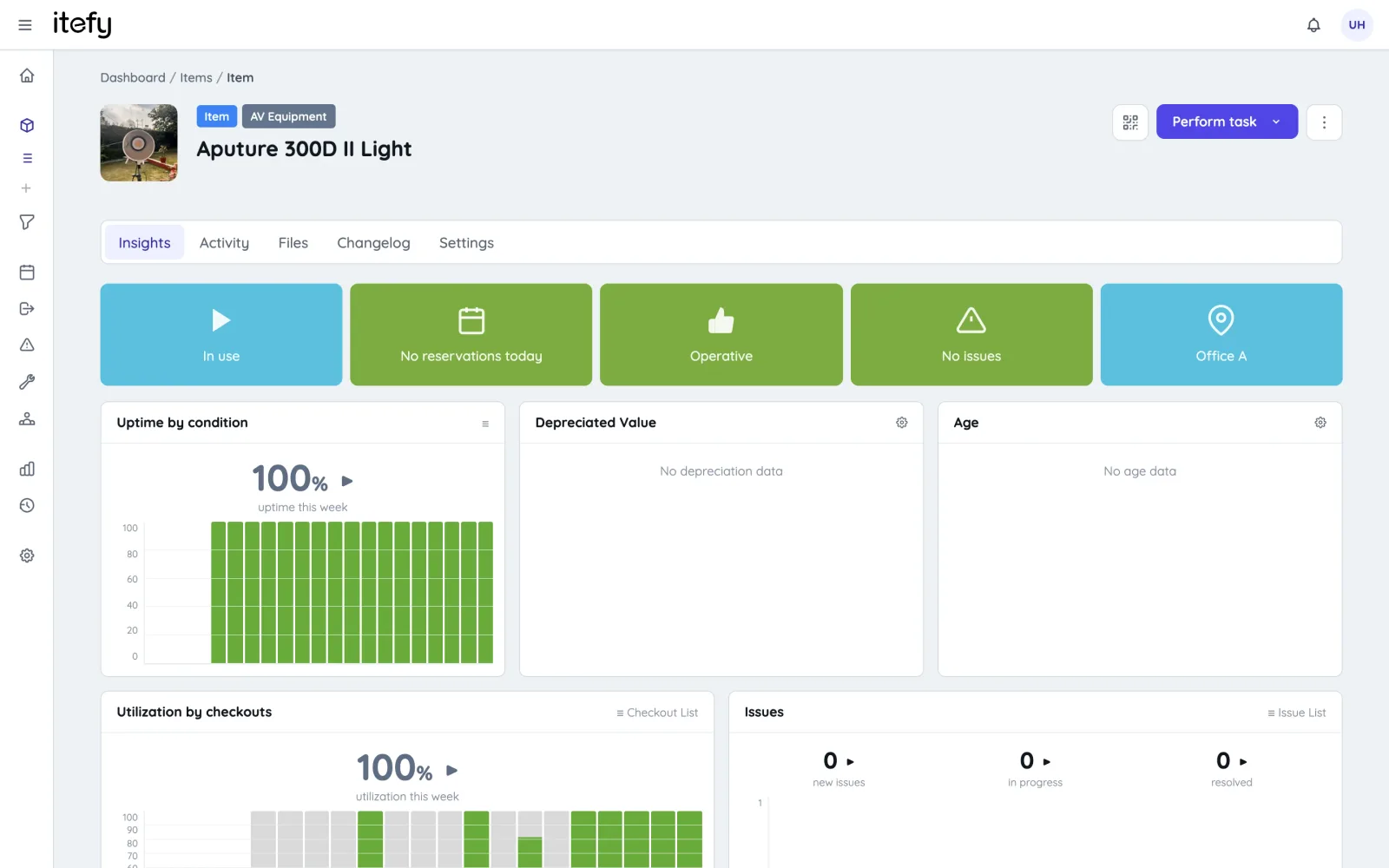
Usually it is one of three moments: a second person needs to edit it, something goes missing and nobody can say who had it last, or you start wanting the equipment to remind you rather than the other way round. Itefy is the same idea with those parts built in — bookings that catch clashes, checkouts with a name against them, maintenance history, QR labels you scan with a phone. If you would rather see that argued row by row than asserted, there is an honest Itefy-vs-Excel comparison — which now covers the free tool above as well.
- Everyone works from one live database instead of a file that gets copied
- Check-out and check-in with a person, a due date and a reminder
- Photos, manuals and receipts attached to the item they belong to
- One click copies this sheet into Itefy — items, types, locations, values, specifications and categories — so the typing is never wasted
- It is a copy: your sheet stays exactly as it is, so trying Itefy risks nothing
Prefer a file to fill in by hand?
The tool exports one for you — open it and export an empty sheet, and you have an Excel template with the columns already set up. Our step-by-step guide to running equipment management in a spreadsheet, including the log sheets for usage, location and condition, is on the blog.
Read the spreadsheet guide
Questions about the free equipment tracking spreadsheet
Is the equipment tracking spreadsheet really free?
Yes — free, for up to 500 items, with no credit card and no trial clock. You do not need an account to use it. Signing in is optional and also free; it stores the sheet in your Itefy account so it survives a cleared cache or a new laptop.
Do I need Excel or Google Sheets to use it?
No. It runs in the browser with nothing to install. It exports a real .xlsx workbook and .csv, both of which open in Excel, Google Sheets, Apple Numbers and LibreOffice — and you can paste straight in from any of them.
Can I download it as an Excel template?
Yes. Open it and export before you type anything, and you have an equipment tracking template for Excel with the fifteen columns already set up — name, ID, type, category, locations, person responsible, status, condition, dates and values.
How many items can it hold?
Five hundred. That is a deliberate cap rather than a trial limit: past a few hundred items the things a spreadsheet cannot do — bookings, reminders, several people editing at once — start to hurt more than the row count does.
Can it track who has equipment out, and where it is?
Yes, and this is the part a downloaded template cannot do. Select a row and check it out, check it in, move it to another location or change its condition — the item and the history are written by the same action, so the status column cannot quietly go stale.
Can I use it as an equipment tracking log?
Yes — that is what the history is. Every check-out, check-in, move, condition change and logged event is written against the item with the date and the person, so the log is a by-product of using the sheet rather than a second sheet you have to remember to fill in.
Does it work for tool, rental or construction equipment?
The columns are deliberately generic, so anything that gets borrowed, moved or maintained fits: cameras and lighting, site tools and plant, hire stock, school laptops, church AV. What it does not know is anything industry-specific — there are no rental rates, no job costing and no certificates.
Can I use it to track maintenance?
You can record maintenance — log an event against an item and it goes in the event log with the date and who did it. It cannot remind you: there are no service intervals and nothing fires when one lapses. That is the point at which people move to equipment management software.
Where is my data stored, and can I lose it?
Signed out, it is in your browser and nowhere else — nothing is sent to us, and clearing your browsing data removes it. Safari deletes it after about a week of not visiting. Export a copy, or sign in and it is kept in your account instead.
Start with the free spreadsheet
It opens into an empty sheet. No account, no email address, no credit card — and your equipment list is exportable from the first row you type.