
The tools for Optimal Equipment Management
Feature packed equipment management software at your fingertips, yet easy to use.
Here is an overview of the features available in Itefy.
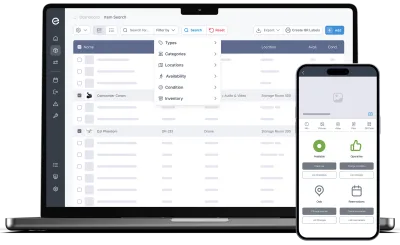
The web app
The complete equipment management system in your browser — nothing to install, nothing to maintain. Works on any modern computer or tablet.
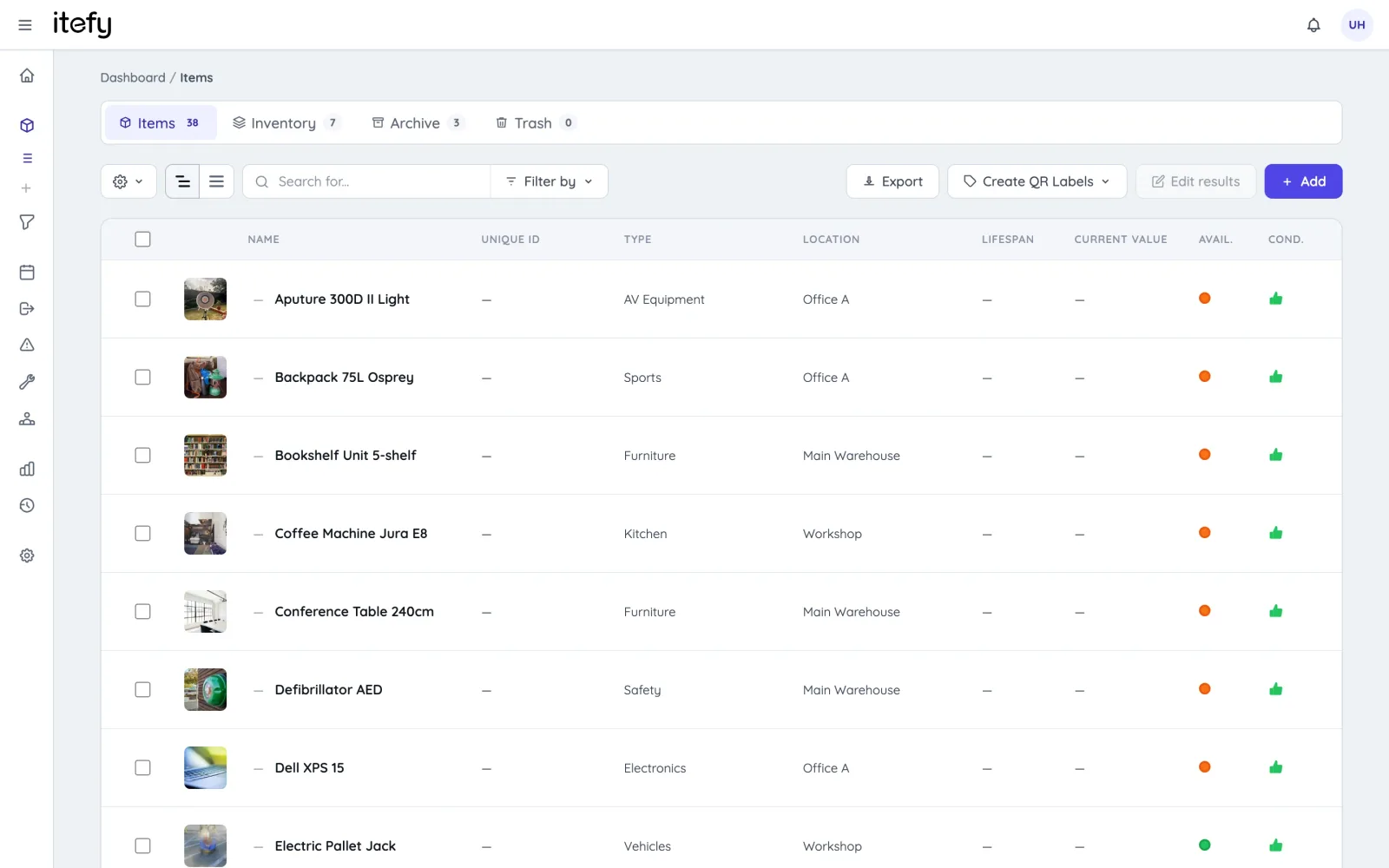
Items — a complete registry of everything you own
Every item gets its own page with pictures, documents, specifications, value and full history. Separate tabs keep long-term assets, consumable inventory and archived equipment apart — and powerful search, filtering and batch editing keep even large registries manageable.
- Search, filter and sort by type, category, location, availability and condition
- Batch-edit location, type, categories and pictures across many items at once
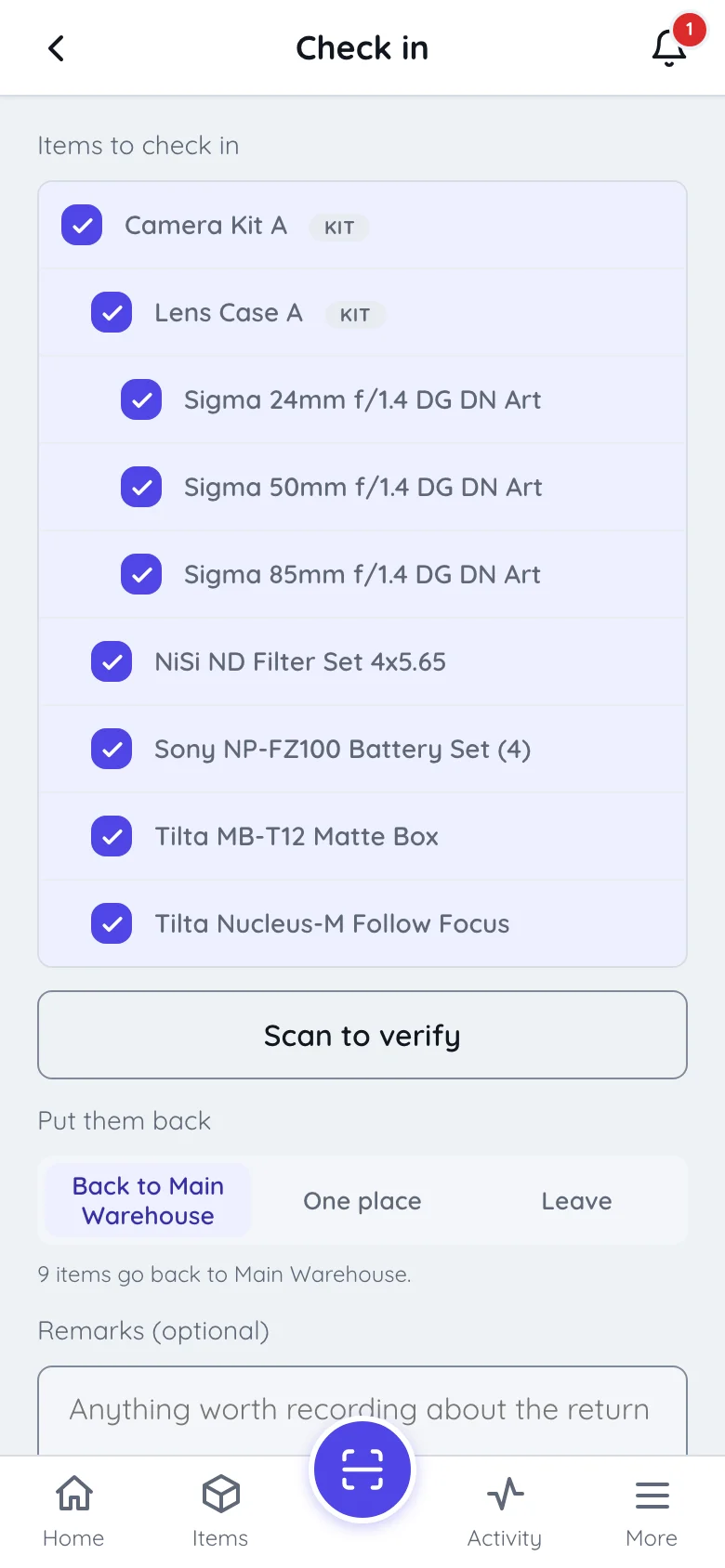
- Kits bundle equipment that belongs together, nested five levels deep — reserve and check out in one go
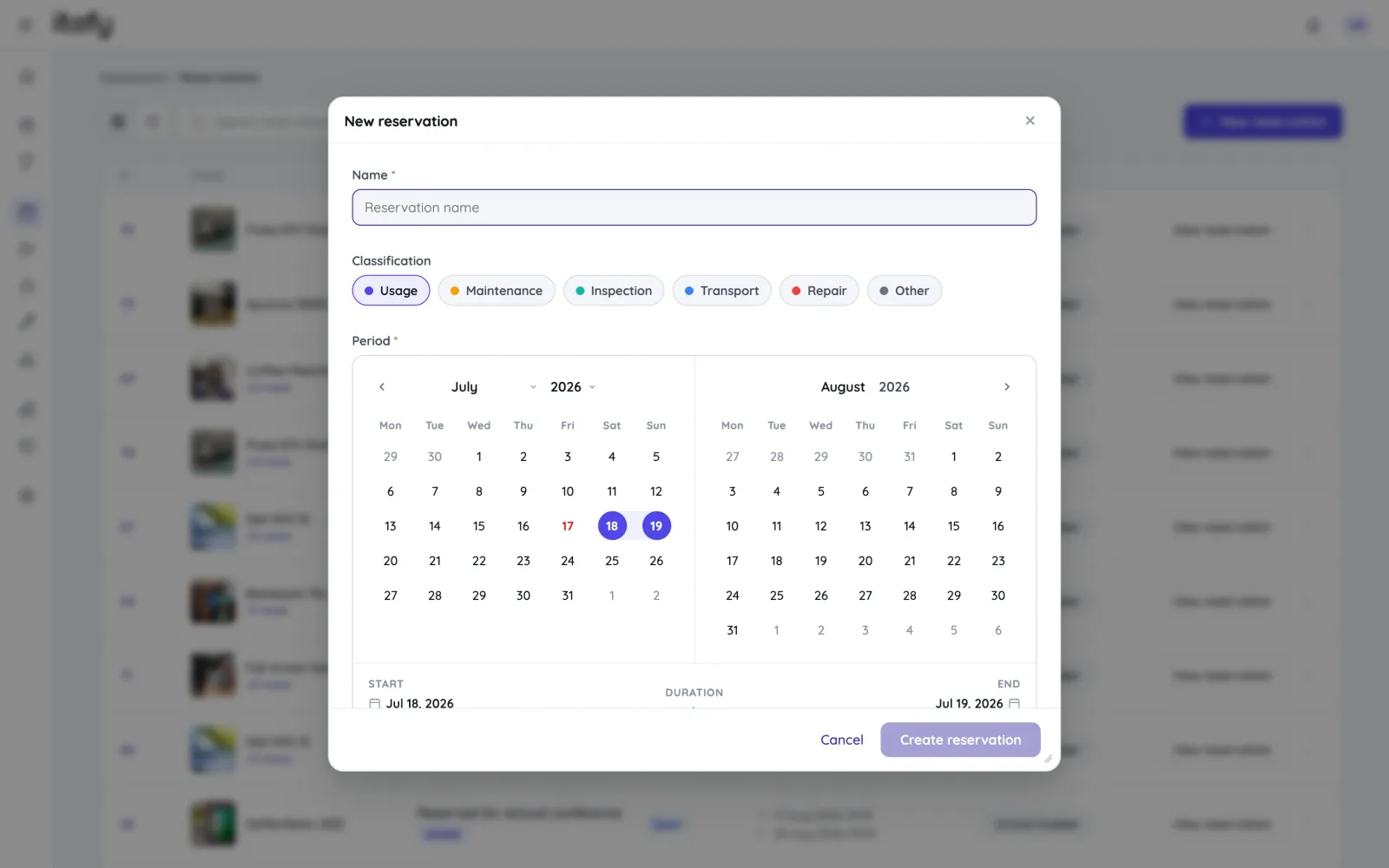
Reservations — book equipment before you need it
Reserve single items, kits or whole equipment packages on a shared calendar. Conflict detection stops double bookings before they happen, recurring series cover repeating needs, and classifications — usage, maintenance, inspection, transport, repair — keep the schedule readable.
- Month, week and day calendars with color-coded classifications
- Automatic double-booking prevention, including kit-aware availability checks
- Recurring reservations; convert to a checkout or event in one click
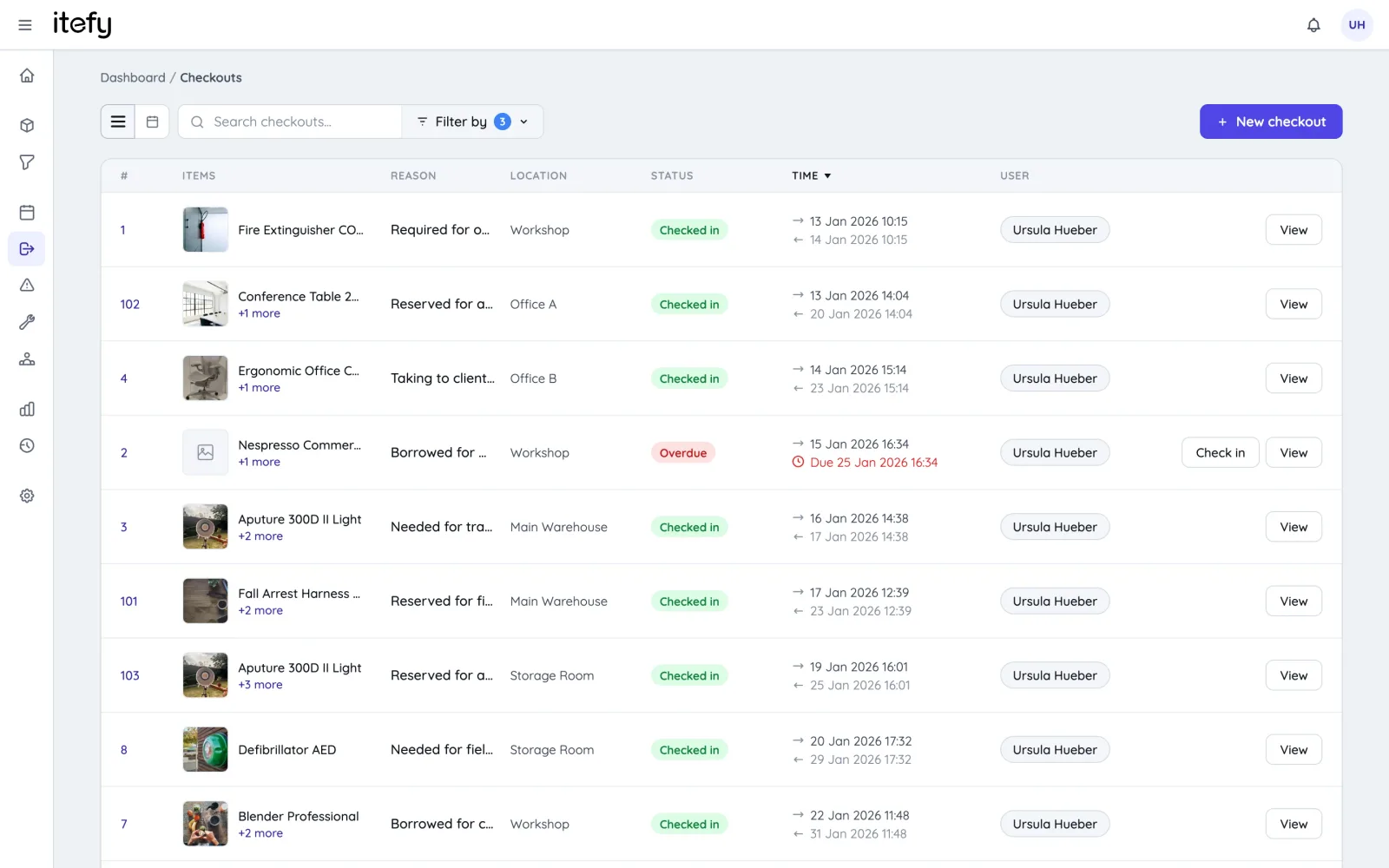
Checkouts — know who has what, always
Check equipment out to a user, a location and a purpose, with a due time for return. Overdue checkouts trigger notifications automatically, partial check-ins handle returns that come back in stages, and every handover is stored in the item’s history.
- Multiple items per checkout, partial check-in when returns are spread out
- Due times with automatic overdue alerts on the dashboard and by email
- Check out on behalf of other users — they are notified automatically
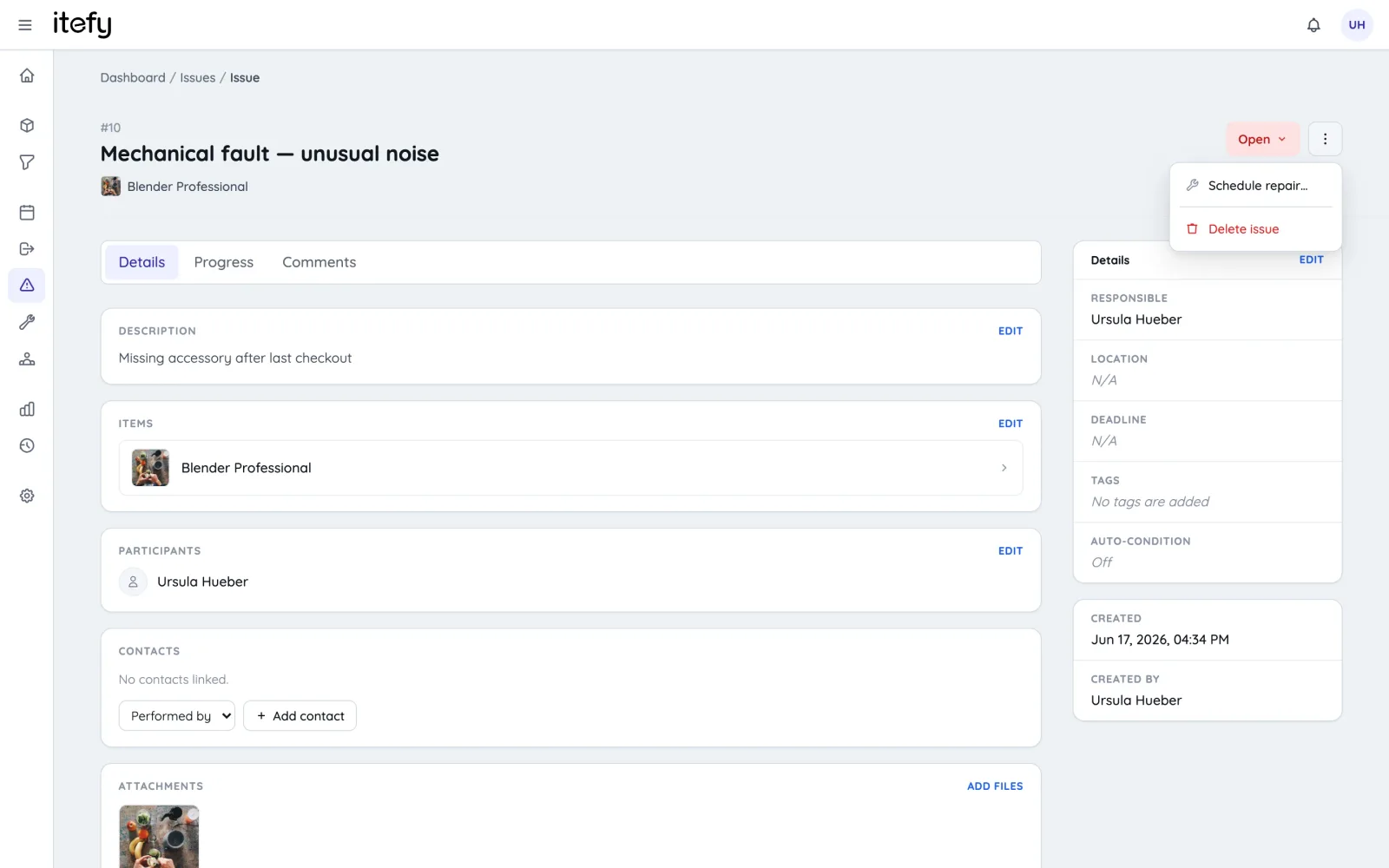
Issues — from “it’s broken” to fixed, with a paper trail
Anyone can report an issue with photos and attachments, and the responsible person is notified immediately. Assign, discuss with @-mentions, set deadlines — and schedule the repair as a reservation straight from the ticket. Affected equipment can automatically be marked inoperative until it’s fixed.
- Photo and file attachments, rich descriptions and comment threads
- Responsibilities and deadlines, with overdue issues on the dashboard
- “Schedule repair” turns an issue into a planned repair reservation
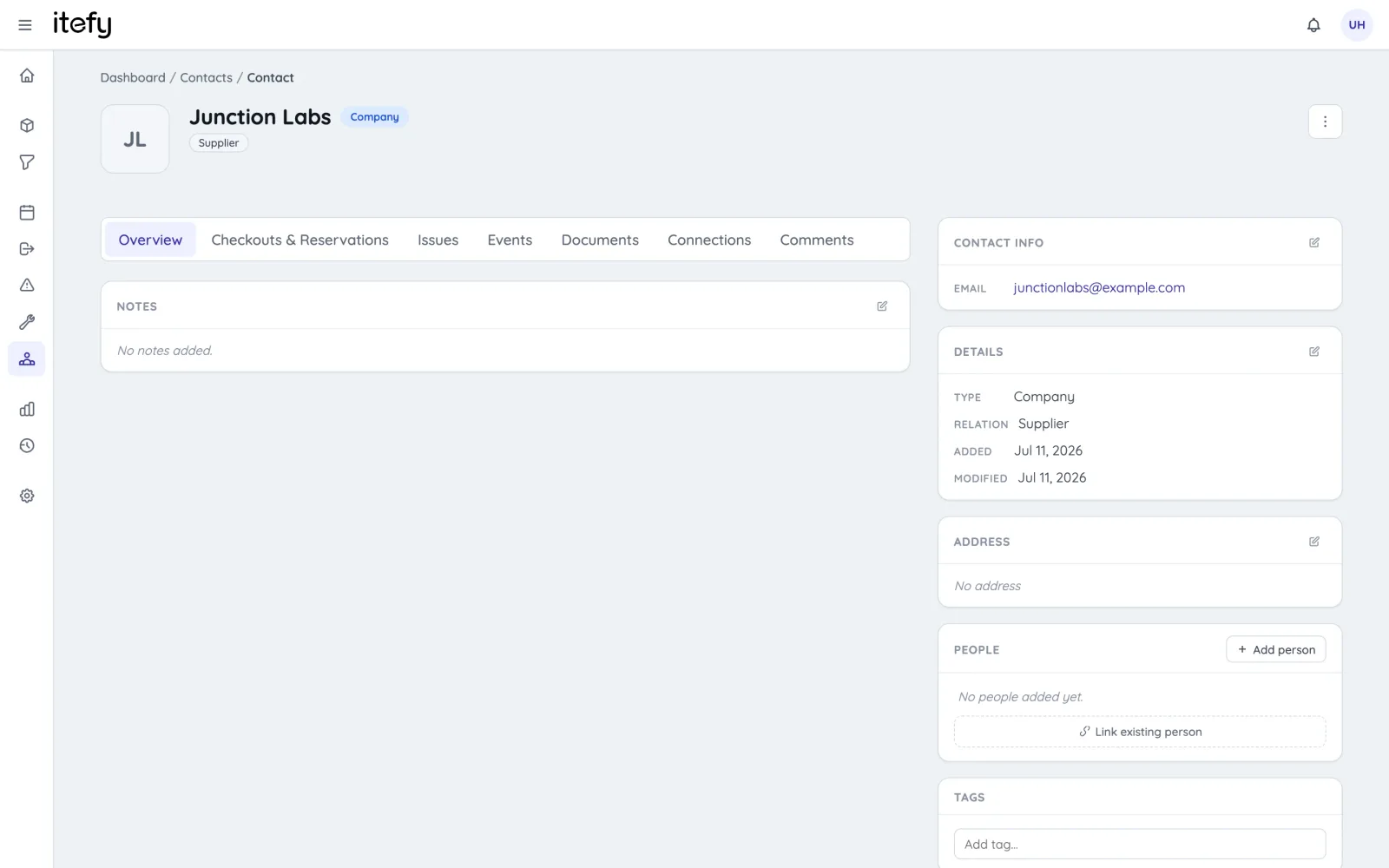
Contacts — suppliers and customers, connected to your equipment
A built-in contact register for companies and people, linked to real records: which vendor supplied an item, which customer a checkout was for, who performs the maintenance. Contracts and documents live on the contact, and every linked activity is visible in one place.
- Companies and people, with relations like supplier, manufacturer and customer
- Link contacts to items, checkouts, reservations, events and issues
- Store contracts and documents; import contacts from Excel or CSV
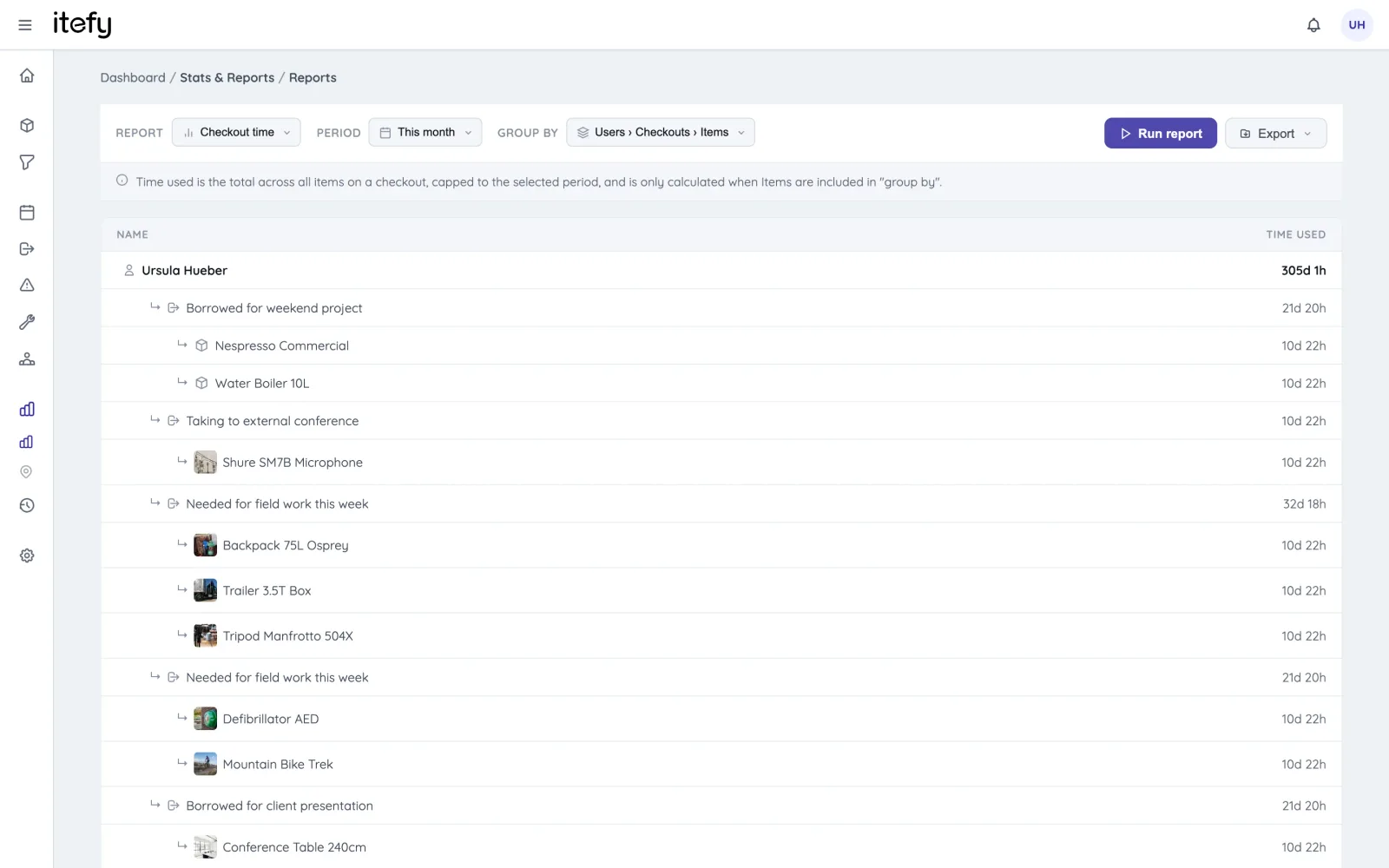
Reports & insights — answers, not just data
A live dashboard with status and trends, plus a report engine that answers concrete questions: usage per user or item, maintenance activity, asset value, checkout time — and planned-vs-actual, which shows how well your reservations match what really happened. Export any report with one click.
- Dashboard KPIs for utilization, condition, overdue work and asset value
- Report types for checkouts, usage, maintenance, asset value, reservations and planned-vs-actual
- Flexible grouping and periods; export to Excel, CSV or PDF
And there’s more
The details that make day-to-day equipment management smooth.
Nested kits
Gear that travels together books together — and kits nest five levels deep, so a lens case can sit inside a camera package inside a flight case.
How kits workEvents & maintenance log
Log maintenance, inspections, purchases and renewals — one-off or recurring, with reminders and expenses.
Condition tracking
Operative, inoperative or discarded — with a full changelog and uptime statistics per item.
Locations
Track where equipment is kept and used, and see item counts and total value per location.
QR labels
Generate and print QR labels, attach them to your equipment, and scan to open or check out.
Comments & @-mentions
Comment threads with replies, likes and attachments on every record. Mention a teammate to notify them.
Smart notifications
Only what’s relevant to you. Unread notifications are emailed as a digest, so nothing is missed.
Types, categories & tags
Organize the registry your way with item types, custom category filters and free-form tags.
Import & export
Import items and contacts from Excel or CSV with a guided wizard, and export everything back out.
Picture editing
Crop and rotate item photos right in the browser. The original is always preserved.
Add many at once
Add multiple identical items in one operation with auto-numbered names — MacBook 001, 002, 003 …
Public item pages
Make selected equipment information available online — perfect for QR-labelled gear in the field.
Depreciation & value
Purchase value, salvage value and current depreciated value — per item, per location and in total.
Your equipment in your pocket
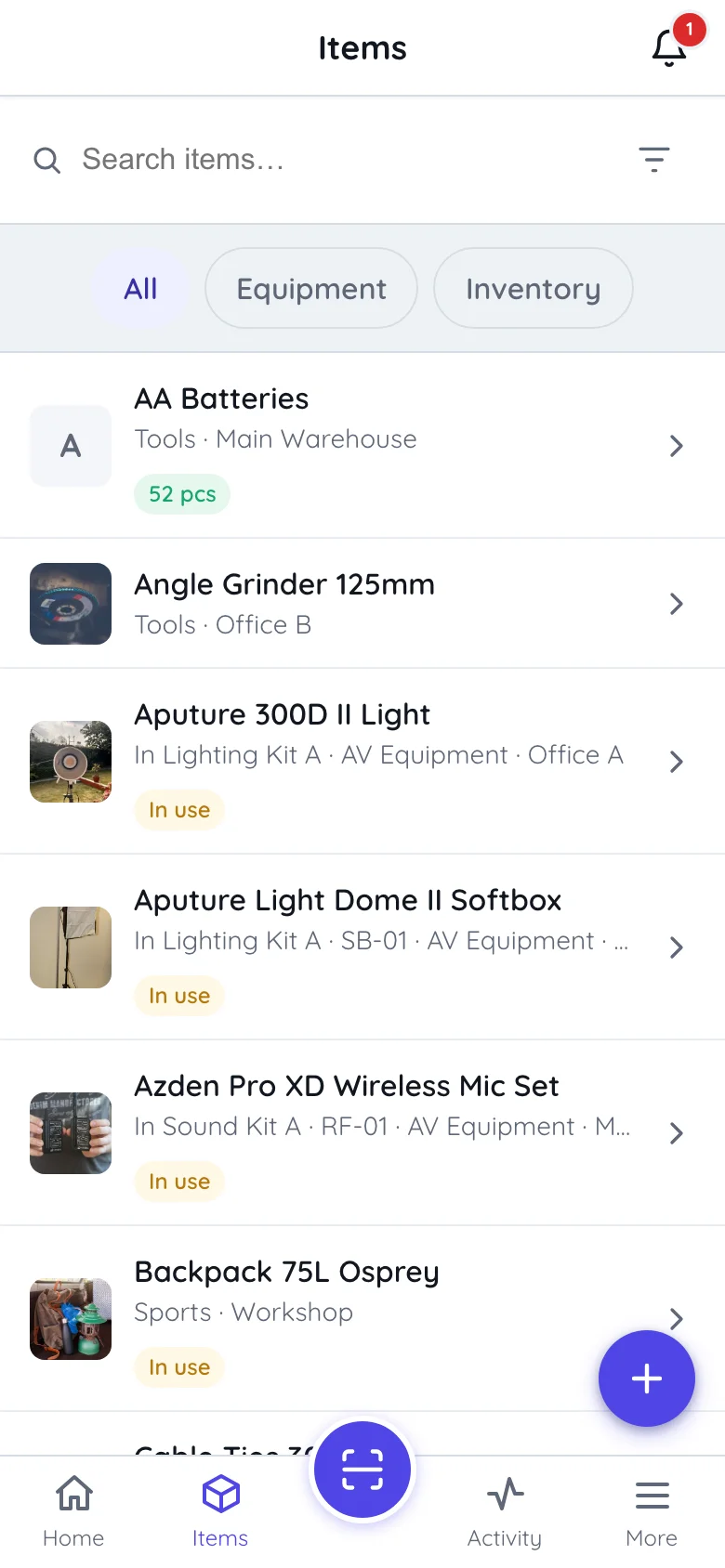
Itefy Go is our mobile app for iOS and Android. Point the camera at a QR label and the item is on screen — check it out, take it back and put it away, report a fault with a photo, or register something new, standing next to it.
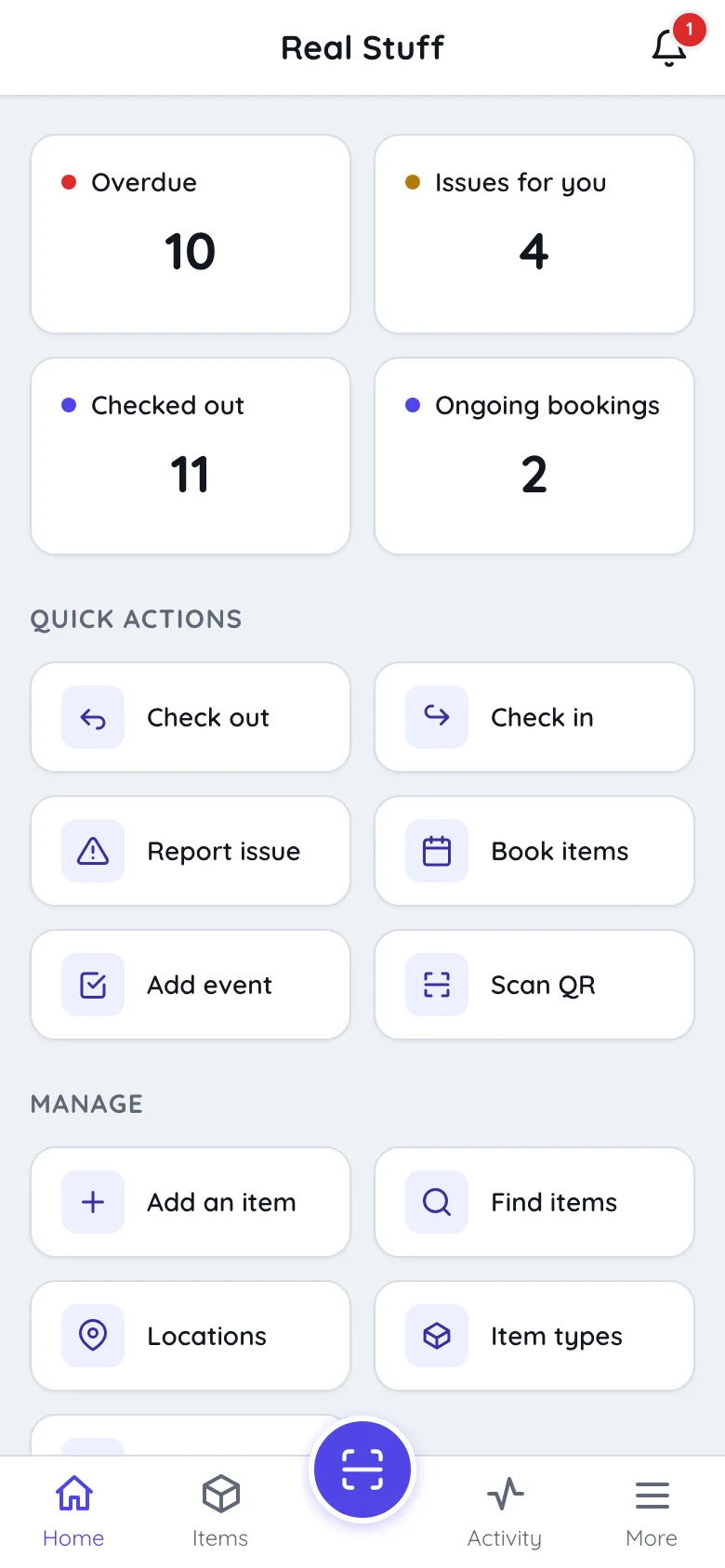
Scan to act
Assign new QR labels, find items instantly, and batch-scan multiple items into a reservation or checkout in seconds.
Full workflows on the go
Check out and in, reserve, report issues with photos, change locations and pick inventory — from where the equipment is.
No installation required
Runs in the browser on any iOS or Android device, and can be installed as an app. Same login, same data.
Platform & security
Built for teams — with the access control, sign-in options and integrations to match.
Users & permissions
Give every user exactly the access they need — permission presets plus granular scopes, down to “edit own records only”.
Secure sign-in
Personal logins with verified email addresses, self-service password reset and per-user access — no shared accounts.
One login, all accounts
Manage multiple Itefy accounts with a single user, and switch between them instantly.
REST API
Build your own integrations with the Itefy REST API and per-account API keys.
API documentationAlways up to date
Itefy is a cloud service — always available, always the latest version, with automated backups. No servers to run.
Efficient & green
Lean, efficient software running on power-efficient ARM64 infrastructure to keep the footprint small.
Take control of your equipment
Try every feature free for 14 days. No credit card, no obligations.