
Kits
Gear that travels together should book together. Build a kit once, nest it as deep as your cases actually go, and still track every item inside it on its own.
Key features:
- Nest up to five levels
- Book the whole tree in one action
- Conflicts caught at every depth
- Members maintained individually
Everyone’s feature list says “kits”.
Almost none of them mean the same thing.
We read the published documentation for ten equipment systems to see what sits behind that checkmark. Some kits are a fixed clamp of specific items. Some are a recipe of product types, resolved to real gear later. Two vendors have no kit at all and suggest a folder and a printed label. And in ten products, not one documents a kit that can contain another kit. If your equipment lives in cases inside cases, that last one decides whether the software can describe your gear at all.
A lens case, inside a camera package, on a cart
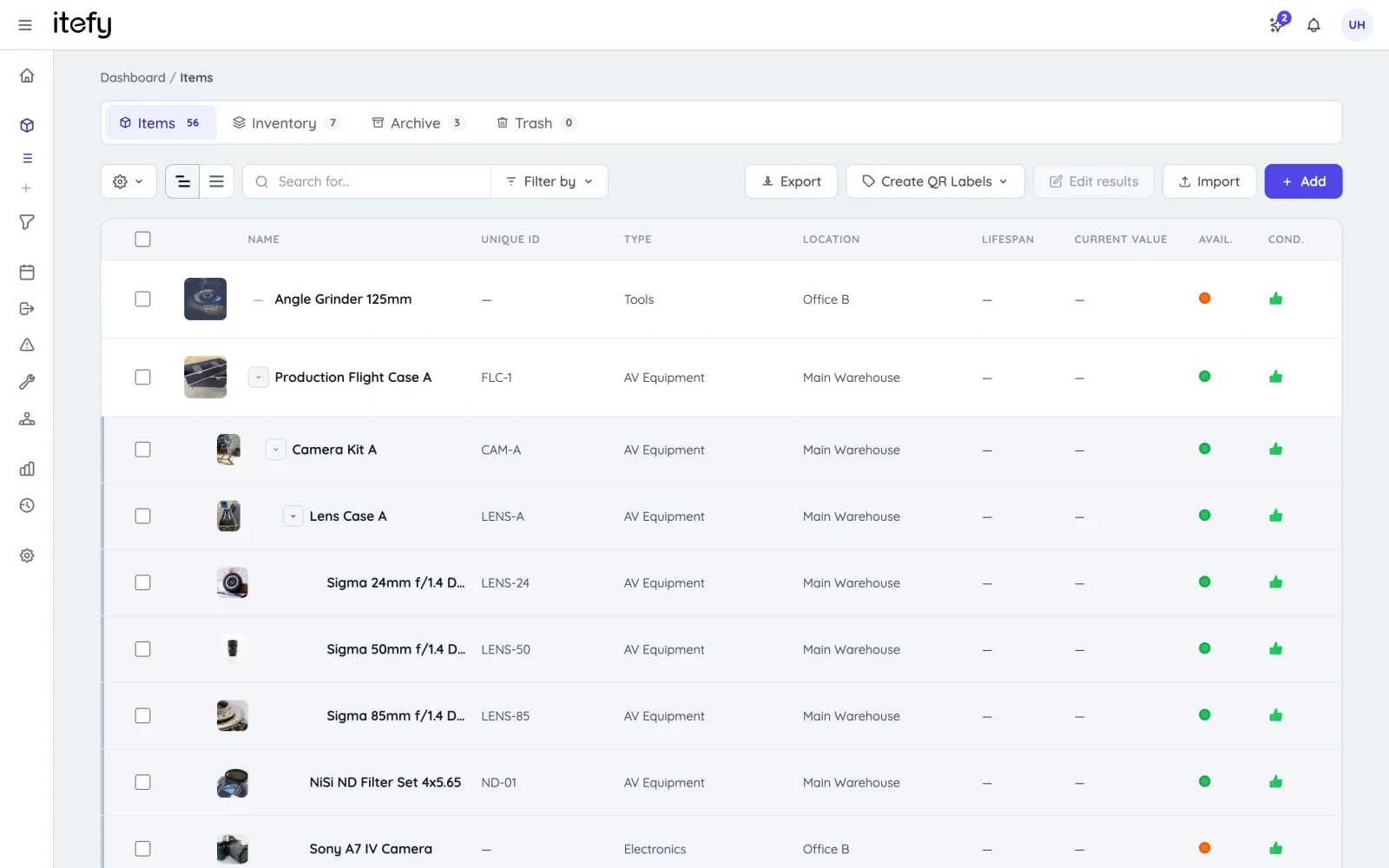
Real equipment is not a flat list. The primes live in a lens case; the lens case rides in the camera package; the package sits on a cart that rolls onto a truck. Most systems make you flatten that — one kit, one level, everything in a single heap — or push you into using storage folders, which cannot be booked. Itefy lets the structure be the structure: kits nest five levels deep, and every level is a real item you can book, service, value and scan on its own.
- Five levels of nesting, so the data matches the cases
- Anything can be a member and a container at the same time — the lens case belongs to the camera package and holds the primes
- The list shows a whole tree as one row you expand, however deep it goes
- Reorganise whenever you like: move a case between packages without unpicking anything
Book the top of the tree. Everything inside comes with it.
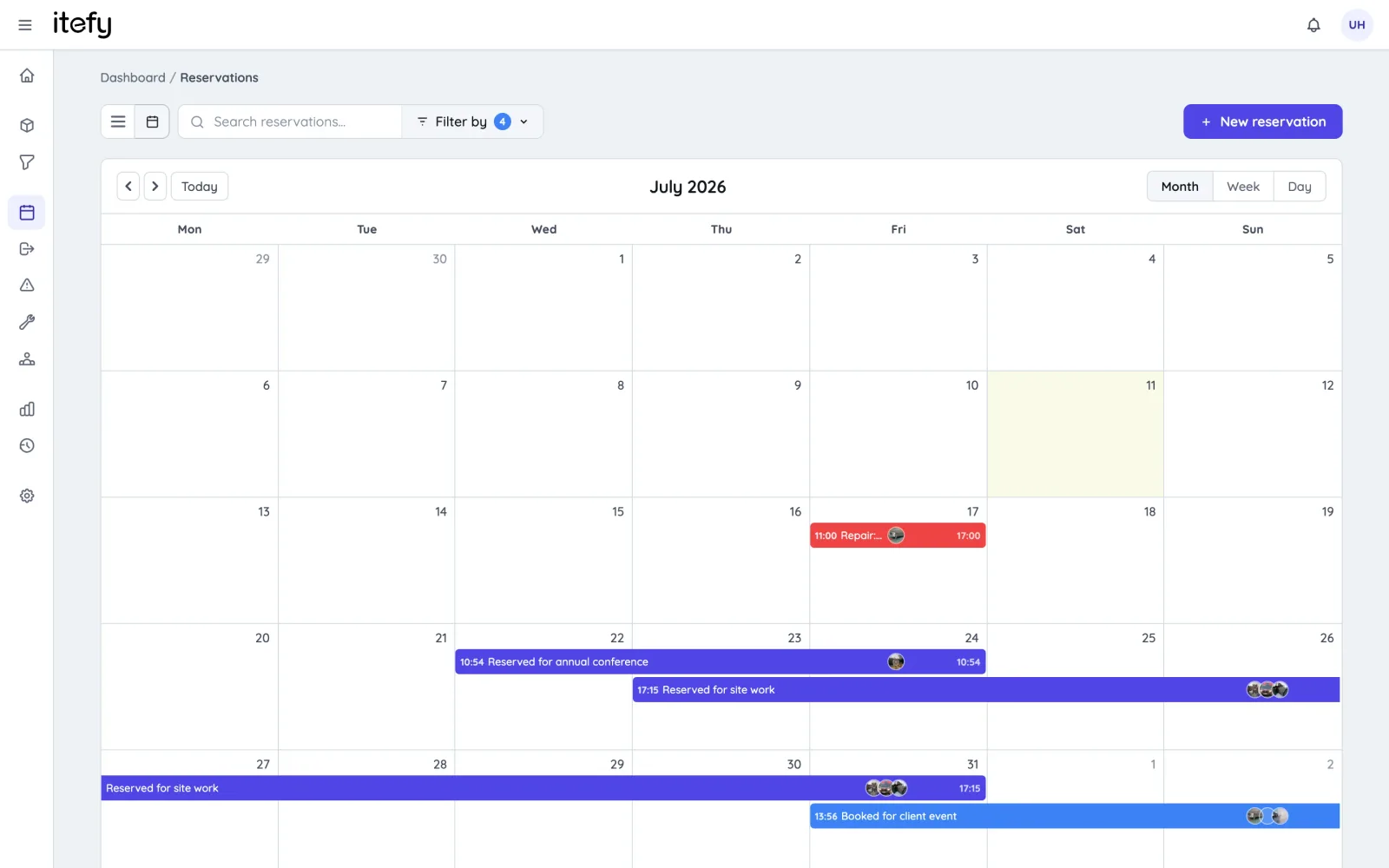
Pick the flight case and you have picked all forty things inside it, at every depth — no scrolling a checklist, no forgetting the spare batteries. The reverse matters more: availability is checked against every member, so a kit cannot look free because the conflict is three levels down in a lens case nobody opened.
- Reserve or check out any level, and the whole tree below it travels
- Conflict detection reaches every member at every depth, as the booking is made
- A reservation converts to a checkout with the contents and details carried across
- Items already out are flagged, so you can take the rest of the kit rather than being blocked
A wrapper, not a black box
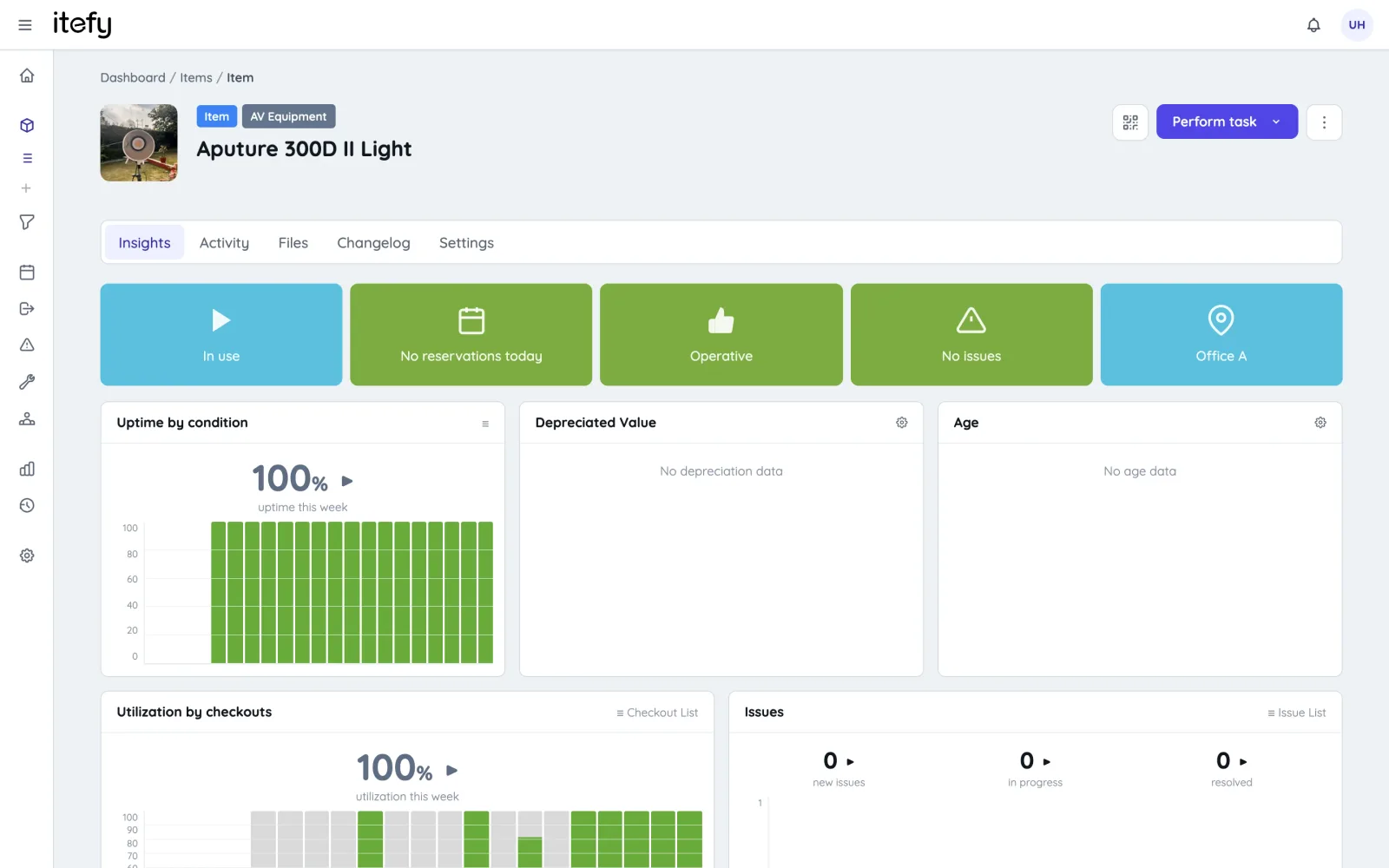
The usual trade for kit convenience is losing the individual item: the kit becomes the only thing the system can talk about. That breaks exactly when you need it — a lens goes in for repair and the whole package is stuck, because in several systems you cannot service a member without dismantling the kit first. In Itefy the kit only asserts itself when you book. Everywhere else, each item is still itself.
- Every member keeps its own serial number, purchase value, condition and service history
- Report an issue or schedule maintenance on one member without touching the kit
- Depreciation and utilisation are tracked per item, and roll up for reporting
- Each member gets its own QR label, so scanning a single lens still finds the right record
What a kit in Itefy does not do
Three things worth knowing before you choose, because one of our competitors does each of them better. An item belongs to one kit at a time — you cannot list the same tripod in two packages (Cheqroom works the same way; Shelf.nu allows it for quantity-tracked stock only). There is no substitution: if a member is unavailable we flag it, but we will not offer you a similar item to swap in the way Cheqroom and WebCheckout can. And returns are counted per item, not per kit — you can check part of a checkout back in, but Itefy will not tell you “this kit came back incomplete”, which Shelf.nu will. If those decide it for you, buy the other tool; we would rather you knew now than after a migration.
Who this actually matters for
Kits earn their keep wherever gear moves in cases rather than one item at a time.
Film & TV production
The A-cam package: body, lenses, matte box, batteries, in six cases on a cart.
TV & filmEvents & AV
A stage package that goes out as one truck load and comes back as three hundred parts.
Events & AVConstruction
The site box: power tools, leads, testers, PPE — issued as a unit, inspected individually.
ConstructionGetting a kit set up
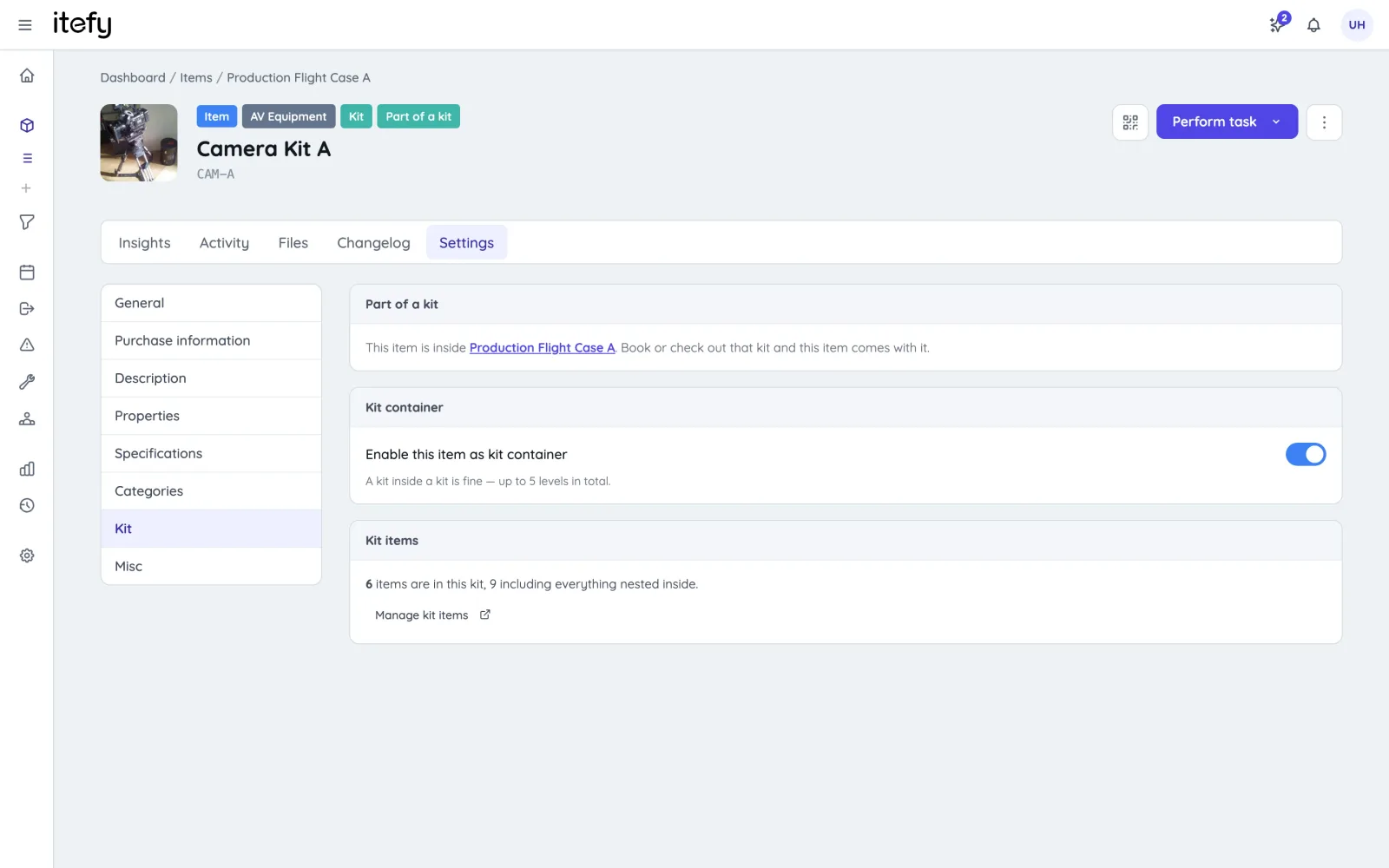
A kit is not a separate kind of record to learn. Any item can become one: turn on the kit setting, add the items that belong inside it, and that item is now a container that still behaves like an item. Nesting is the same move again — add a kit to a kit.
- Turn any item into a kit from its settings — the case, the cart, the bag, the vehicle
- Add members from a picker that tells you why something cannot go in, rather than silently skipping it
- Import your gear from a spreadsheet first, then group it
- Kits are available on Startup and above
…and the rest of the system
Kits are one part of it. Itefy covers the whole life of the equipment.
Asset registry
Keep track of, organize and categorize all your equipment in one database.
Equipment managementCompare the alternatives
Honest comparisons with the other tools — including where theirs is the better buy.
ComparisonsTry it with your own gear
Import your equipment, build one kit, and see whether the structure fits. 14 days, no credit card.