
Church AV gear: how to keep track of what you own, who borrowed it and when it's back
It's 8:40 on Sunday and the second handheld isn't in the rack. A tracking setup that survives rotating volunteers, an unlocked booth and gear lent to every other ministry.
In this article
- Why churches lose gear specifically
- Step one: one list, with photographs
- Step two: one rule, said out loud
- Step three: ten minutes on Monday
- Step four: a calendar for the things that expire
- What not to bother with
- Where Itefy fits
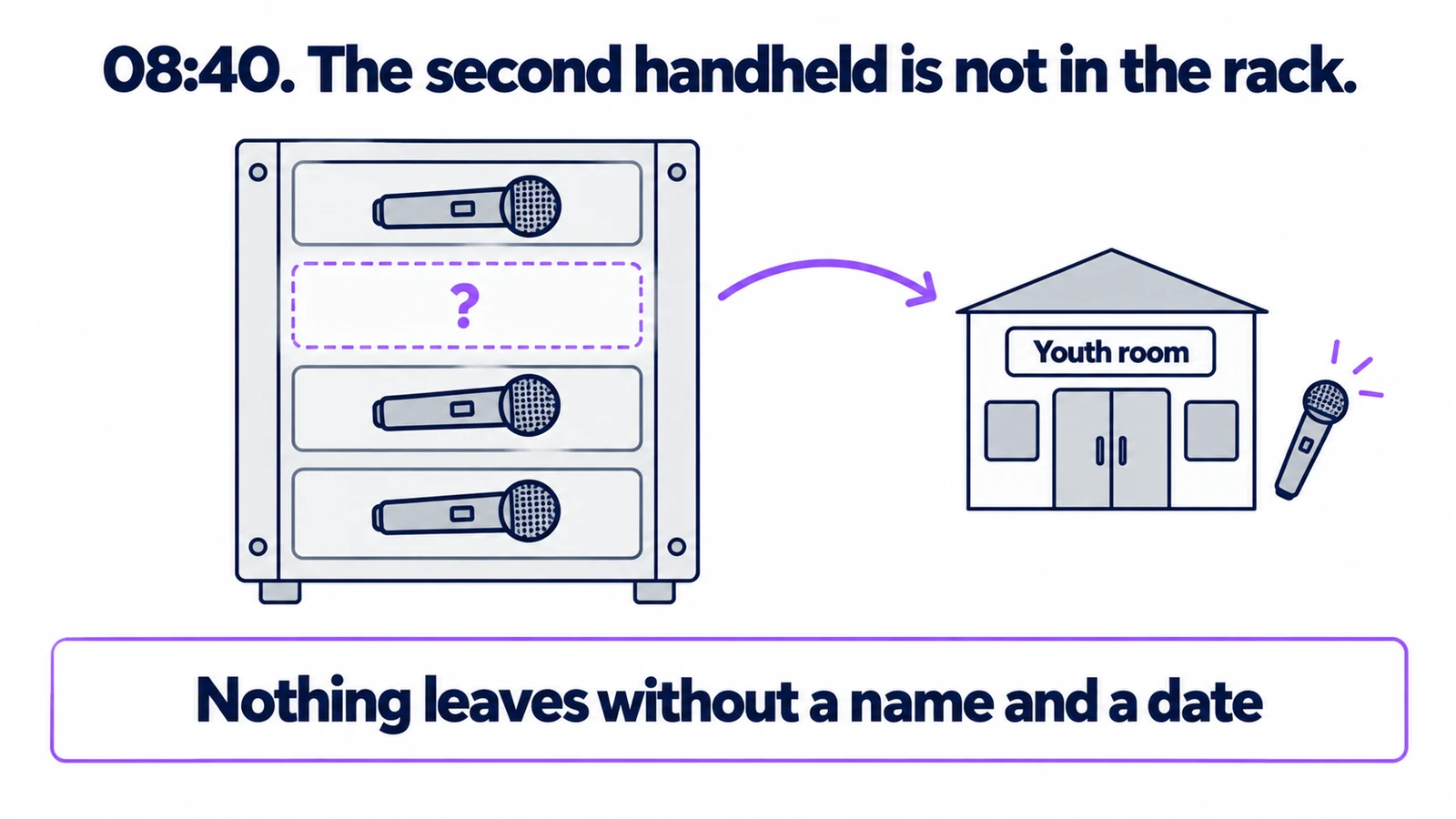
It is 8:40 on Sunday morning. The second wireless handheld is not in the rack.
It went to Wednesday youth night. Somebody took it, it worked fine, and it is now in a bag in a cupboard in the youth room, or possibly in a car. Nobody wrote anything down, because writing things down is not what Wednesday night is for. Worship starts in twenty minutes and you are about to run the whole service on one mic.
Every church tech team knows this morning. This is how to have fewer of them.
Why churches lose gear specifically
It is not carelessness. It is four structural things that all happen at once in a church and rarely happen together anywhere else:
- Volunteers rotate. The person who knows where the spare XLRs live is on the rota once a month, and next year they are not on it at all.
- The booth is not locked, and mostly should not be — half the point is that people can get in and serve.
- Gear is lent across ministries. Youth, small groups, the outreach team, the school or nursery that uses the building midweek. All of them are legitimately entitled to borrow it, and none of them are on your team.
- Nobody owns the list. Tech is a volunteer function. There is often no single person whose job it is to know what the church owns.
Any one of these is manageable. Together they mean that on any given Sunday, several items are somewhere nobody can name.
- One list, with photographs
- One rule, said out loud
- Ten minutes on Monday
- A calendar for the things that expire
Step one: one list, with photographs
Before any process, you need to know what you own. An afternoon, a phone, and a spreadsheet or a notes app.
Walk the building — booth, stage, the cupboard behind the stage, the youth room, the store above the kitchen — and for every item worth more than about £50, record:
- What it is, with make and model
- Its serial number
- A photograph of the item and a second one of the serial plate
- Where it normally lives
- Roughly what it cost, and when
The photographs are the part people skip and the part that matters most. If the trailer or the booth is ever emptied, the insurance conversation turns entirely on whether a list with serial numbers and photographs exists. Churches lose AV gear to theft more often than the sector likes to advertise, and the ones who are made whole are the ones who could produce that list on the Monday.
While you are walking round, put a numbered label on each item. It does not matter whether it is a printed sticker or a labelmaker; it matters that "the second handheld" becomes "AUD-04", a thing you can ask about by name. Labelling your equipment covers what survives being handled every week.
Step two: one rule, said out loud
Nothing leaves the booth without a name and a date back.
That is the whole policy. Write it on a card and tape it inside the booth door. It applies to the worship pastor, it applies to you, and applying it to yourself in front of other people is what makes it real.
Where the name and date go matters less than that they go somewhere consistent:
- A clipboard on the booth wall works and costs nothing.
- A shared spreadsheet on the church Google account survives the clipboard being tidied away.
- A proper system does it in ten seconds from a phone and is worth it once more than one ministry borrows regularly.
The important word is date. "Josh has the projector" is a fact that ages badly. "Josh has the projector, back Sunday" is something anybody can follow up on without it feeling like an accusation — and in a church, where you will see Josh at coffee, avoiding the accusation is most of the battle.
Step three: ten minutes on Monday
Once a week, someone looks at the list and asks: what is out, and is anything overdue?
Ten minutes. Monday morning or Tuesday evening, whenever your rhythm is. Almost everything overdue comes back within a day of a friendly message, because the person had genuinely forgotten they still had it.
This is also when you catch the slow disappearances — the thing that went out six weeks ago to a person who has since stopped serving.
Step four: a calendar for the things that expire
The other half of church AV loss is not theft, it is neglect. Batteries that were never rotated. A projector filter nobody has cleaned in two years. Lamp hours nobody was counting.
Put these on a calendar with a reminder, not in somebody's head:
- Wireless batteries — a rotation schedule, and a replacement date for rechargeables
- Projector filters and lamp hours — check quarterly, replace on hours not on failure
- Cables — an annual afternoon of testing every XLR and coiling them properly
- Anything with a service interval — mixing desks, powered speakers, lifts and rigging
None of this is urgent, which is exactly why it needs a date attached.
What not to bother with
- Locking the booth. You need volunteers to be able to get in. A record of who took what is worth more than a lock, and does not stop ministry.
- Tracking every cable individually. Track cables as a quantity, in a labelled bin. Chasing individual leads is how you get a team who stop using the system.
- A big platform. Forty to two hundred items does not need enterprise asset management. It needs a list, a rule and a weekly look.
Where Itefy fits
Everything above works on a clipboard, and if a clipboard is working for you, keep it.
What software changes is the two things a clipboard is bad at: being in the right place, and remembering dates. In Itefy every item has a QR label; a volunteer scans it with their own phone — no app to install, no login for them to lose — and checks it out with a date back in about ten seconds, standing at the rack. Overdue items appear on the dashboard instead of waiting for someone to scan the sheet.
The youth ministry can book the projector for Wednesday so it is not a surprise on Sunday, and if two ministries want the same thing, the clash is caught when the second booking is made. Each item keeps its own history — with its photographs, serial number and receipts attached, which is the insurance list from step one, kept current as a side effect.
It is a flat plan from $15 a month with the whole core included, which for most churches is the deciding factor. There is a 14-day free trial with no card — an afternoon walking the building with a phone is enough to know whether it fits.
Frequently Asked Questions
-
Forty items across three ministries and a rotating volunteer team is exactly the scale where things go missing, because no single person sees all of it. The list takes an afternoon and it is the afternoon that pays for itself.
-
One named person, with a deputy. Not "the tech team". The most common failure is a system everyone is responsible for, which means the person who set it up quietly maintains it until they burn out or move away.
-
Same rule as everything else — a name and a date back. Lending outside the tech team is where most church gear disappears, and it is also the easiest to fix, because these are people you will see on Sunday.