
School equipment checkout: Chromebooks, cameras, and everything else that walks
Schools lend more equipment than most rental companies — laptops to students, AV to teachers, kits to classrooms — with no staff whose job it is. A practical checkout setup for devices, shared carts and the AV cupboard, that survives June.
In this article
- Three loan types, three shapes
- The rules that do the heavy lifting
- June, redesigned
- Starting without an IT project
Count the loans a mid-sized school makes in a year — student devices, the AV trolley, camera kits, robotics sets, sports gear, the staff laptop pool — and you'll land in the thousands. That's a rental operation, run by people whose actual job is teaching, on top of everything else. No wonder the standard tooling is a binder, three spreadsheets that disagree, and a June that everyone dreads.
The fix isn't working harder in June. It's structuring the loans so June becomes a report.
Three loan types, three shapes
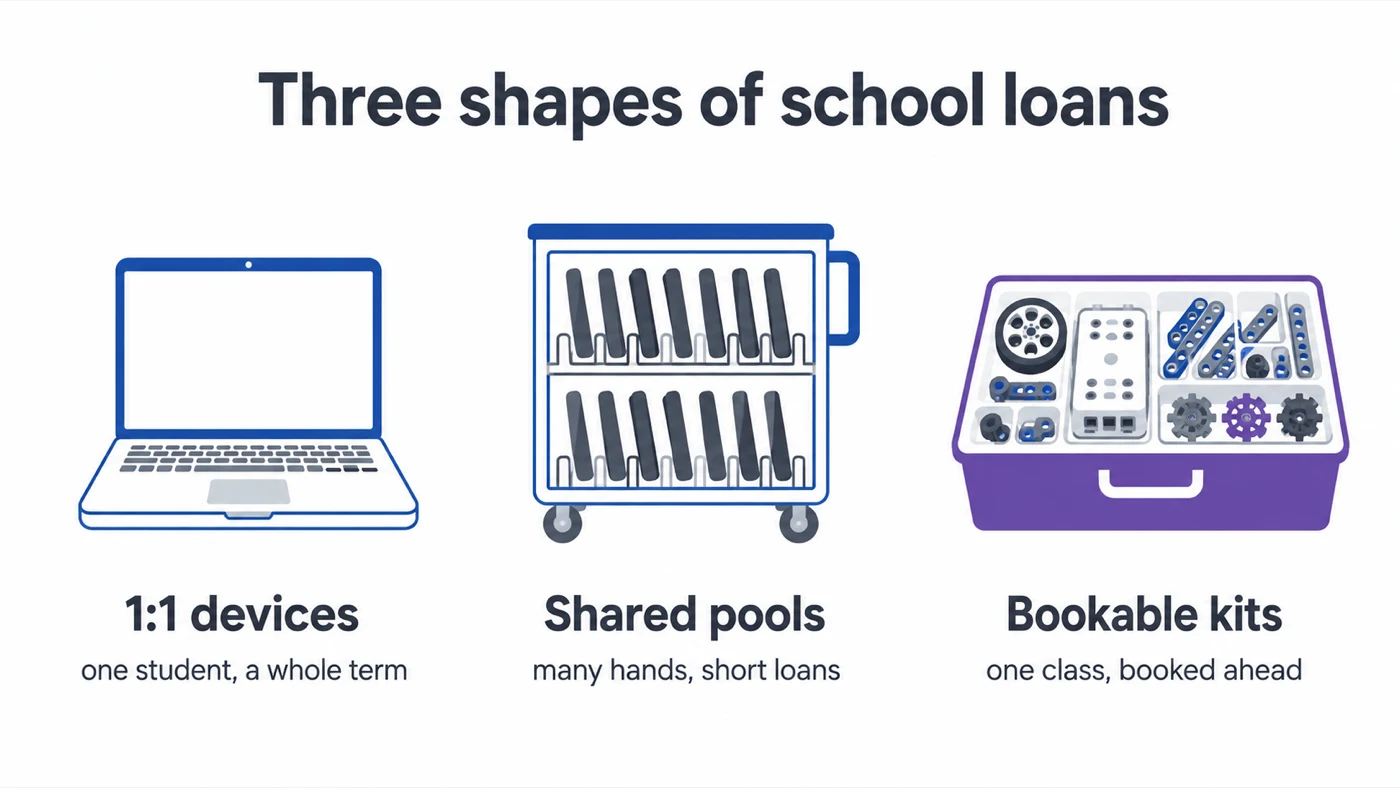
School equipment sorts into three patterns, and mixing them up is where most systems fail:
| 1:1 device loans | Shared pools | Bookable kits | |
|---|---|---|---|
| Typical items | Chromebooks, iPads per student | Device carts, staff cameras | Robotics sets, PA, video studio |
| Loan length | A term or a year | Hours to days | A lesson, booked ahead |
| Borrowers per item | One | Many, high churn | One class at a time |
| What matters most | Serial tied to a named student | Visible availability, fast checkout | Conflict-checked reservations |
| Where it fails | Hand-out day chaos | The wandering cart | Two classes, one set, Tuesday |
1:1 device loans — a Chromebook per student for the year. High volume, long duration, one borrower each. What matters: the device's serial and asset tag tied to a named student, the condition photographed at hand-out, and a due date at term end. Hand-out day works like a checkout line: scan the tag, confirm the student, next — thirty seconds each, and the register builds itself while the queue moves. (The same flow, one row per unit, is the difference between "we gave out 240 Chromebooks" and knowing which 240.)
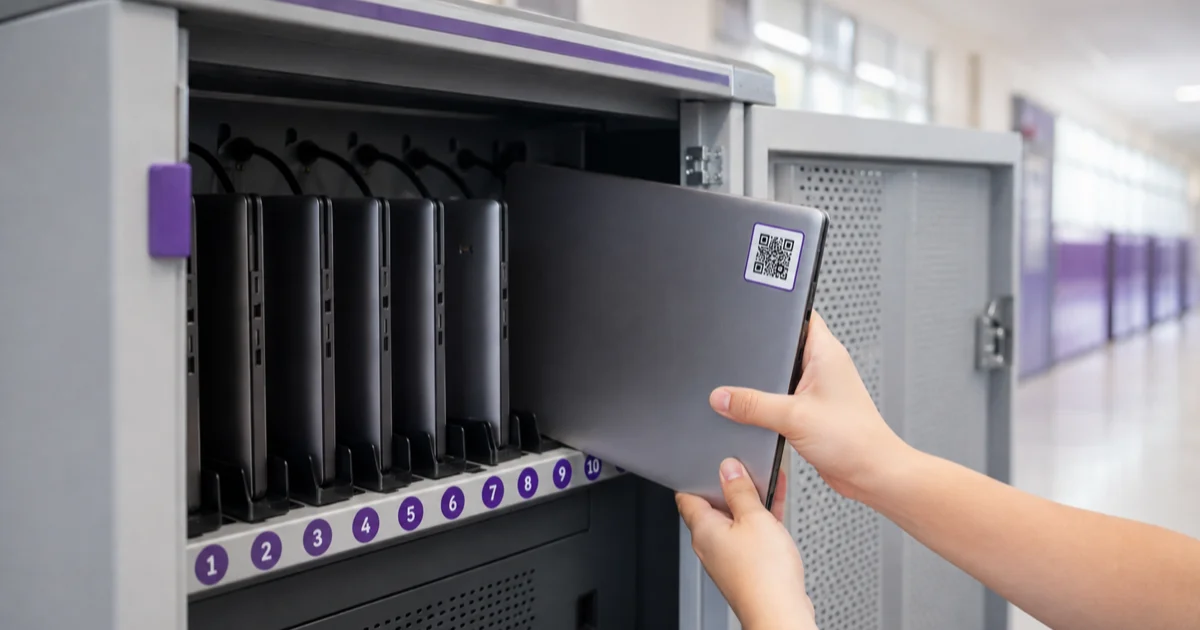
Shared pools — the iPad cart, the staff camera bag. Short loans, many borrowers, high contention. These need visible availability and a fast checkout, or the cart wanders informally and the last teacher gets blamed for a cart that's been incomplete since October. A QR label on the cart and on each device keeps it honest without a gatekeeper.
Bookable kits — robotics sets, camera kits, the video studio, the PA. Planned use, whole-class stakes. These want reservations: a teacher books the robotics set for Tuesday week 14 when planning the lesson, the booking is checked for conflicts then, and the kit checks out as one unit on the day. The alternative — two classes, one set, Tuesday morning — costs a prepared lesson, which is the most expensive thing a school wastes.
The rules that do the heavy lifting
- Every loan has a due date. For 1:1 devices it's term end; for the camera bag it's Friday. The due date is what turns "equipment somewhere in the building" into a list of what's outstanding — and lists can be chased. Reminders should come from the system, not from a teacher's goodwill; nobody became an educator to send nag emails.
- Condition is recorded at both ends. A photo at hand-out and a one-word condition at return. This is what makes the damaged-screen conversation with a parent factual instead of contested — and it's the dataset behind repair-or-replace decisions when budget season arrives.
- Broken doesn't go back on the shelf. A reported issue flags the device out of circulation and into a repair queue. The alternative is the classroom classic: four "working" laptops that three generations of students know are dead.
- The register is one system, not one binder per department. IT's devices, the AV cupboard and the PE store are different owners, but the moment a student, an insurer or an auditor asks a question, one searchable register answers it. Departmental permissions handle turf better than departmental spreadsheets do.
June, redesigned
With due dates on every loan, year-end inverts. Instead of discovering what's missing by emptying shelves, you open the outstanding list: every device still out, by student, by class. Reminders have been going out for weeks. The last week of term is spent on the exceptions — the genuinely lost, the moved-away, the invoice-a-parent cases — with the paper trail (hand-out record, photos, reminders) already attached to each one.
Schools that make this switch report the same number: the year-end recovery that used to take three weeks of staff time compresses into days, and the write-off list shrinks because chasing started in April, not June.
Starting without an IT project
The sequencing that works in a school calendar: pilot with one shared pool (the AV cupboard is ideal — high pain, few items) in the spring term, add the bookable kits next, and roll 1:1 devices at the autumn hand-out when you're printing labels anyway. Each stage is one department's decision, not a whole-school rollout — and by the time the big one lands, the office already trusts the system. If you're comparing options, our overview of equipment checkout software and the education page cover what to look for — including the permission model that lets students see availability without seeing everything else.
The equipment will keep walking; that's what school equipment is for. The job is making sure it walks back — and that nobody's summer depends on remembering where it went.
Frequently Asked Questions
-
The workable pattern is one record per device with its serial and asset tag, a checkout against the student or teacher who holds it, and a due date tied to the term. Scanning the device's tag at hand-out makes the record part of the hand-over instead of separate admin.
-
Treat them as bookable kits — reserved ahead by teachers, checked out as one unit, checked in with a completeness look-over. Booking ahead is what stops two classes planning the same robotics set for the same Tuesday.
-
By making June a report, not a hunt — if every loan has a due date, the outstanding list generates itself, reminders go out automatically, and the last week is spent on the exceptions instead of on discovering what's missing.