
The biggest Itefy update ever is here
We've spent the last year rebuilding Itefy from the ground up — a completely redesigned web app, a built-in contact register, powerful reports, a REST API, and one single address for all of it.
This is the largest release in Itefy's history — hundreds of improvements, big and small, all rolling out together. Rather than a changelog, here's a tour of what's new and why it matters for your day-to-day work.
1. One home for everything: app.itefy.com
Until now, every Itefy account lived on its own web address. That's changing: the whole platform now lives on a single domain. You sign in once at app.itefy.com and land in your personal hub, where you can:
- See and switch between all your accounts in one place — as tiles, cards or a list, with a single click to open any of them.
- See notifications from all your accounts together, so nothing slips by just because it happened in an account you don't have open.
- Manage your personal profile in one place — name, password and personal preferences, including a dark mode.
Your old links and QR codes keep working. Bookmarks, shared links and every QR label you've ever printed will continue to work — they automatically take you to the right place on the new address. No re-printing, no re-training.
2. A completely redesigned web app
The heart of this release is a ground-up rebuild of the equipment management interface. It's built on a modern foundation, which makes it noticeably faster and smoother — and it gave us the chance to rethink almost every screen.
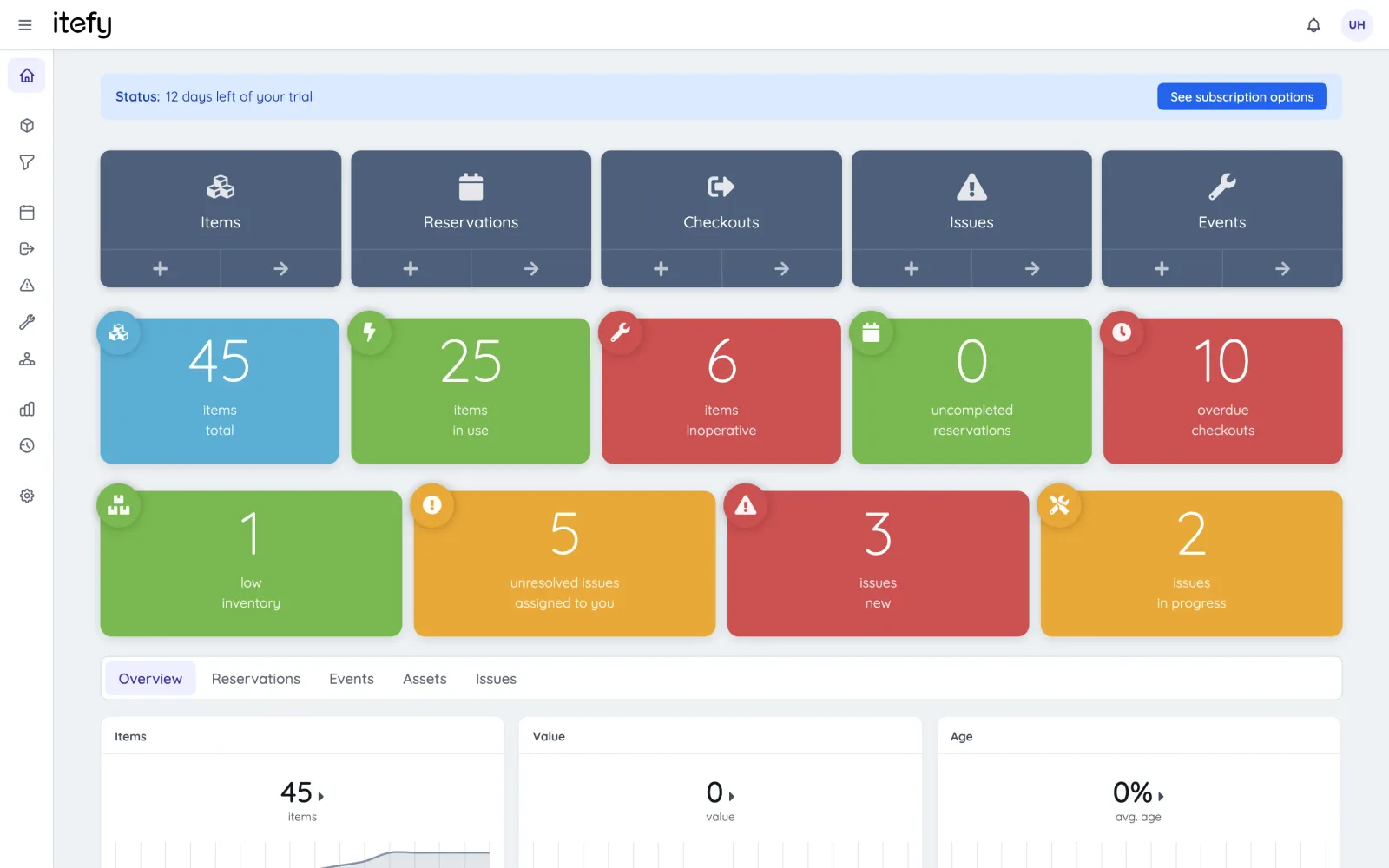
The first thing you'll notice is the refurbished dashboard. The familiar colored status cards for your equipment, checkouts, reservations and issues are still there — but everything around them has been improved: every number is now clickable, taking you straight to the filtered list behind it, and if you're on a trial, the dashboard shows exactly where you are in it.
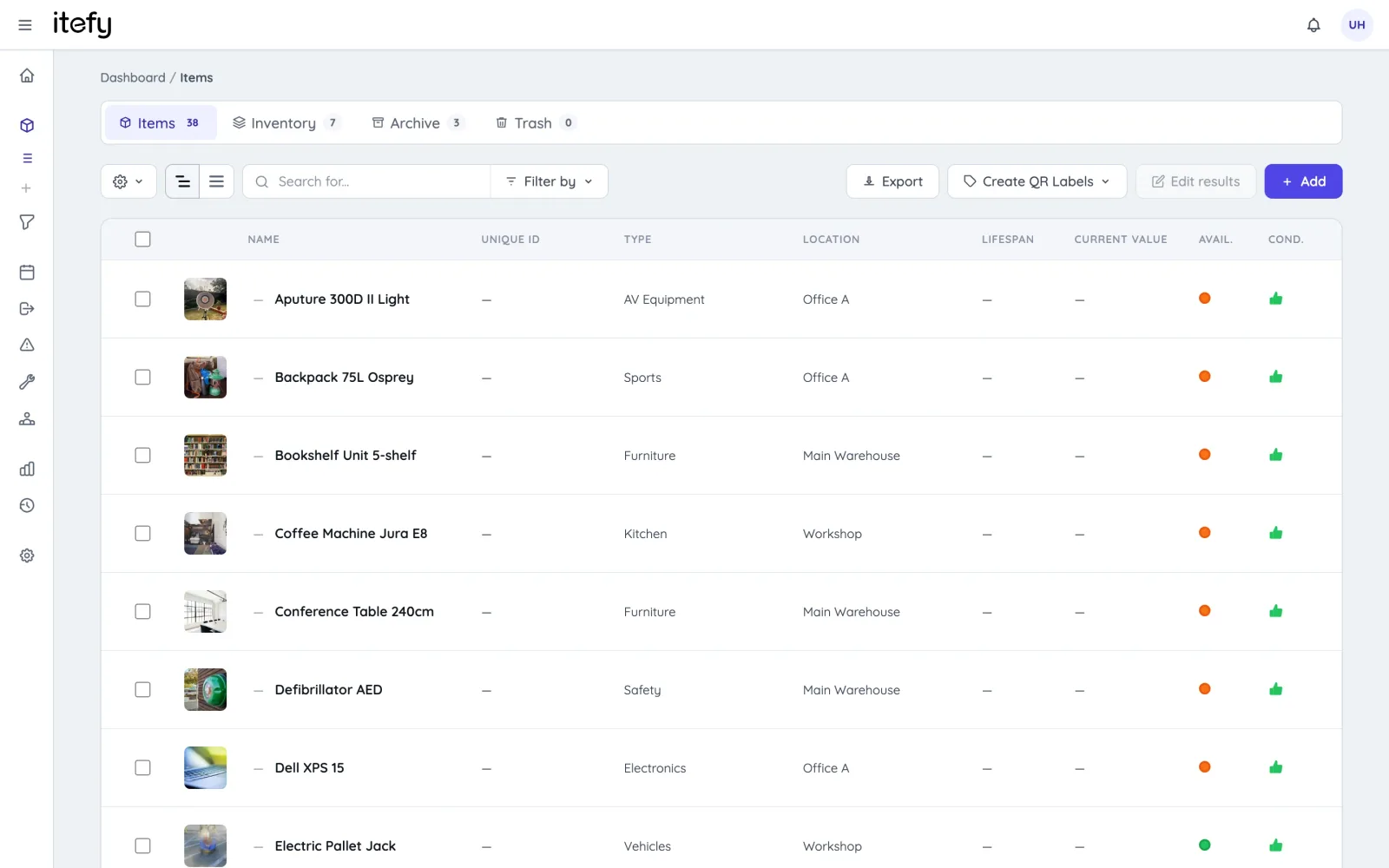
Across the app you'll find a consistent design language: every list page has the same powerful search field with a "Filter by" dropdown, sortable column headers, time-range filtering and proper pagination. Learn it once, and you know how every page works.
3. Working with items just got much more powerful
Get your equipment in faster
- A much better Excel/CSV import — importing has been rebuilt as a guided, step-by-step wizard that maps your spreadsheet columns to Itefy fields, and lets you review and edit every row before it's created.
- Create items with everything in one go — the new item form lets you add the description, pictures, specifications, categories, vendors and even kit membership at creation time, instead of filling things in afterwards. Need 25 identical items? The multiply option creates them all at once, numbered from a starting point you choose.
Edit many items at once
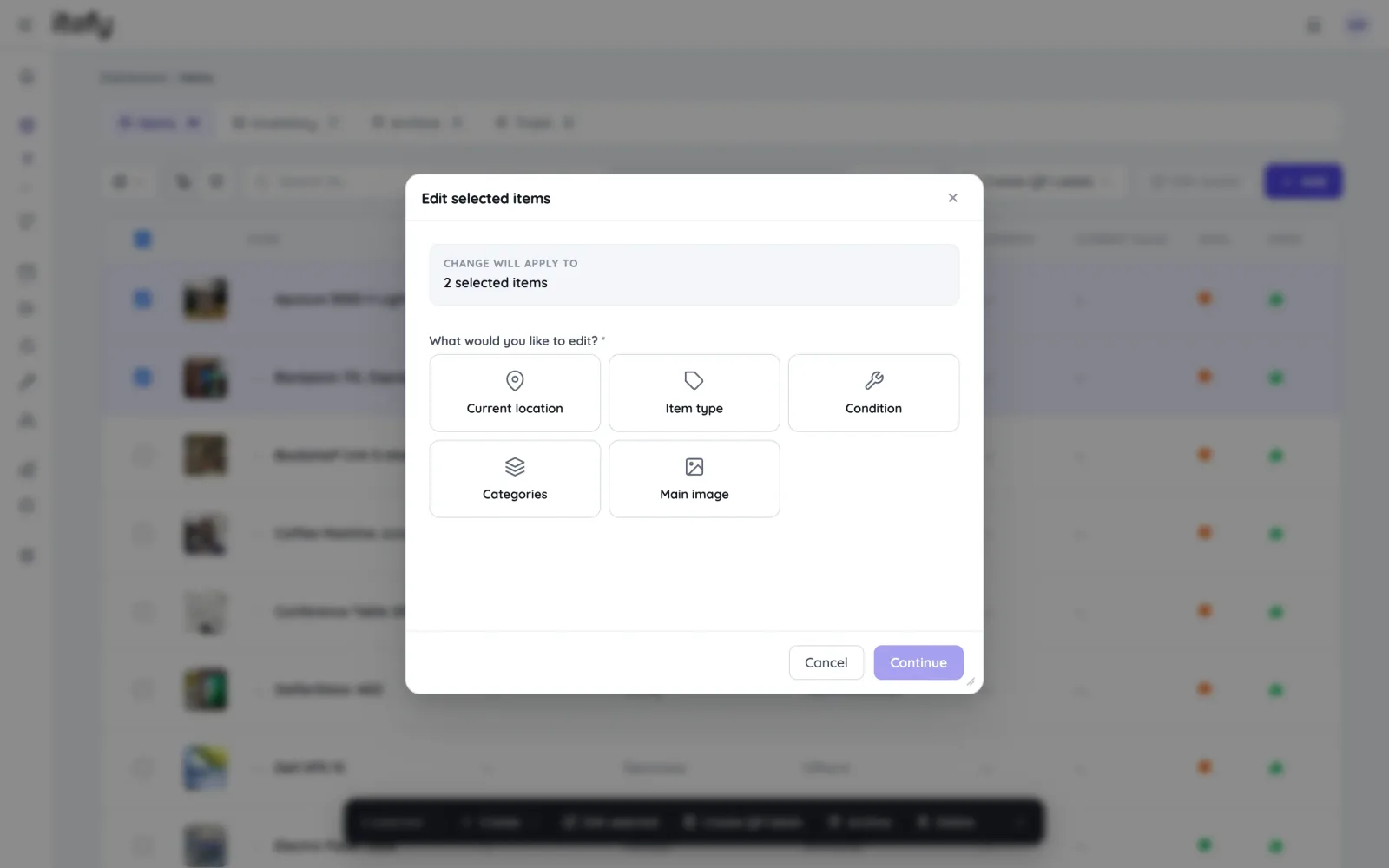
- Batch editing — select items (or apply your edit to an entire search result) and change location, item type, condition, categories or even the main image across all of them in one operation, with a clear receipt of what changed.
- Bulk actions — select items and check them out, reserve them, create an event or report an issue for the whole selection in one step.
A richer item page
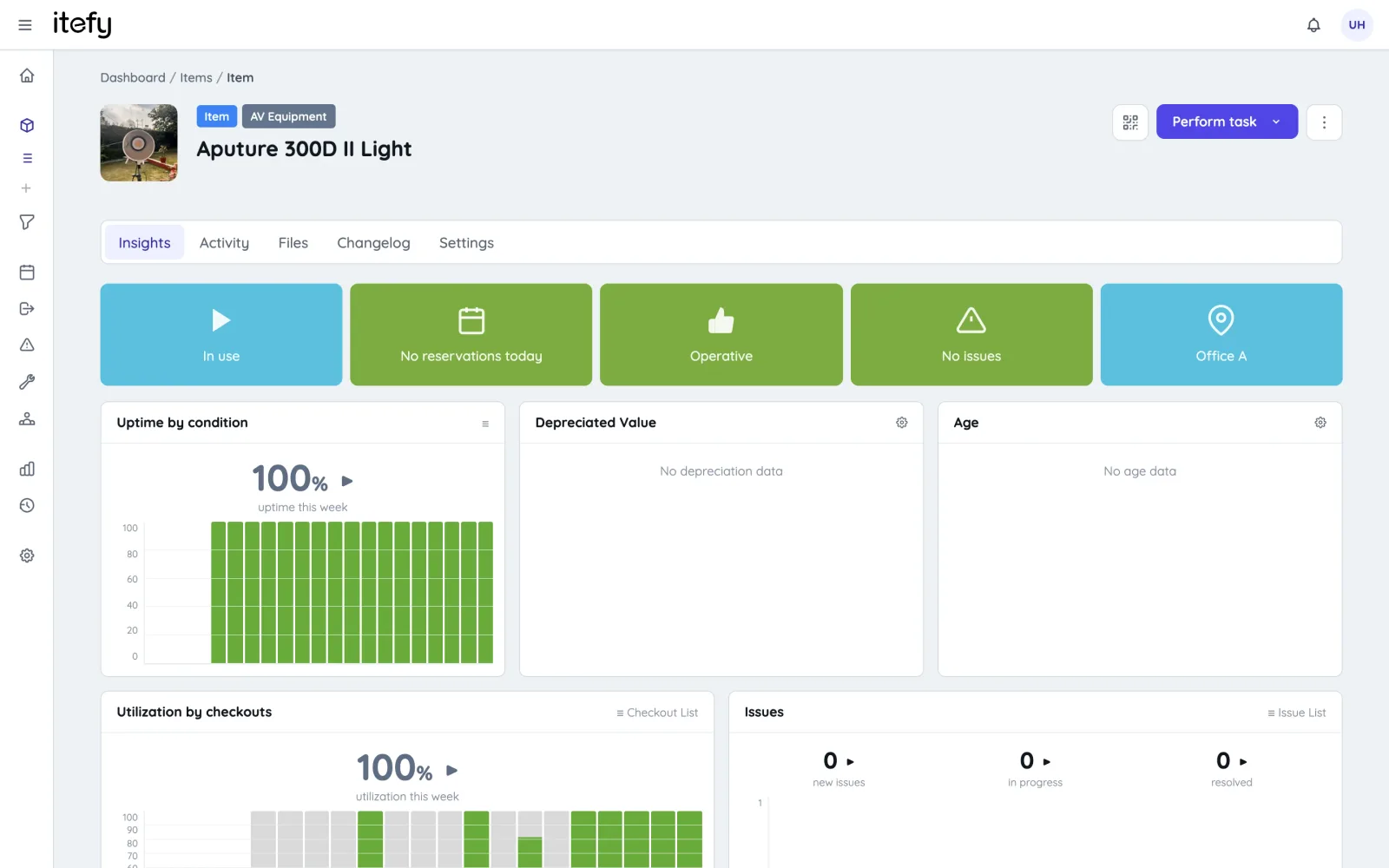
- Insights tab — a live overview of the item's status, value, kit contents, inventory levels, upcoming reservations and recent activity, with shortcuts to act on any of it.
- A built-in image editor — rotate and crop item pictures right in the browser, with a one-click "revert to original" if you change your mind. Pictures are also stored at higher resolution than before.
- Rich-text descriptions — format item descriptions with headings, lists and links.
- Files & videos — upload files with progress indication, browse pictures in a full-screen lightbox, and attach videos including YouTube links.
- Simpler depreciation — just enter the purchase date, cost and expected lifespan; Itefy calculates the rest, including current book value.
- Inventory units — consumables can now carry a unit (pcs, m, kg, litres…) so quantities always read the way you think about them.
- A full changelog — every change to an item, paginated and searchable.
Organized for the long run
- Separate tabs for items and inventory — long-term equipment and consumables no longer share one crowded list.
- Archive — park retired equipment out of daily views, pickers and statistics without losing a single day of its history. Unarchive any time.
- Trash & restore — deleted items go to a trash you can restore from, instead of disappearing forever.
- Kits, improved — manage kit contents directly from the item page, and view your items list as a kit hierarchy or a flat list.
4. Checkouts, reservations, issues and events — all grown up
The four everyday workflows — checkouts, reservations, issues and events — each have dedicated list pages, detail pages and calendars now — and they all follow the same logic:
- Edit everything in place. Click a field, change it, done — due dates, assignees, locations, deadlines, tags, descriptions. No more "open edit dialog, change one thing, save everything".
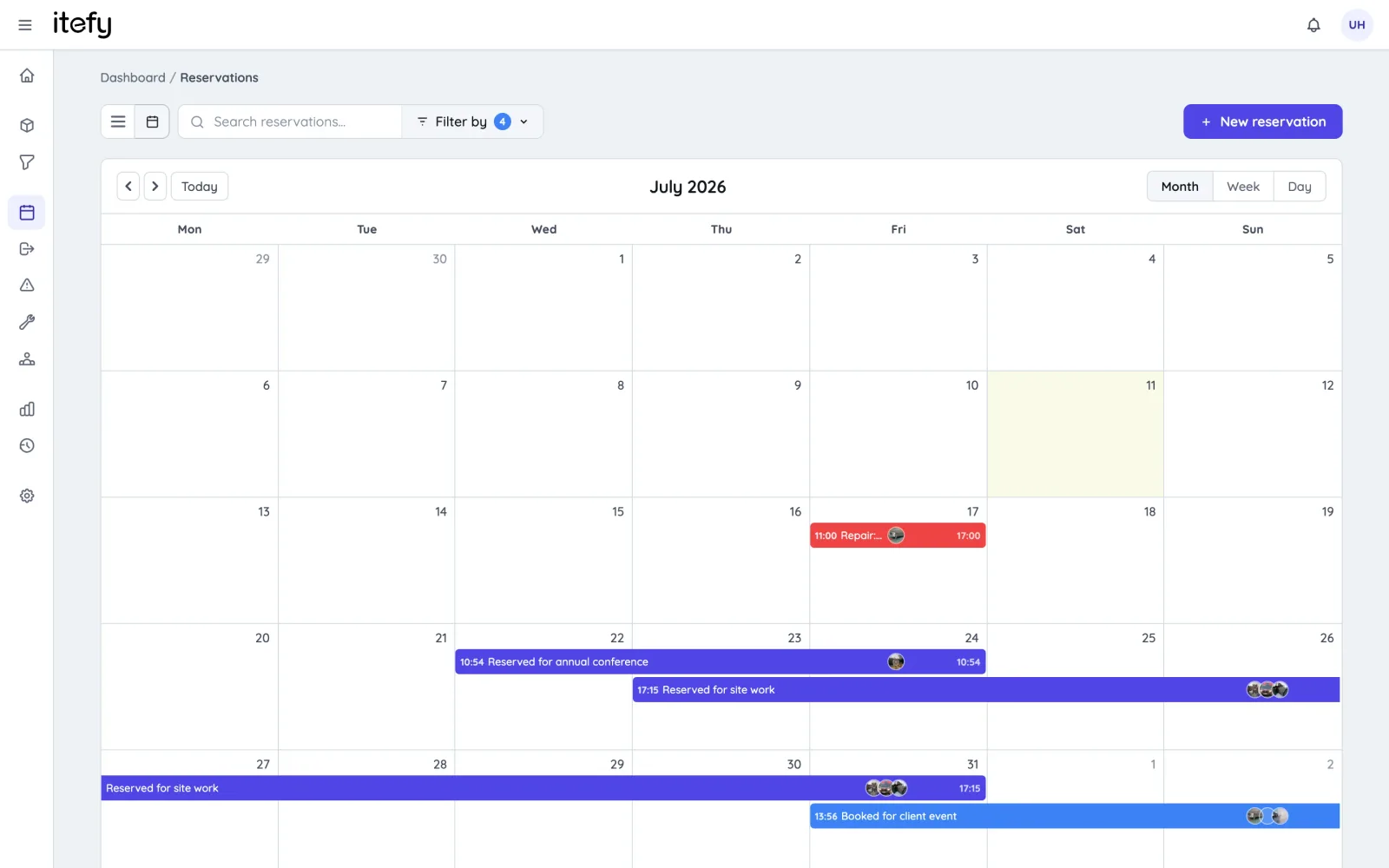
- Calendar views everywhere. Reservations, checkouts, events and issues can all be viewed by month, week or day.
- Classify your reservations and events — usage, maintenance, inspection, transport or repair — and the calendars color-code them so the schedule reads at a glance.
- From issue to repair in one click. Found a fault? "Schedule repair" turns the issue into a planned repair reservation, with the two records linked.
- Recurring reservations, properly. When you edit a recurring reservation you now choose whether the change applies to just that occurrence or the whole series.
- From reservation to checkout in one click. Checking out a reservation carries all its details over — items, times, the person it's for — and links the two records together.
- Live overdue indicators. Checkout lists show live "time left" pills so you can see at a glance what's due back soon and what's overdue.
- Issues with pictures. Attach photos and files to issues, drop images straight into the description, and track deadlines on a calendar. Closing an issue automatically restores item condition if you use the "inoperative while open" option.
5. Comments, @-mentions and notifications: built for teams
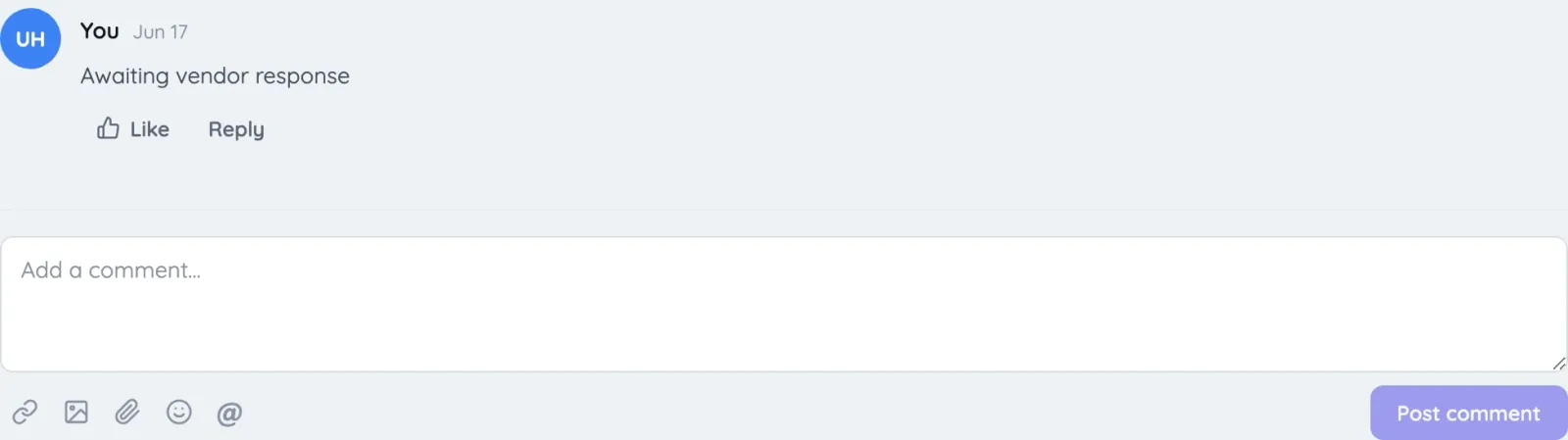
Communication is now a first-class part of Itefy. Checkouts, reservations, issues, events and contacts all have a shared comments experience:
- @-mention colleagues in comments and issue descriptions — they get a notification that links straight to the record.
- Reply to comments in threads, like them, and use emoji.
- Attach pictures and files to comments — paste a screenshot straight into the comment box.
- A dedicated notifications page with filtering and pagination, plus a notification panel in the top bar — and every notification deep-links to the exact record it's about.
6. New: Contacts — a light CRM inside Itefy
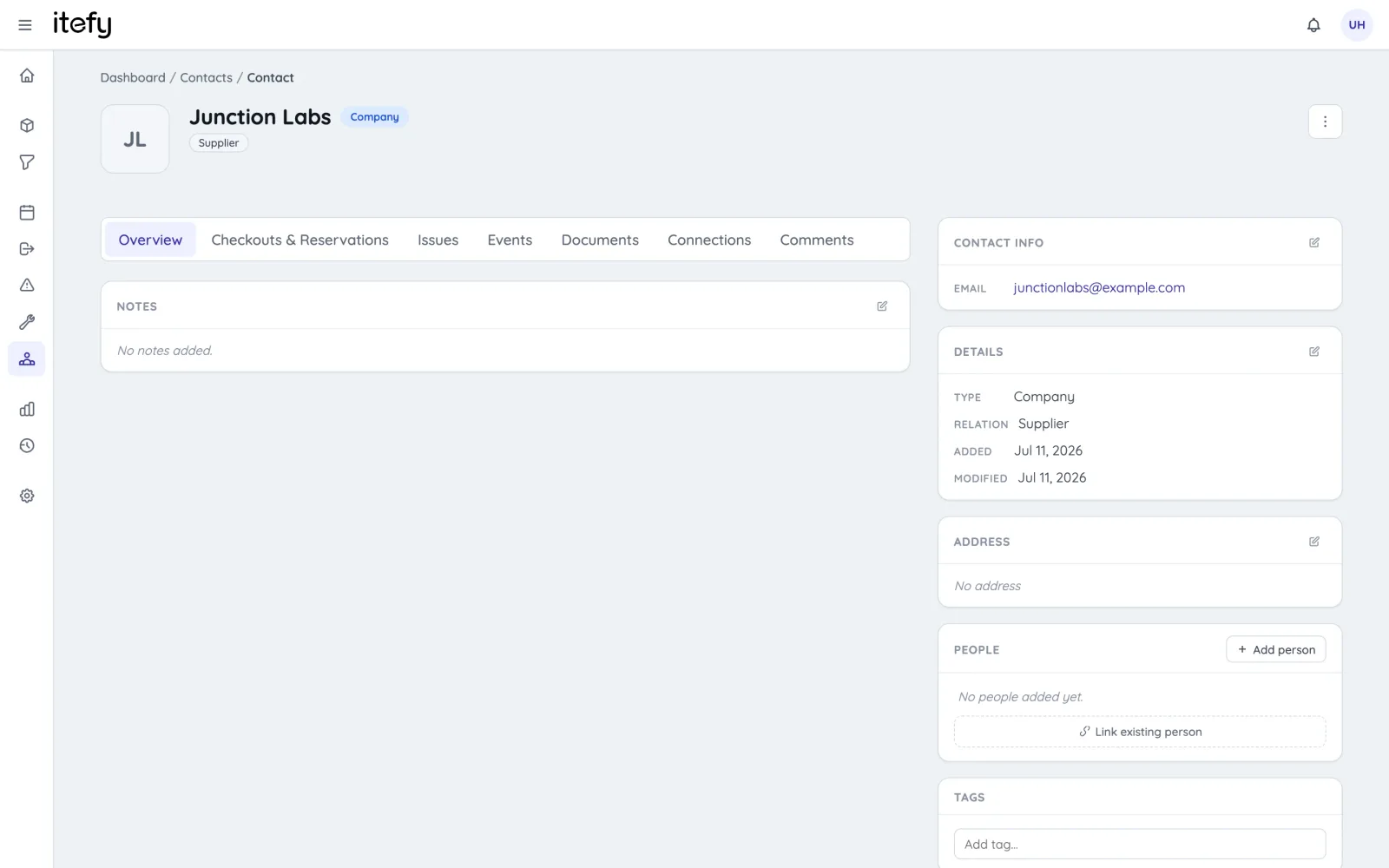
Equipment work always involves people outside your team: customers you rent to, suppliers you buy from, service partners who do maintenance. Itefy now has a proper contact register for them:
- Companies and people — register companies with their contact persons, complete with roles, departments, addresses, email, phone and more.
- Link contacts to everything. Attach a supplier, manufacturer or service partner to an item; a customer to a checkout or reservation; a performer to an event; a contact person to an issue.
- A 360° contact view. Every contact page shows the complete history: all checkouts and reservations, issues, events, and connected items — plus a documents tab for contracts and files, notes, tags and comments.
- Import your existing register from Excel or CSV with the same guided importer as items, and merge duplicates safely when they sneak in.
7. Reports that answer real questions
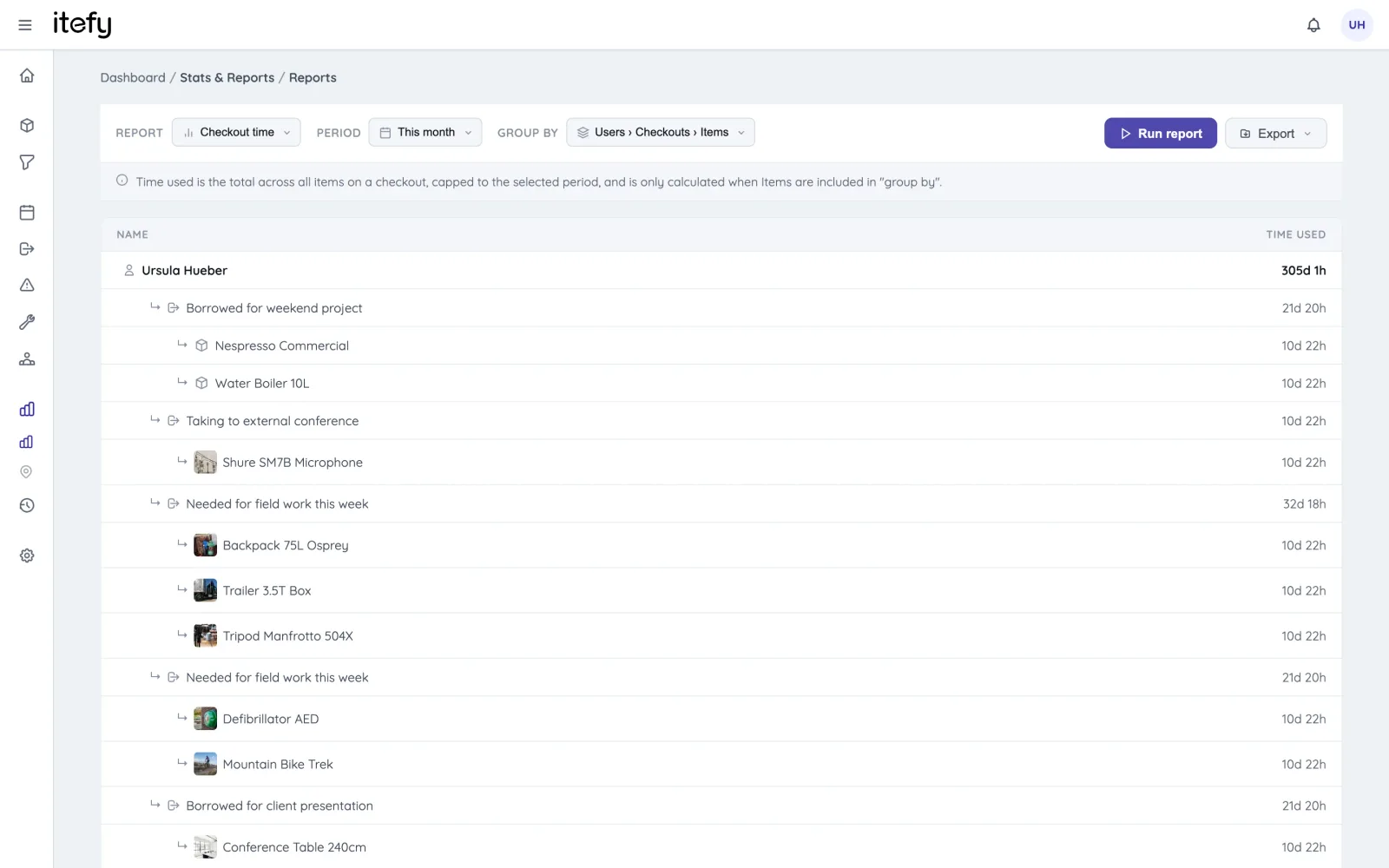
The new Reports page turns your equipment history into answers. Pick a report, a time range and how to group the results — then read it on screen or export it to Excel, CSV or PDF:
- Checkout time — how long equipment was in use, by item, person, type or location.
- Checkout activity — how many checkouts happened, average durations, and how many ran overdue.
- Asset value — acquisition value, depreciation and current book value of your assets.
- Maintenance — maintenance events and issues across your fleet.
- Utilization — how much of the time your equipment is actually in use, and what sits idle.
- Reservations — booking volume and patterns over time.
- Planned vs. actual — brand new: how well your reservations match what really happened, including pickup and return punctuality and whether the booked equipment was the equipment used.
Alongside reports you'll also find location statistics and account-wide change logs for condition, location and inventory changes — each searchable, sortable and filterable.
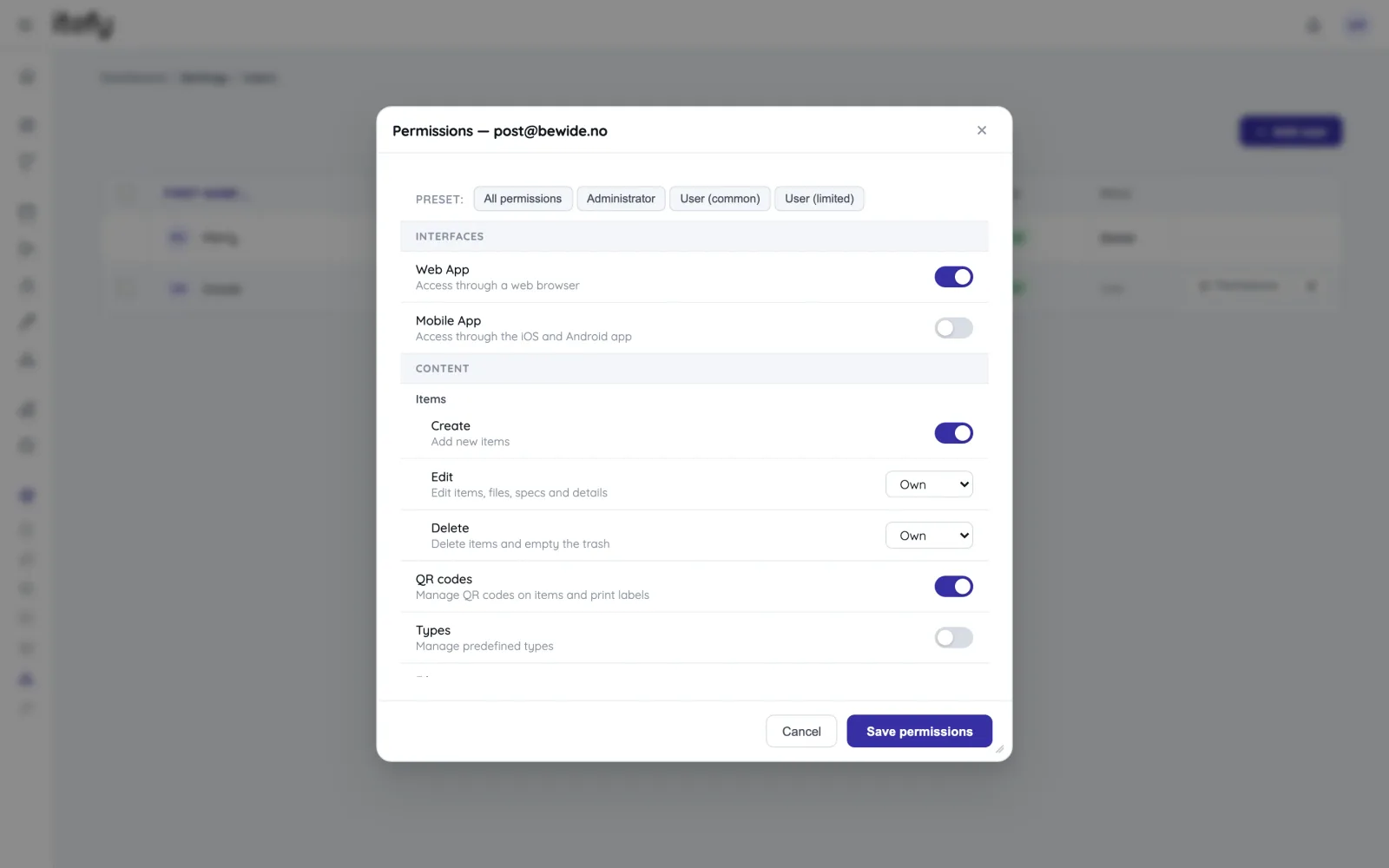
8. Finer control over who can do what
Permissions have been overhauled for teams of every size:
- Granular user permissions — control exactly what each member can do: which content they can manage (items, types, locations, contacts, categories, QR labels) and which actions they can perform (checkouts, reservations, events, issues, location and condition changes, inventory adjustments). Sensible presets get you started; fine-tuning is one click away.
- Bulk user administration — apply a permission set to many members at once, or remove several users in one operation.
- Consistent enforcement — the same rules apply in the web app, the mobile app and the API, so what someone sees is always what they can actually do.
9. A redesigned subscription and billing experience
You've always been able to manage your subscription yourself — now it's a much nicer place to do it:
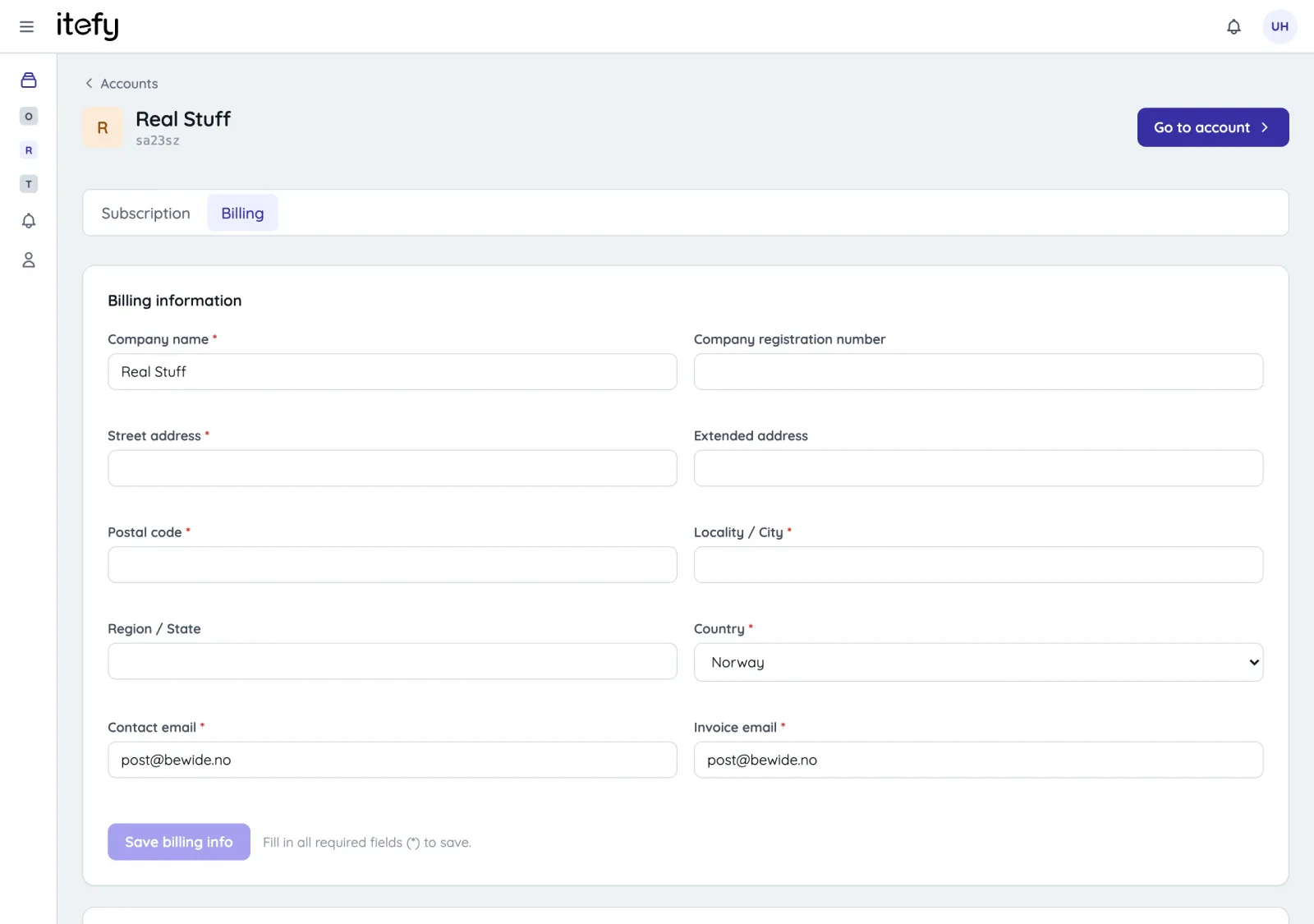
- A redesigned plan picker with a full feature comparison, expandable explanations of every feature, and clear order summaries.
- Add extra seats to your plan directly, with the price updating as you adjust.
- See your next invoice before it's charged — the billing page shows a preview of your upcoming invoice, and you'll get a heads-up notification before renewal.
- Receipts and card management — download receipts and manage payment cards in a cleaner, mobile-friendly billing page.
10. For developers: the Itefy API
Itefy now has a REST API, so you can connect Itefy to the rest of your toolchain — sync items from your ERP, trigger checkouts from your own systems, or pull data into your BI platform.
- Full resources for items, checkouts, reservations, issues and events, including creating and editing.
- API keys are managed right in the app under Settings → API keys (available on Business plans and up).
- Interactive documentation — a complete, browsable API reference, plus guides in the Help Center.
11. A refurbished Help Center
The Help Center at itefy.com/help has been rebuilt from the ground up. It's faster, it finally has proper search, and the tutorials have moved in alongside the reference articles — goal-oriented, step-by-step guides with annotated screenshots for both the web app and Itefy Go. Developers get a full API section with an interactive reference. And because the Help Center is now maintained alongside the product itself, articles stay in step with new features from day one.
And under the hood…
Plenty of this release is invisible but important: the platform's infrastructure has been modernized end-to-end, error monitoring has been rebuilt so we catch problems before you notice them, dozens of long-standing quirks and edge-case bugs have been fixed along the way, and the new foundation means we can ship improvements to you faster from here on. And there's more in the pipeline — including a brand-new Itefy Go mobile app, already deep in development.
Already in your account
The update has already been rolled out to all accounts — there's nothing you need to do. Your data, your team, your QR labels and your existing links all carried over automatically. Next time you sign in, you'll land at app.itefy.com — and everything is right where you left it, just better.
As always, we'd love to hear what you think. Use the feedback button in the app, or drop us a line — this release is built on years of your suggestions, and the next one will be too.
— The Itefy team