
Equipment checkout forms and agreements: three free templates, and when you need each
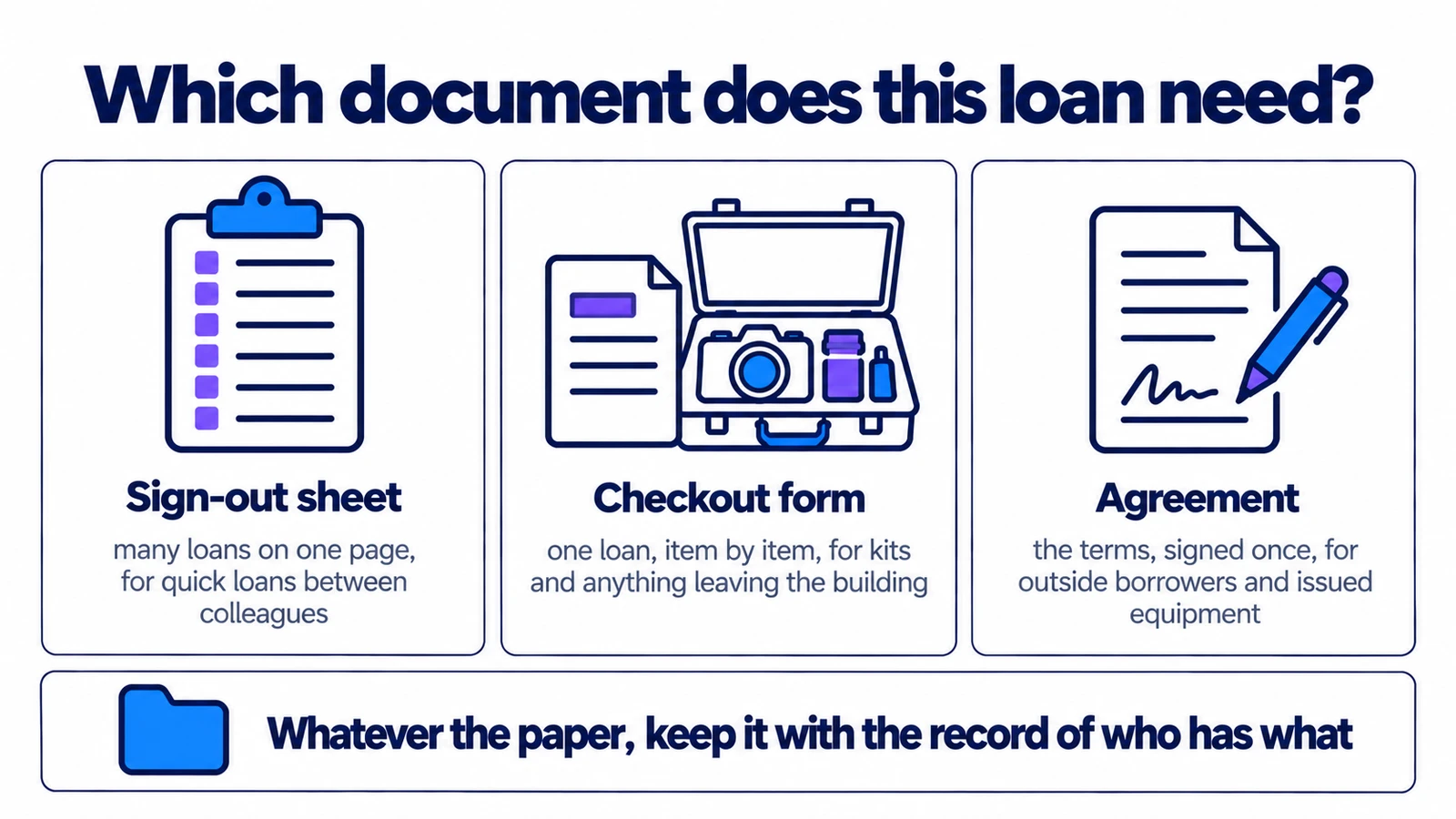
A sign-out sheet logs many loans on one page. A checkout form records one loan, item by item, and an agreement sets the terms. Here are three free templates in Word and PDF, what each one is for, and how to fill them in so they settle the argument they exist to settle.
The short version
- A sign-out sheet logs many loans on one page. A checkout form records one loan, item by item, signed when it is handed over.
- Write down what is inside every case. One line for a whole kit is the line that loses the second battery.
- Use an agreement when equipment leaves your organisation, or when someone is issued equipment to keep.
- Let regular borrowers sign the terms once, then record each loan on its own.
- Keep the signed copy with the loan record. A form in a drawer is evidence nobody can find.
In this article
- Log, form or agreement?
- The three templates
- Write down what is inside the case
- Sign the terms once, record every loan
- What not to put in an agreement
- Where the signed copy goes
- What Itefy does not do
- When the paper starts costing more than it saves
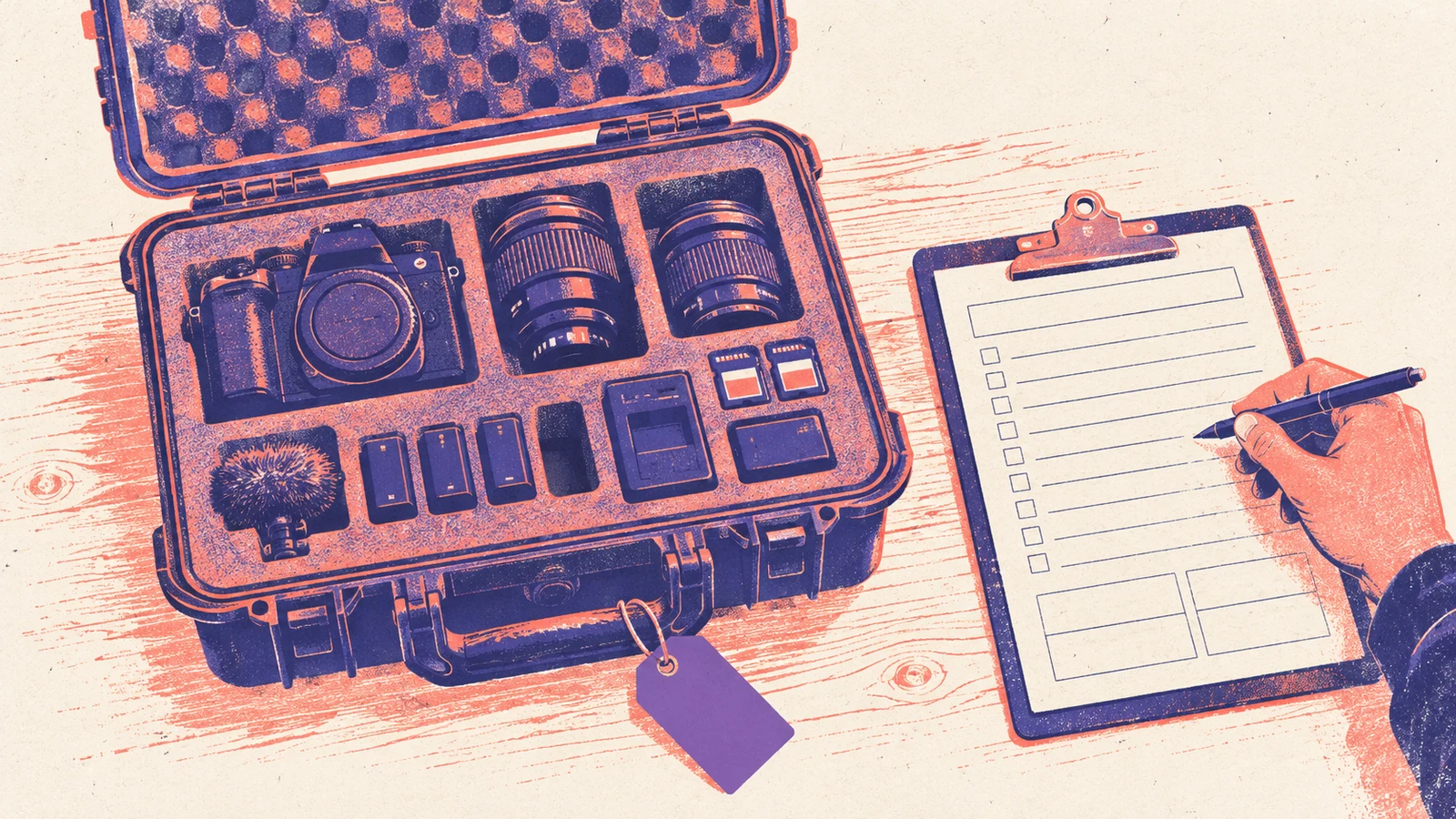
The form said Camera kit 2. It was signed, it was dated, and it was due back on Monday. On Monday it came back: the case, the camera, one battery and the charger.
Nobody could say whether there had been a second battery, or a memory card, or the microphone that usually lives in the side pocket. The form had one line for the whole case. The person who packed it was on holiday. The student said that was everything. Maybe it was.
A checkout form is supposed to stop that conversation before it starts. Most of the ones we see are missing the one part that would have done it: a list of what was actually inside.
The short version: a sign-out sheet logs many loans on one page. A checkout form records one loan, item by item, and the person taking it signs it. An agreement sets the terms, and is worth having when equipment leaves your organisation or stays with one person for good. Below are three free templates, in Word and PDF: a checkout form, an employee equipment agreement, and a loan agreement for borrowers outside your organisation. Regular borrowers should sign the terms once. Every loan still gets its own record.
Log, form or agreement?
These three documents are often treated as one, and they answer different questions.
| Sign-out sheet | Checkout form | Agreement | |
|---|---|---|---|
| Records | Many loans on one page | One loan, item by item | The terms of borrowing |
| Answers | Where is it now? | What exactly did you take? | What if it does not come back? |
| Signed by | Initials, if anyone | The borrower, at handover | The borrower and you |
| Best for | Quick loans between colleagues | Kits, valuable gear, anything leaving the building | Outside borrowers, and equipment issued to keep |
| How often | Every loan | Every loan | Once per person, or per loan |
A sheet is good at telling you where things are right now. It is poor at telling you what somebody took, because one row per loan leaves no room for the contents of a case. A form has that room. An agreement answers the third question, which neither of the others does.
Our sign-out sheet template covers the first column. This post is about the other two.
The three templates
All three are free to use and change. There is no signup and no email address to give.
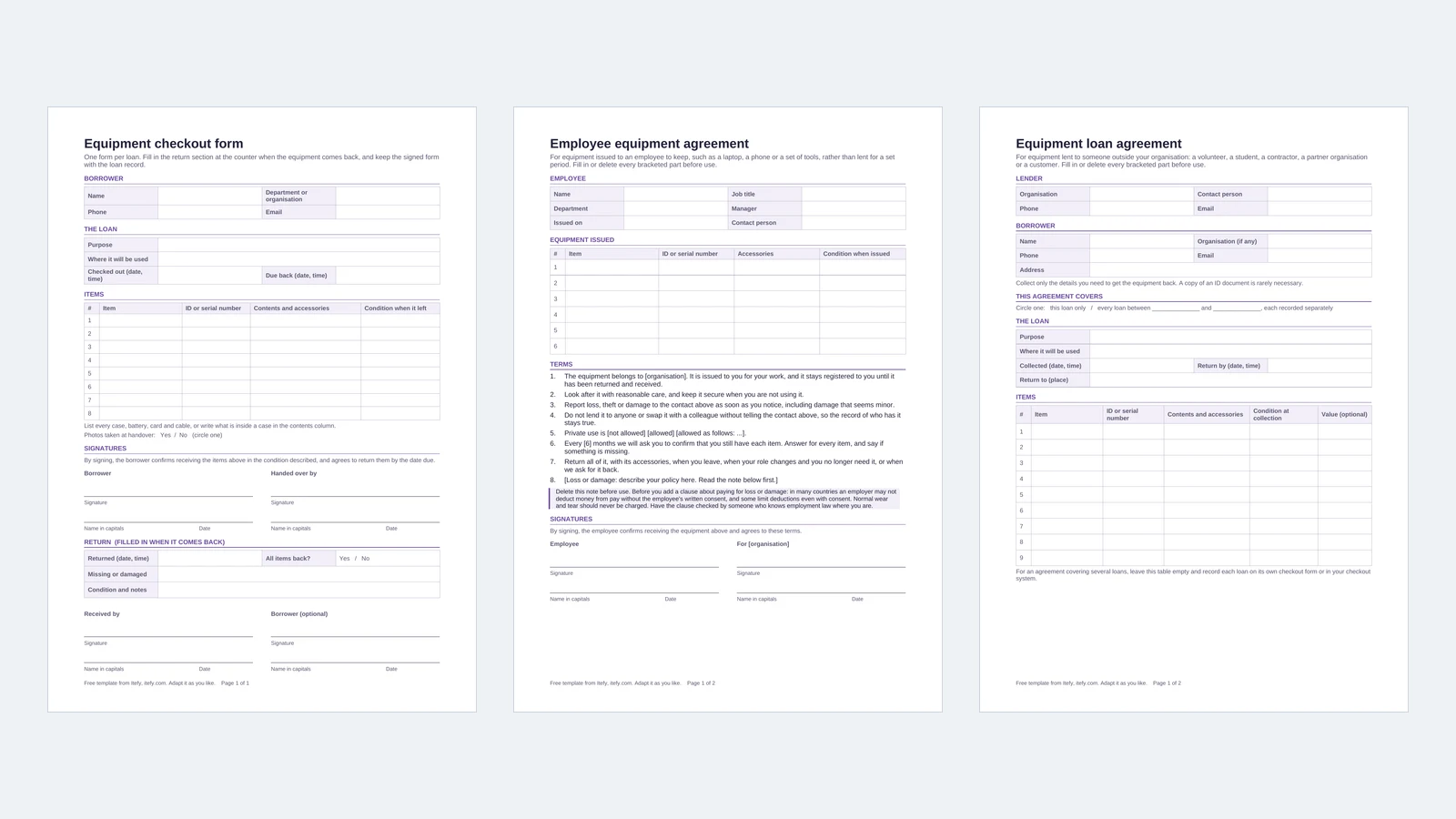
Equipment checkout form
One page per loan. It has the borrower's details, the purpose, where the equipment is going, and the times it went out and is due back. The item table has a column for the contents of each case and one for the condition when it left. Below that are two signatures, and a return section that is filled in at the counter when the equipment comes back.
Use it for kits and cases, for anything valuable, and for anything leaving the building.
Employee equipment agreement
For a laptop, a phone or a set of tools issued to someone to keep. It has no return date, because there is not one (we explain why in Issued, not lent). Instead it says when the equipment comes back: when the person leaves, when their role changes, or when you ask for it. It has eight short terms, including one about confirming every few months that they still have each item, and a page for recording returns.
Equipment loan agreement
For someone outside your organisation: a volunteer, a student, a contractor, a partner organisation or a customer. Its terms cover who is responsible while the borrower has the equipment, returning it, lending it on, loss and damage, and insurance. The parts that depend on your own policy are left in brackets for you to fill in. It can cover one loan, or every loan within a period.
Write down what is inside the case
The opening story is the most common way a checkout form fails, and it is fixed at the counter, not in the template.
- One row for each thing that can go missing on its own. A camera kit is a case, a body, two lenses, three batteries, a charger, two cards and a microphone. That is eleven rows, or one row with all eleven in the contents column.
- Write the ID, not the description. "Battery" matches every battery on the shelf. "BAT-07" matches one. If your equipment has labels, copy the number from the label.
- Tape a packing list inside the lid. Give each kit a standard list and write "as packing list" in the contents column. The borrower checks the case against it before leaving, and you check it again when it comes back. Two minutes, twice, and the second battery has nowhere to hide.
- Write down what is already wrong. "Scratch on the screen" written at handover is worth more than any clause about damage.
- Take a photo at the counter. A dated photo of the equipment as it left ends most arguments about condition before they begin.
Sign the terms once, record every loan
The quickest way to make people resent a form is to make them read the terms every time they borrow a cable.
A volunteer on a church sound team, a student in a media department, a contractor on a six-month job: they borrow often, and the terms do not change from one loan to the next. Have them sign the loan agreement once, for a period. The template has a line for this ("every loan between ... and ..."). After that, each loan is just a record: a checkout form, a line in your system, or a scan. Renew the agreement once a year, or at the start of each term.
Colleagues usually need no agreement at all. Their employment terms already cover company property, and what you need from an internal loan is a record of who had it and when. The equipment loan agreement entry in our glossary goes through where a signature earns its place and where it is just friction.
What not to put in an agreement
A few clauses turn up in templates found online, and they cause more trouble than they prevent.
- A deduction from pay. In many countries an employer cannot take the cost of lost or damaged equipment out of someone's pay without their written consent, and some limit it even with consent. A clause that says you will may not be worth the paper. Check before you write one.
- Charging for normal wear. Batteries lose capacity and cables fray. Billing someone for that is how you lose your volunteers.
- A fixed fine for late returns. It starts an argument about whether the fine is fair, and it does nothing to get the equipment back. A phone call does more.
- More personal data than you need. A name, a phone number and an email address are enough to get equipment back. A copy of someone's passport is something you now have to store, protect and eventually delete. In Europe, the GDPR expects you to collect only what the purpose needs.
If the agreement is doing real legal work (expensive equipment, a business as the borrower, an insurance requirement), have someone who knows the law where you are look at it. A template is a starting point, not legal advice.
Where the signed copy goes
A signed form in a drawer is evidence nobody can find. Keep it with the loan.
In Itefy, the loan is a checkout. It records the reason, each item, who it is for, where it is going and when it is due back. If you check out a kit, each item in it is checked out and listed on its own, so the contents are written down without anyone typing them. For a borrower who does not have a login, add them as a contact on the checkout, under Customer (contacts are included from the Startup plan). Then photograph the signed form, and the condition photos if you took any, and attach them to a comment on the checkout. The paper and the record are now in the same place.
When the equipment comes back, check it in. Each item is ticked off on its own, and anything not ticked stays checked out to the borrower until it turns up. Write what you found in the remarks, and choose whether everything goes back to its usual place.
What Itefy does not do
To be clear about the limits:
- No electronic signatures. Nobody signs anything inside Itefy. If you need a signature, it goes on paper or through your own e-signature tool, and the signed copy is attached to the checkout.
- No terms to accept. Itefy does not show a borrower your terms or ask them to tick a box before a checkout.
- No form builder. A checkout has fixed fields: the reason, the items, the return date, who it is for, the location, notes and tags.
- Contacts cannot sign in. An outside borrower cannot check anything out on their own. Someone on your side records the loan.
When the paper starts costing more than it saves
Paper forms work well for a few loans a week. You will notice when they stop:
- forms go missing, or nobody can read them when they are needed;
- you have to find a folder to answer "who has the projector?";
- chasing late returns takes real time, because paper sends no reminders;
- the same kit goes out several times a week, and everyone is tired of listing its contents.
That is the point where teams move to an equipment checkout system. The record is the same, but a scan replaces the pen, kit contents are filled in for you, and reminders go out when something is late. The agreement for outside borrowers stays. The form for every internal loan can go.
Until then: print the form, tape a packing list inside the lid, and fill in the return section before the borrower leaves the counter.
If lending is one part of a job you've just been handed, how to manage company equipment, step by step covers the rest of it, from the first list to the monthly routine.
Frequently Asked Questions
-
The borrower's name and contact details, the purpose and where the equipment will be used, the date and time it went out and is due back, every item with its ID and the contents of any case, the condition when it left, the signatures of the borrower and the person handing it over, and a return section filled in when it comes back.
-
A checkout form records one loan: what went out, to whom and in what condition. An agreement sets the terms: who is responsible while the borrower has it, what happens if it is lost or damaged, and when it must come back. For a one-off loan to an outside borrower you can use both together. For someone who borrows regularly, have them sign the agreement once and record each loan on its own.
-
Usually not. Employment terms already cover company property, and what you need for an internal loan is a record of who had it and when, not a signature. Equipment issued to an employee to keep, such as a laptop or a phone, is the exception: an agreement is a useful record of exactly what was handed over.
-
For borrowers outside your organisation, what they pay is whatever your agreement says, so write it down before the loan. For employees it depends on where you are: many countries do not allow an employer to deduct money from pay without written consent, and some limit deductions even with it. Check local rules before you rely on such a clause.
-
Yes. All three come as an editable Word file and a print-ready PDF. There is no signup and no email address needed. Change them however you like.