
How to track who has what equipment (without interrogating your team)
The question every shared equipment pool eventually fails to answer: who has the camera right now? Four systems for keeping custody visible — from a whiteboard to scan-out software — and how to pick the one your team will actually use.
In this article
- What "tracking custody" actually requires
- Option 1: The whiteboard
- Option 2: The sign-out sheet
- Option 3: The spreadsheet
- Option 4: Checkout software
- How to choose
Somebody on your team is looking for the thermal camera right now. It's not on the shelf. The last person who admits seeing it says "I think Jonas had it at the site on Friday?" — and Jonas is on holiday.
Ask any team that shares equipment and this exact scene comes back with different props. On forums where technicians compare notes, the thread titles are all versions of the same sentence: keeping track of equipment — how? The answer isn't complicated, but it does require picking a system deliberately instead of inheriting whatever grew by accident.
What "tracking custody" actually requires
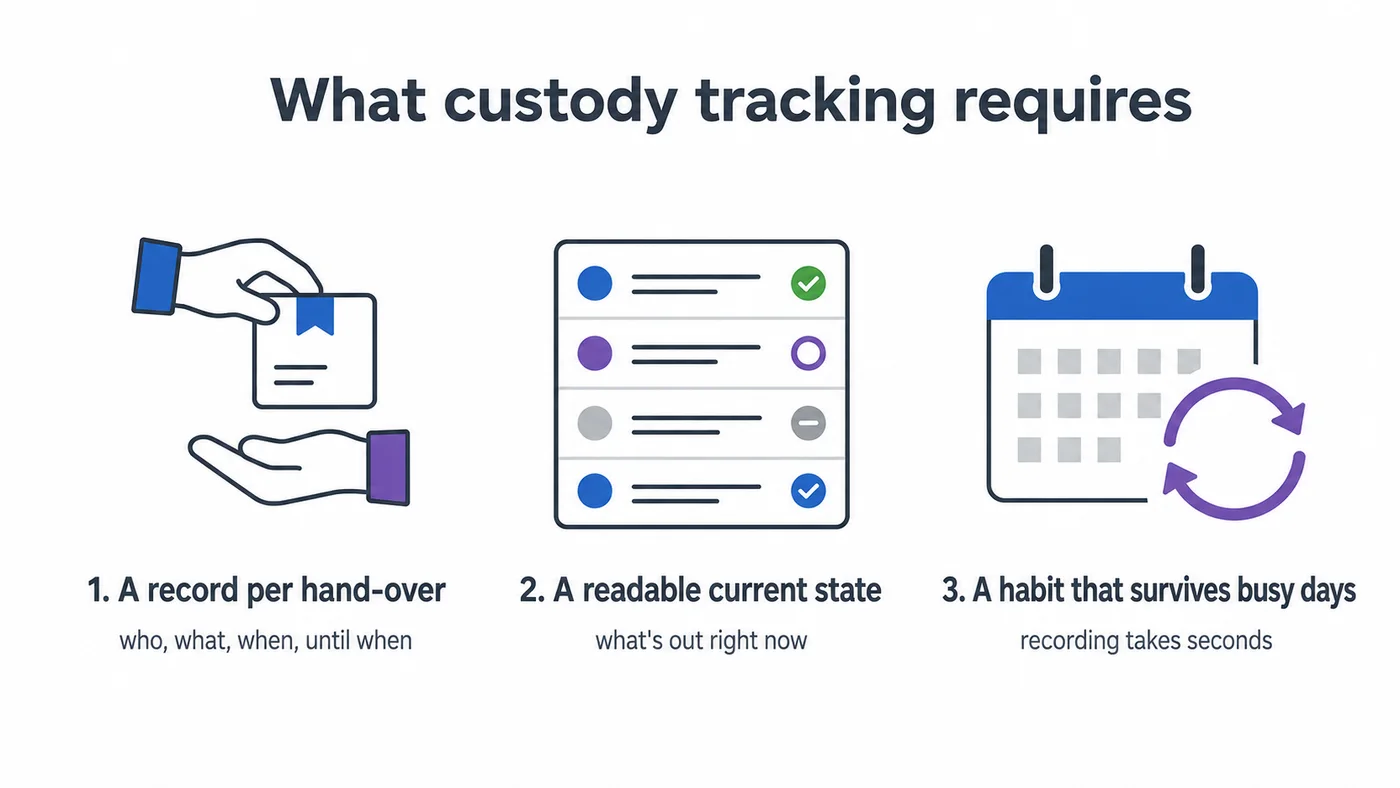
Whatever tool you use, the job has exactly three parts:
- A record per hand-over — who took what, when, and until when.
- A way to read the current state — what's out right now, held by whom.
- A habit that survives busy days — because a log that's 90% complete answers 0% of disputes.
Most systems fail on the third part. Keep that in mind as you pick.
Option 1: The whiteboard
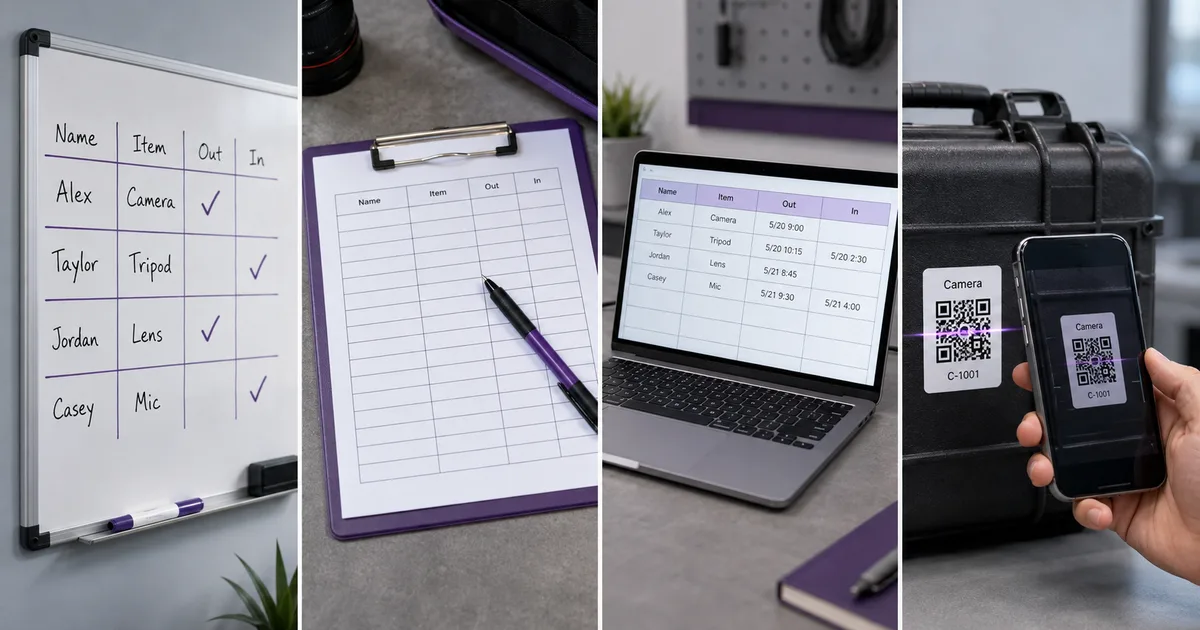
A board at the equipment room: item down the left, name and date next to it, wiped on return.
Works when: one location, a small crew, everything comes home most nights. Fails when: anyone needs the answer without walking there — and the moment history matters, because a whiteboard has none. When the drone comes back damaged, the board tells you who has it now, not who had it Tuesday.
Option 2: The sign-out sheet
One row per loan, with a due-back date and initials. We've published a full sign-out sheet template with the seven columns that make it work.
Works when: discipline is realistic and loans are days, not hours. Fails when: volume grows — nobody fills in a row for a five-minute borrow, and five-minute borrows are how things vanish.
Option 3: The spreadsheet
The natural upgrade: a shared sheet, one row per item, columns for current holder and expected return. Now the answer is readable from anywhere, and history can live on a second tab. If your register itself lives in Excel, our free equipment database template is a solid base — or use our free equipment tracking spreadsheet, where checking something out sets the status and writes the history line in one action, so the two halves cannot drift apart.
Works when: someone owns it, and the team is small enough that updates actually happen. Fails when: the person holding the drill is not the person updating the sheet. Every hand-over needs a laptop, the sheet drifts from reality, and trust in it collapses — quietly, then completely. We've written before about the moment teams outgrow the equipment spreadsheet; custody tracking is usually the first thing to break.
Option 4: Checkout software
The structural fix is to make the record a side effect of the hand-over instead of a separate chore: label each item with a QR code, and taking something means scanning it with your phone and confirming. The log writes itself, with a timestamp, a person, and a due date — and "who has what" becomes a list anyone can open, from anywhere.
An equipment checkout system also does the two things no manual system can:
- It looks ahead. Equipment can be reserved for future dates, so two crews stop discovering on Monday morning that they both planned around the same generator.
- It nags so you don't have to. Overdue returns trigger reminders automatically, which retires the least popular job in the building — being the person who chases colleagues for gear.
How to choose
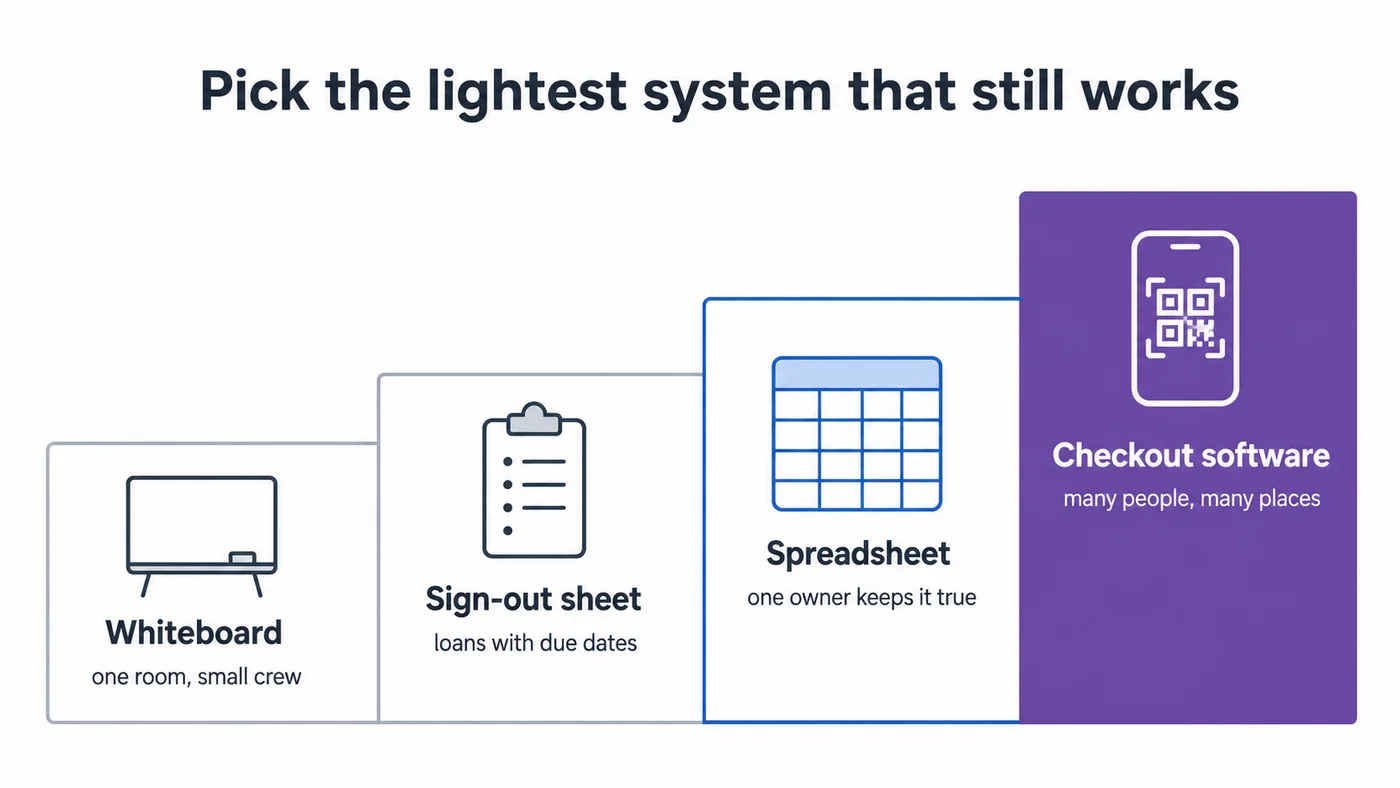
- Under ~25 items, one room, everything returns daily → whiteboard or sign-out sheet. Don't over-tool it.
- Growing item count, but one coordinator handles all loans → spreadsheet, ruthlessly owned.
- Multiple holders, multiple sites, advance planning, or a history you'll need to search → software. The tell is the question you keep failing to answer: if it's "who has it?", a sheet still works; if it's "who had it?" or "who gets it next week?", you've outgrown paper.
Whichever you pick: put the recording step physically at the hand-over, make it take seconds, and appoint one person who reads the log weekly. The tool matters less than those three habits — the tool just decides how much willpower the habits cost.
If tracking who has what is only one part of a job you've just taken on, how to manage company equipment, step by step covers the rest of it in order.
Frequently Asked Questions
-
A sign-out sheet or whiteboard at the storage location, with one row per loan and a promised return date. It costs nothing and works for small teams — its weakness is that it can't be read remotely and can't look ahead.
-
Most start with a spreadsheet keyed on the item, recording the current holder and return date. Beyond a few dozen items or more than one location, most move to checkout software where each hand-over is recorded by scanning the item's label.
-
Because recording the hand-over is extra work at the exact moment someone is in a hurry. The fix is to make recording faster than skipping it — a scan instead of a form — and to make the log the place people look things up, so gaps get noticed and corrected.