
QR, barcode, RFID or NFC: which label technology a small equipment team actually needs
Four ways to put a machine-readable label on your gear, and the one most small teams should pick. Written for a crew with a few hundred items and no scanner hardware.
In this article
- The short version
- QR codes
- Barcodes
- RFID
- NFC, and the trap in it
- The fifth answer: just a number
- So which one?
- Where Itefy fits
You have maybe two hundred items. Thirty of them are identical — the same model of microphone, six of them, bought at the same time. Half live in road cases that go out to jobs and come back scuffed. Somebody just handed you one and said "this one's broken", and there is no way on earth to know which one it is.
That is the problem a machine-readable label solves. Not inventory accuracy in the abstract: which one is this, answered in a second, by whoever is holding it.
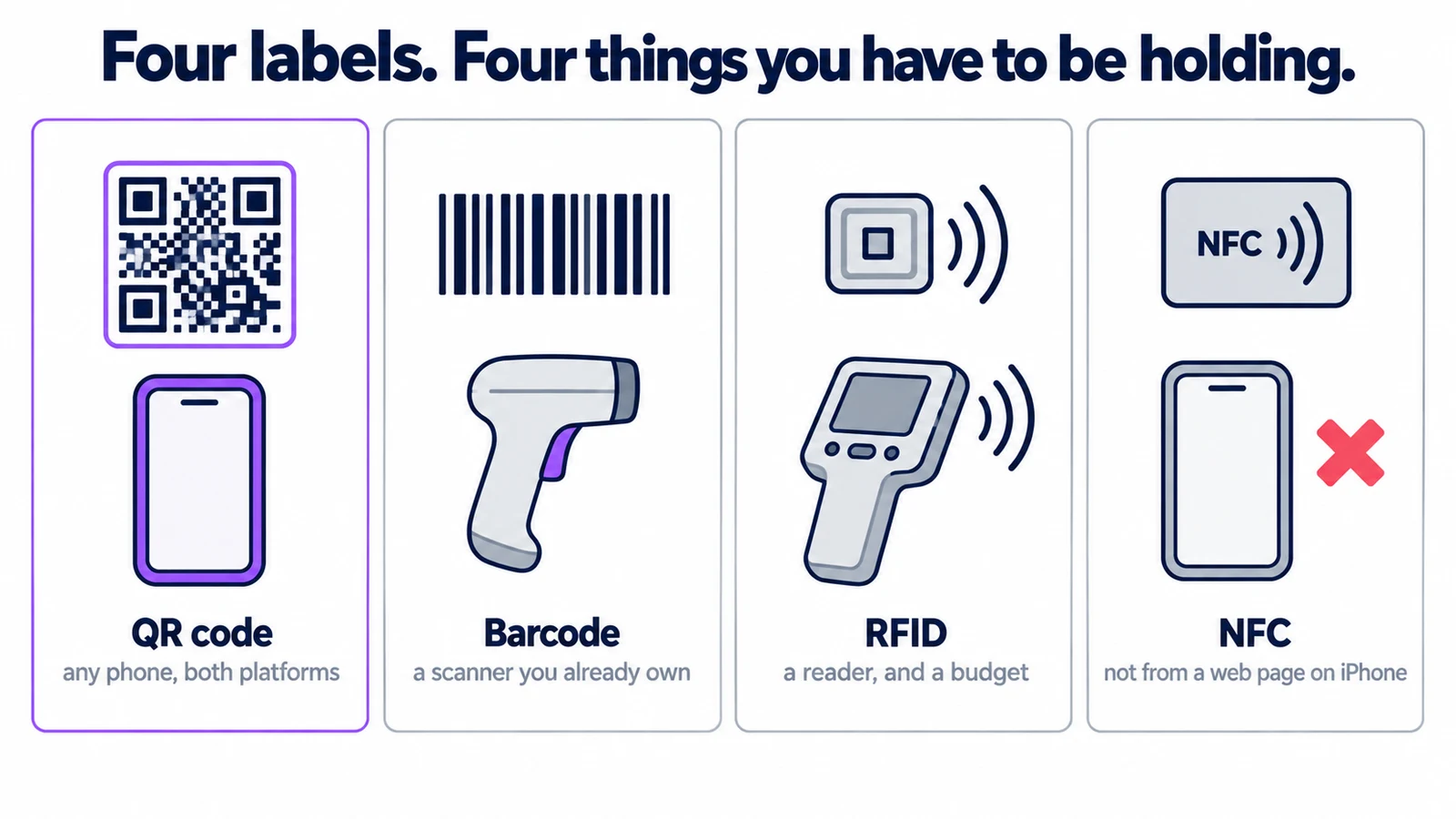
There are four technologies people will recommend, and for a team your size three of them are the wrong answer. Here is how to tell them apart, what each actually costs, and where one of them fails silently on half your staff.
The short version
| Read with | Cost per tag | Reads at | Pick it when | |
|---|---|---|---|---|
| QR code | Any phone camera | Fractions of a penny | Line of sight, a few cm to a metre | You want people to scan with the phone in their pocket |
| Barcode (1D) | A laser scanner, or a phone app | Fractions of a penny | Line of sight, close | You already own scanners and a workflow around them |
| RFID | A dedicated reader | £0.10–£1+ | Metres, no line of sight, many at once | You count hundreds of items through a doorway |
| NFC | Phone with NFC, usually a native app | £0.20–£1 | A few centimetres, tap | You are building a native app and control the devices |
If you read nothing else: for a small equipment team, use QR codes. The rest of this article is why, and when the other three earn their place.
QR codes
A QR code is a printed pattern that encodes a short string — usually a URL that opens the item's record. The reason it wins for teams like yours is not technical merit. It is that the reader is already in everyone's pocket, on both platforms, and nobody has to be trained. Point the camera at it, a notification appears, tap it, you are looking at the item.
That matters more than it sounds. Every other option on this list requires you to buy hardware, keep it charged, and be standing next to it. A label technology that only works when the right person is holding the right device is a label technology that gets bypassed.
Practical points:
- They survive being small. A QR code holding a short URL stays readable down to about 2 cm square, which fits on a lens cap or a plug.
- They survive damage. QR has error correction built in; at the standard level roughly 15% of the code can be scratched or covered and it still reads. That is the difference between a label that lasts a season in a road case and one that does not.
- They cost nothing per item. You print them on a sheet of labels or a label printer. There is no chip.
- They are useless in the dark, or through a bag. Line of sight, always.
Barcodes
The 1D barcode — the striped kind — does the same job with less capacity and no error correction. It is not worse in a way that matters for identifying an item, and it has one real advantage: a dedicated laser scanner reads it faster and more reliably than a phone camera reads anything, especially in bad light and at awkward angles.
So the rule is simple. If you already own scanners and your team already uses them, keep using barcodes. There is no gain in switching. If you do not own scanners, do not buy them in order to use barcodes — you would be spending money to make the task harder.
One warning: barcodes are less tolerant of damage than QR. A scratch through the bars is often fatal where the same scratch on a QR code is not.
RFID
RFID tags carry a chip and an antenna, and a reader energises them over radio. The genuine, transformative advantage is that you do not need line of sight and you can read many tags at once — walk a trolley through a doorway with a reader in it and 200 items check themselves in.
That is a real capability and nothing else on this list can do it. It is also the reason RFID is usually the wrong choice for a small team:
- Tags cost real money. Passive tags run from around 10p each in volume; on-metal tags, which you need for anything with a metal body, cost several times that.
- Readers cost more. A handheld reader is a four-figure purchase; a fixed portal reader more.
- Metal and liquid break it. Standard tags do not work stuck to a metal case without a specialised on-metal tag.
- It is a project, not a purchase. Portal placement, read zones, tag orientation, and what happens when something reads twice.
The honest threshold: RFID pays off when the counting itself is the bottleneck — hundreds of items moving through a fixed point, often enough that a person scanning them one at a time is a job. If you are checking out a camera to a named person twice a day, it is not.
NFC, and the trap in it
NFC is a short-range descendant of RFID — a tap, a few centimetres. Most modern phones have the hardware. That makes it sound like the best of both: a chip you tap with the phone you already carry, no line of sight, no scanner to buy.
The problem is what happens when a web page tries to read one.
A web page can read and write NFC tags directly on Android, with no installed app, through the Web NFC API in Chrome 89 and later. It handles the NFC Data Exchange Format (NDEF), a basic binary message format.
The catch is that this is an Android-only capability, and it is not on its way to becoming anything else. Safari does not implement Web NFC, and WebKit's published standards position is that the specification is harmful rather than merely unimplemented — so no browser on an iPhone or iPad can do it, because every iOS browser is WebKit underneath. Some Android browsers make it worse by exposing the API without implementing it: Samsung Internet reports the feature as present, and then a real tag tap simply never resolves.
So reading NFC tags from a web page works for some of your staff and silently fails for the rest, with no way to tell them apart in advance. On a phone, NFC is a job for a native app.
That is why NFC is not the obvious win it looks like. If you control the devices and are willing to build or buy a native app, it is a pleasant technology. If your team is a mix of iPhones and Androids and you want a link that works for everybody, it is not an option — it is a support problem waiting to happen.
The fifth answer: just a number
Worth saying out loud, because the industry rarely does. A plain sequential number, printed large and stuck on the item, solves most of the problem on its own. You can read it across a room, it cannot fail to scan, and it works when the phone is dead.
The right setup for most teams is both: a human-readable number and a QR code on the same label. The number is for people, the code is for the system. Colour coding by department or by kit does the same job at a distance — useful on a truck ramp, useless as a unique identifier.
So which one?
- A few hundred items, staff with mixed phones, no existing hardware → QR codes, with the number printed alongside.
- You already run barcode scanners → stay on barcodes.
- You count hundreds of items through a fixed point, repeatedly → look seriously at RFID, and budget for it as a project.
- You control every device and are building an app → NFC is fine.
- Anything outdoors, on metal, or in the wet → the technology matters less than the label stock. See labelling your equipment for materials and placement.
Once you have picked, the next questions are how to number things so the scheme survives contact with reality, what label material stops peeling after one season, and where on each item type the label should go. Those are all in the labelling guide, which also covers printing: there are step-by-step walkthroughs for DYMO and Brother printers.
Where Itefy fits
One thing to be clear about: Itefy tracks equipment with QR codes, not NFC or RFID tags. That is a choice rather than a gap. A QR label is read by the camera every member of your team is already carrying, on either platform, with no reader hardware to buy and no meaningful cost per tag — and, unlike Web NFC, it behaves the same for everybody. Print a sheet of labels, put them on the equipment, and point a phone at one to open that item: its history, its condition, who has it, and what it belongs to.
The labels are generated from the register itself, so the code on the item and the record in the system cannot drift apart — see QR code asset tracking and what an item record holds.
If you specifically need to read RFID or NFC tags, you want a system built around that hardware instead, and this article should help you decide whether you do. If a QR label on every item is the shape of tracking you need, there is a 14-day free trial with no card.