Equipment Checkout Software
Know who has every item, when it is due back
and whether it came home — without chasing anyone.

Know who has every item, when it is due back
and whether it came home — without chasing anyone.
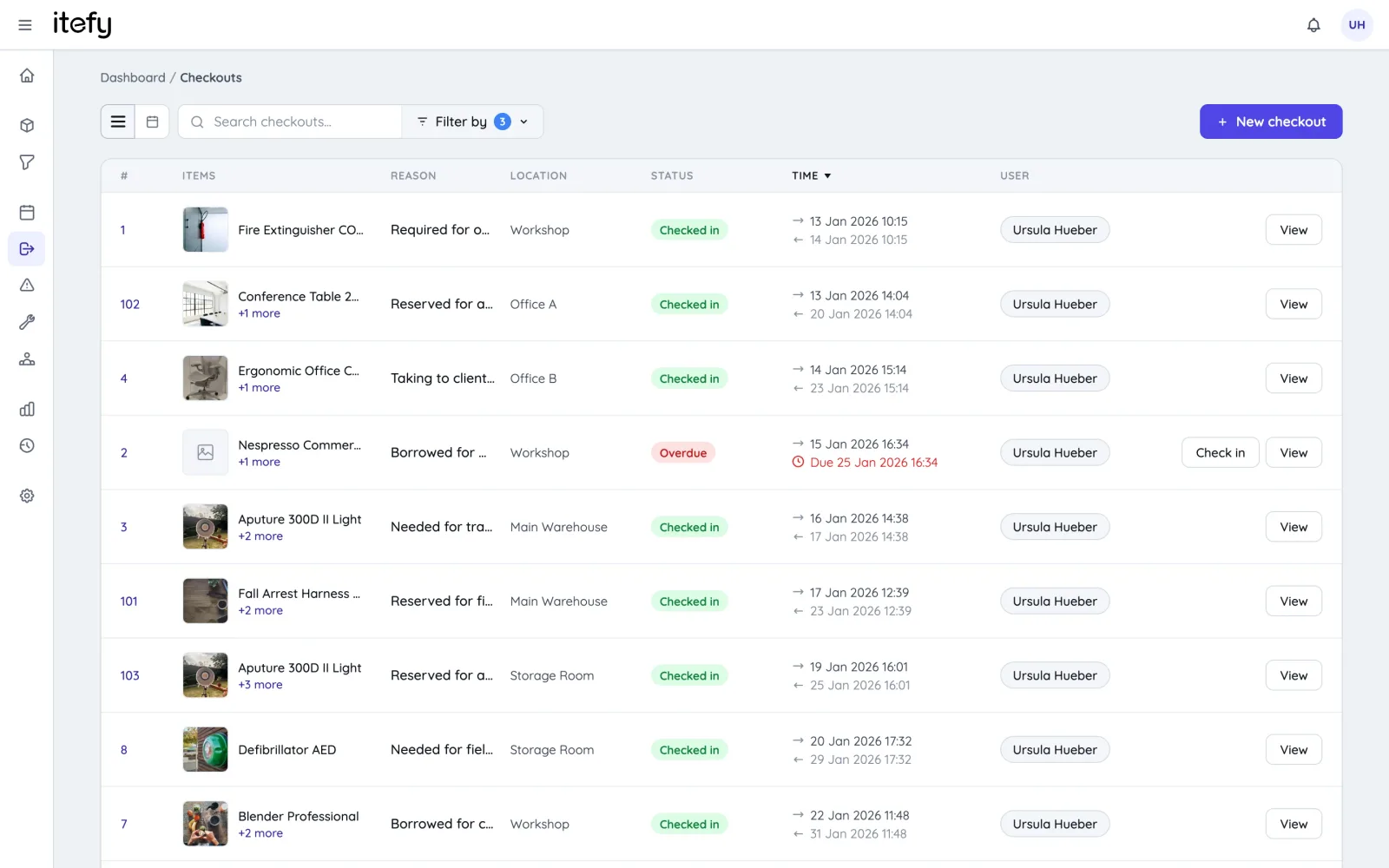
Every checkout records who took the equipment, why, where it is being used and when it is due back. Nothing depends on someone remembering to update a shared file — the log builds itself as people take gear out and bring it back.
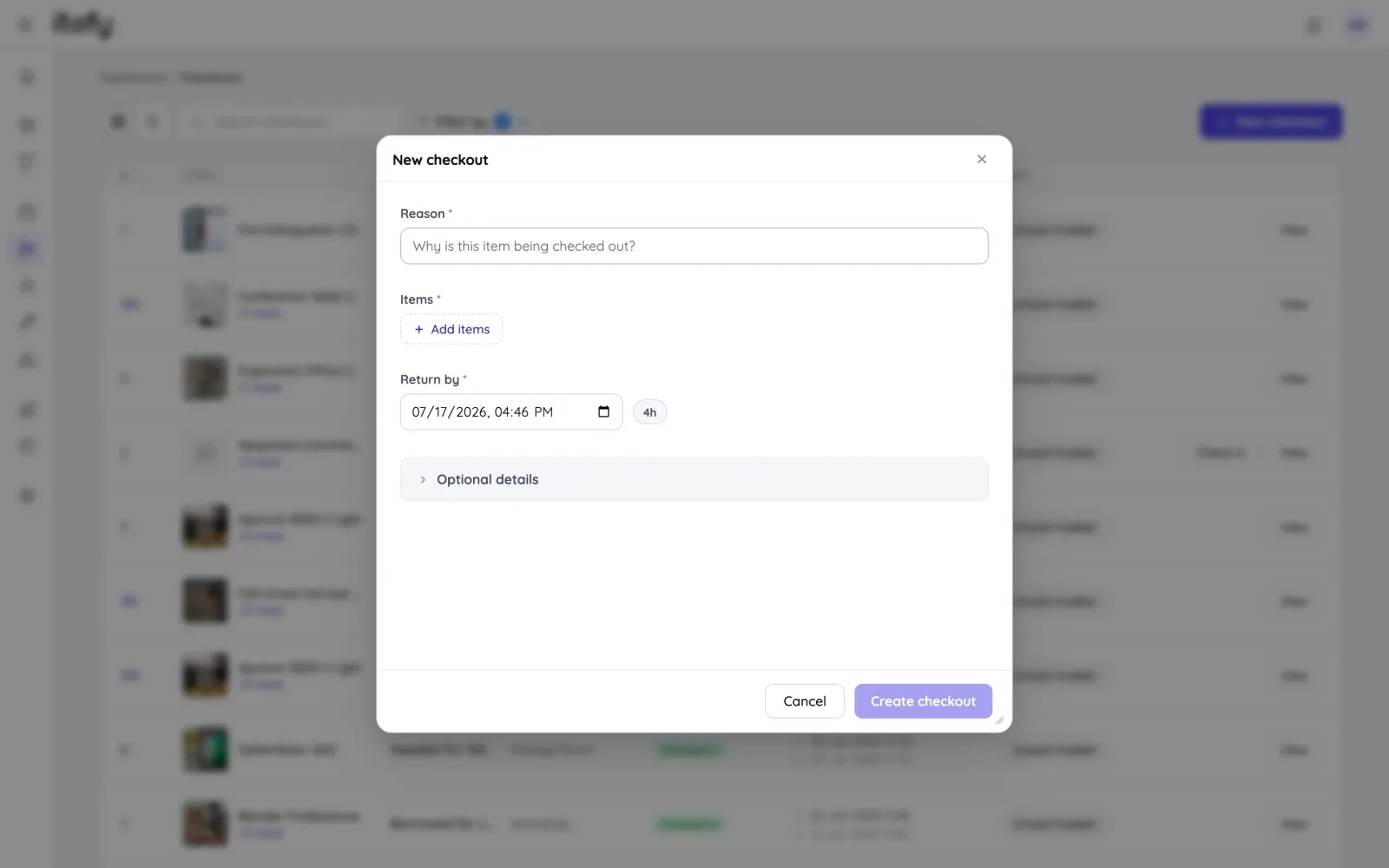
A checkout needs three things: a reason, the items and a return time — with quick presets for the durations you use most. Add location, assignee, tags or a linked customer only when you actually need them.
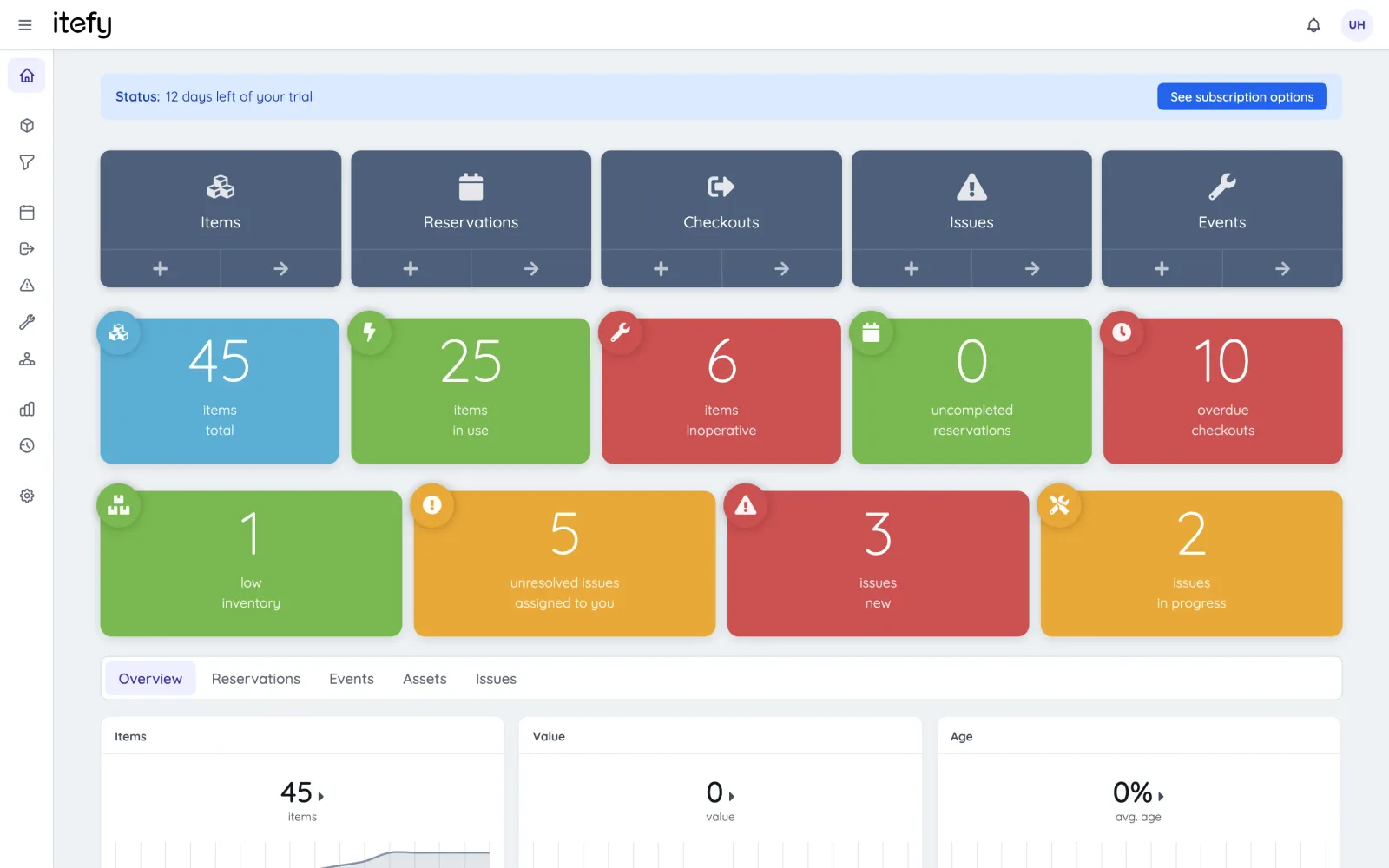
Set a due time and let the system do the follow-up. Overdue checkouts surface on the dashboard and the responsible user is notified automatically — so the conversation happens before the gear is needed by someone else.
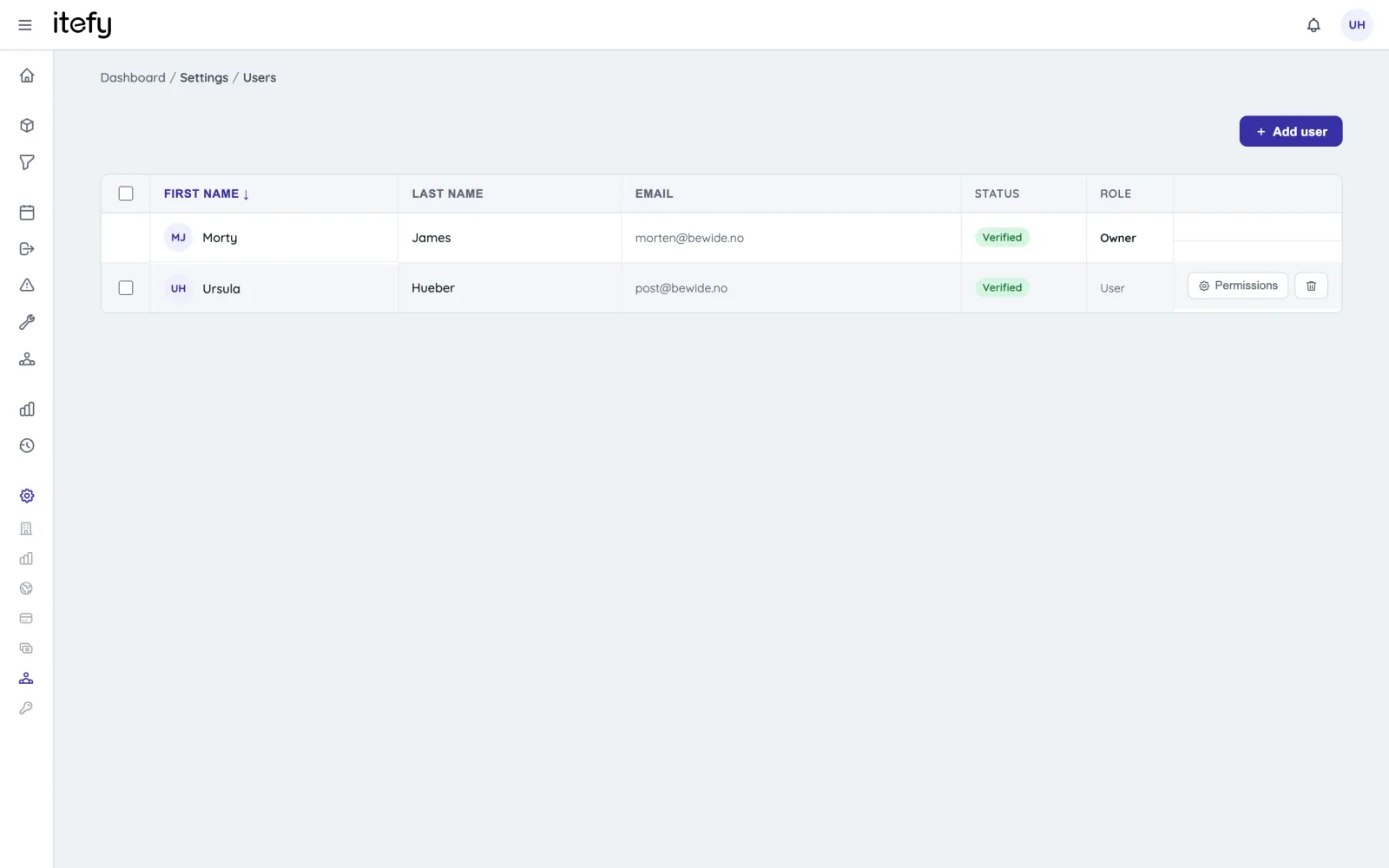
Let people check equipment out and in themselves, or keep every handover in the hands of a manager who checks out on behalf of others. Permissions decide exactly who may do what, and both models can run side by side in one account.
With Itefy Go on a phone, a checkout is as fast as pointing the camera at a QR label. Scan a single item or batch-scan a pile of gear — then check it all back in when it returns.
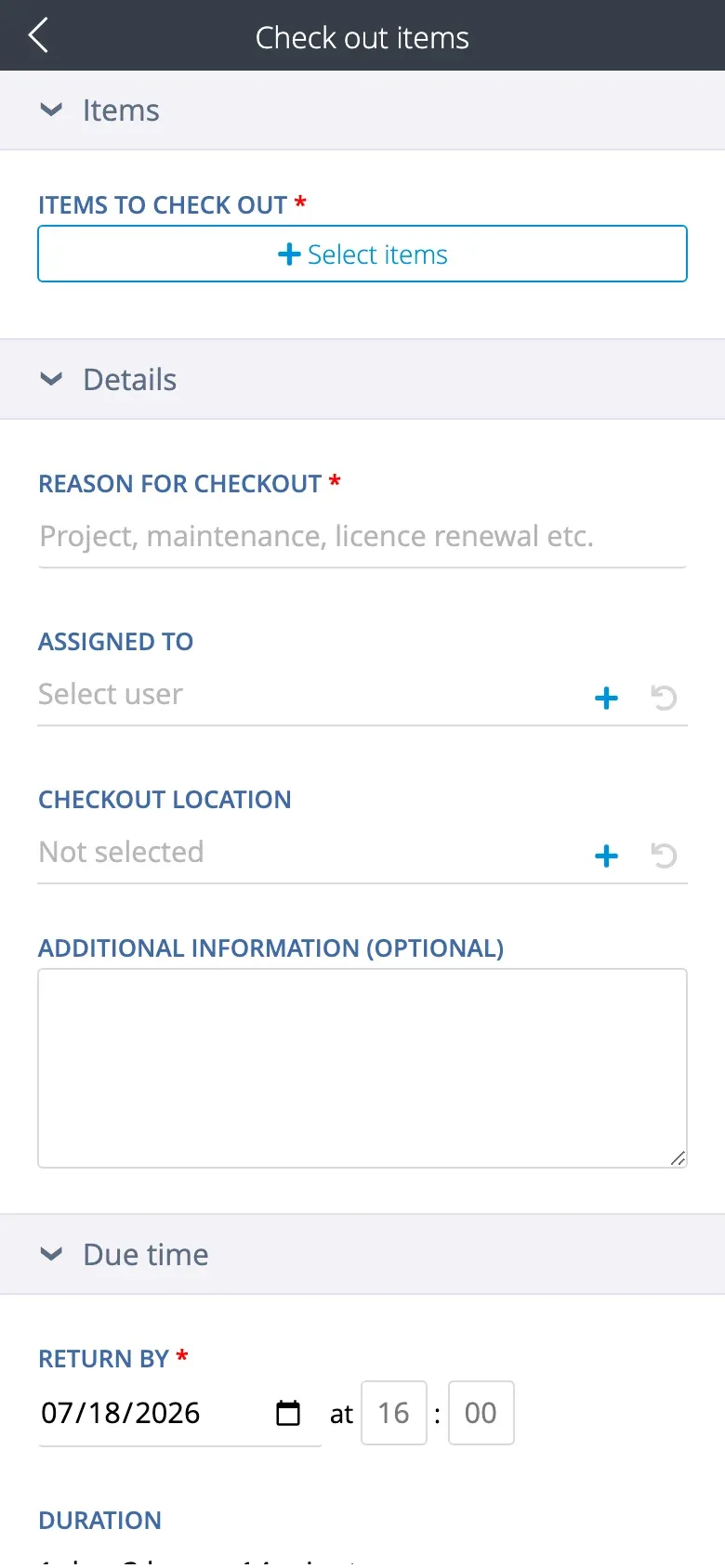
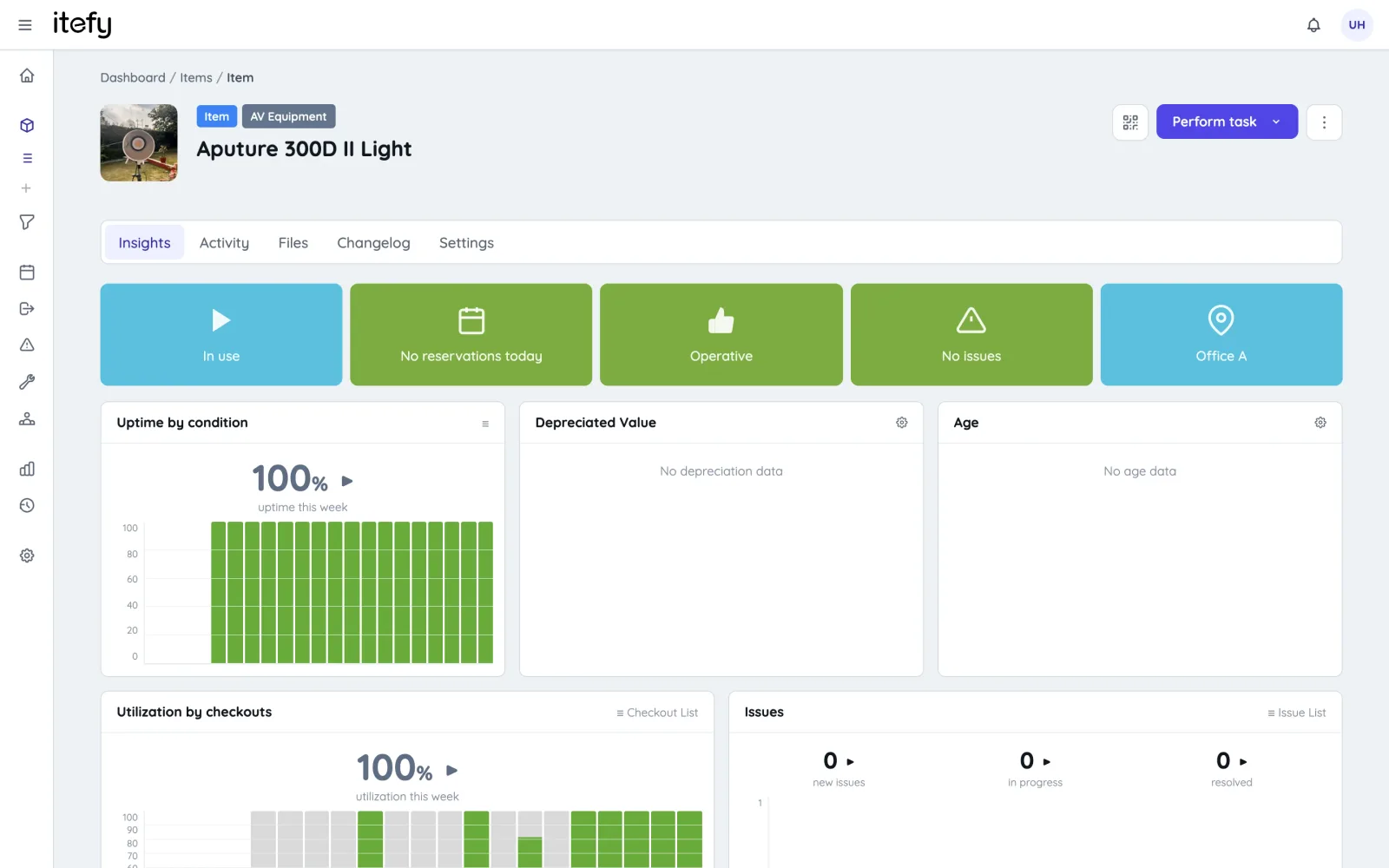
Checkout data feeds live utilization figures per item and across the fleet, so idle equipment and genuine bottlenecks become visible instead of anecdotal — and the next purchase decision has numbers behind it.
Any team where shared gear leaves the building and has to come back.
Loaner laptops, lab kit and AV gear checked out to students and staff.
EducationCamera, sound and lighting packages out to crew and back after the shoot.
TV & filmLaptops, phones and peripherals issued to employees with a clear paper trail.
IT asset managementThe same system covers the rest of the equipment lifecycle — on every plan.
Every item in one database with pictures, documents, specs and QR labels.
Equipment managementPreventive schedules, fault reports and repair tracking per item.
Maintenance managementField-by-field walkthrough of how checkouts work inside Itefy.
Checkout & check-inEquipment checkout software records who took which items, when they are due back and when they actually returned — replacing a sign-out sheet or shared spreadsheet. Itefy logs every handover against the item, so each piece of equipment carries its own custody history and nothing depends on someone remembering to update a file.
A spreadsheet tells you what someone wrote down; it cannot tell you what is overdue, notify the person holding an item, or stop two people claiming the same kit. Itefy flags overdue checkouts on the dashboard, emails the responsible user automatically, and keeps a permanent per-item log. See Itefy vs. Excel for the full comparison and the migration path.
Yes — or not, if you would rather managers handle it. Granular per-user permissions decide who may check out, who may check out on behalf of others, and who only sees their own records. Both models work in the same account, and you can add unlimited team members on every plan tier.
No. Itefy uses printed QR labels and the camera on any iOS or Android phone through the Itefy Go app — including batch-scanning a pile of gear straight into one checkout. Print label sheets on a standard laser printer, or export item codes for DYMO and Brother label printers.
Itefy has a 14-day free trial with full access to every feature — no credit card, no setup fee and no mandatory onboarding. After that, paid plans start at $15/month. There is no permanently free tier; what you see in the trial is what you keep.
Yes. Equipment booked ahead on the shared calendar converts to a checkout in one click, with the items, dates, purpose and assignee copied across. The reservation side and the checkout side are the same system, so nothing is entered twice.
Try every feature free for 14 days. No credit card, no obligations.