
Tool Tracking Software
Who has the hammer drill, which van the laser level went out in, whether the toolbox came back complete: a scan at the hand-over answers all three, not a round of phone calls.
Tools rarely get stolen. They get borrowed, and nobody writes it down.
A drill rides to the next site in somebody’s van. A grinder gets lent to the crew next door. The torque wrench ends up in a toolbox nobody has opened since spring. None of that is theft, and all of it costs money: tools bought twice, and hours spent looking for the ones you already own.
Tool tracking fixes the hand-over, because that is the one moment anybody knows for certain where a tool is going.
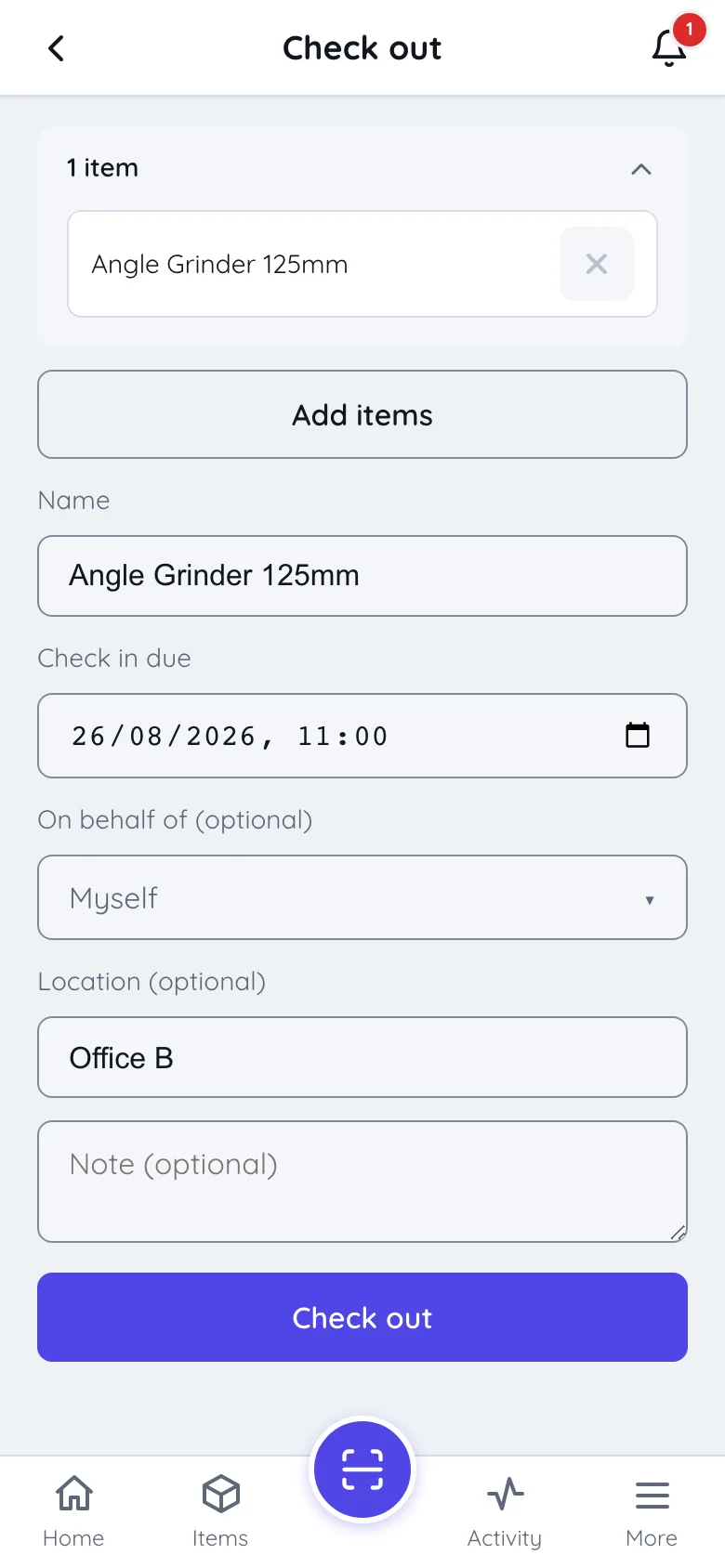
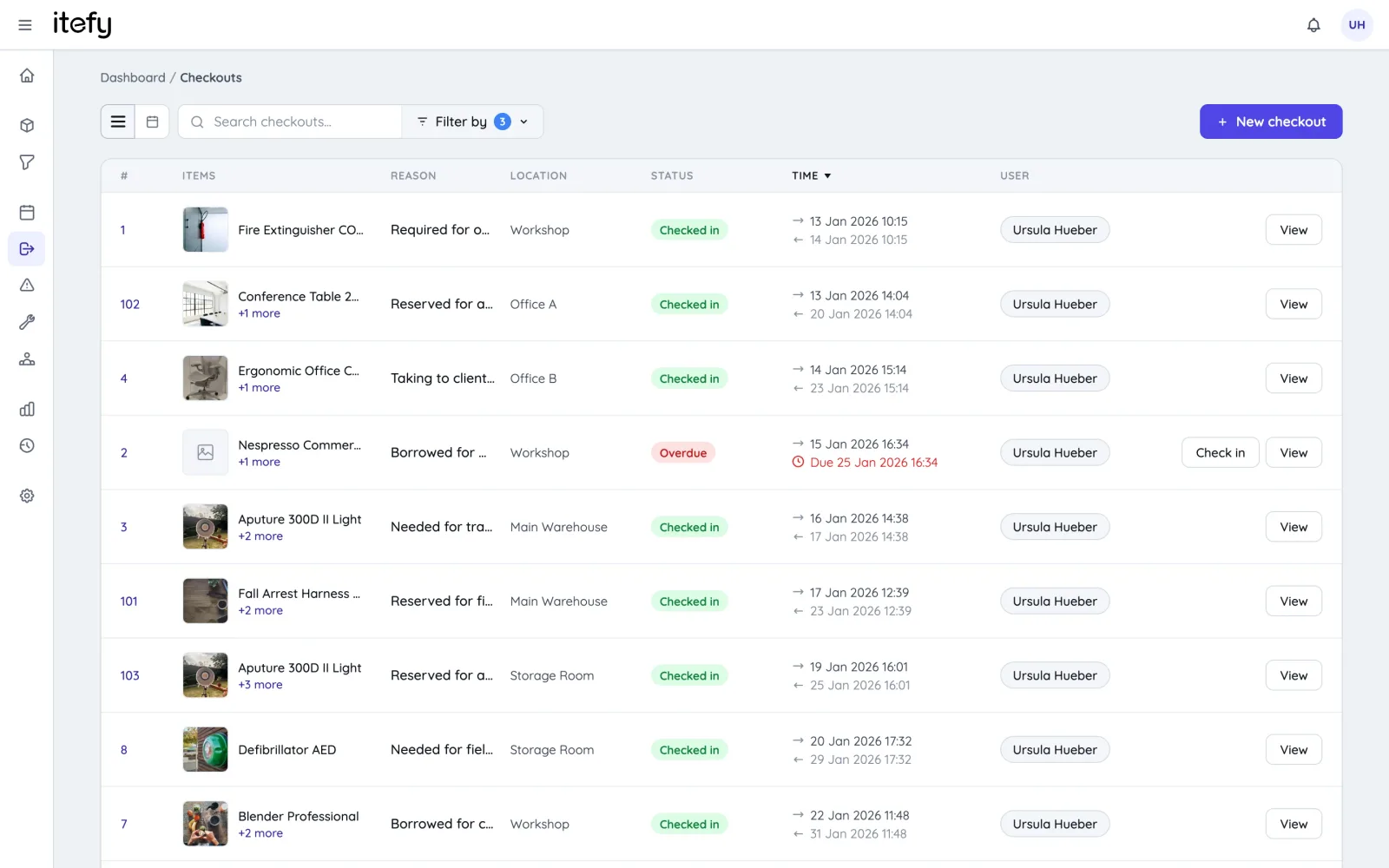
Check a tool out in the time it takes to hand it over
Scan the label, choose who is taking it, set when it is due back. Loading a van? Keep the camera on, scan tool after tool into one list and check the lot out in one go. The record is made at the moment the tool changes hands, not typed up at the end of the week.
- Scan one QR code, or keep scanning to build the list for one checkout
- Check out to a named colleague, or record a subcontractor without a login as a contact on the checkout
- Due-back times that fit the work: end of the shift, end of the week, end of the phase
- Due and overdue notices go out by themselves, so the store stops being the reminder service
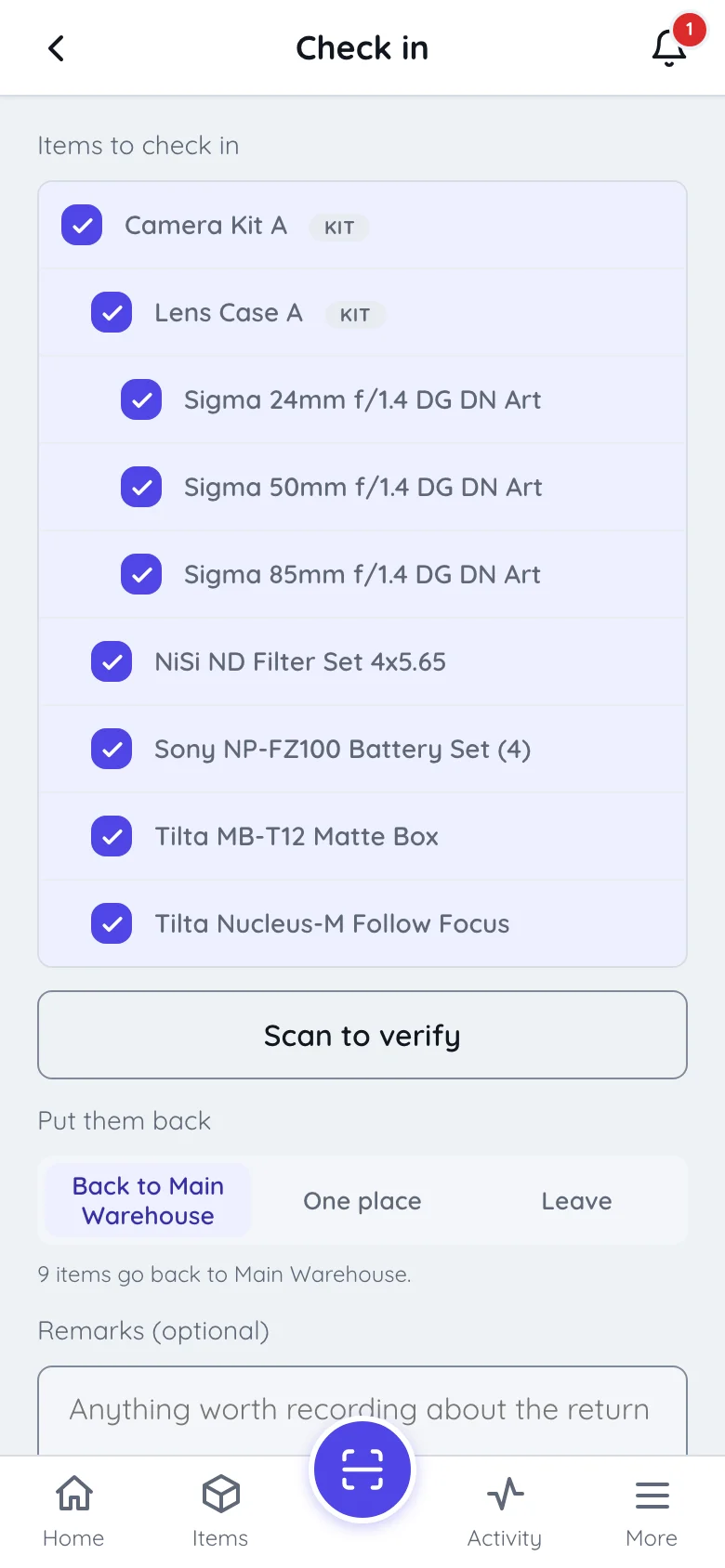
A check-in that notices what didn’t come back
When the van is unloaded, scan each tool as it comes off. The app ticks it off the checkout and counts down what is left. Whatever never gets scanned stays checked out to the same person. That is the truth, and the start of the right conversation.
- Scan to verify against the checkout: 3 of 12 left while you unload
- Partly returned? The checkout stays open until the last tool is back
- Send everything to its own home location, or into one receiving area to sort out later
- Came back broken? Mark it inoperative, and it can’t go out again until it is fixed
Is everything in the toolbox? Find out without tipping it onto the floor
Register a toolbox, a drill case or a tester set as a kit, with the tools inside it. It goes out and comes back as one thing, while every tool in it keeps its own record. Audit this kit in the app walks the contents: scan each piece, and you get the list of what is missing, ready to report as one issue on the box.
- Kits nest up to five levels, so the meter case can live inside the electrician’s box
- Checking out a kit takes everything inside it; if one piece is out elsewhere, the rest still goes
- Each tool in a kit keeps its own service and inspection history
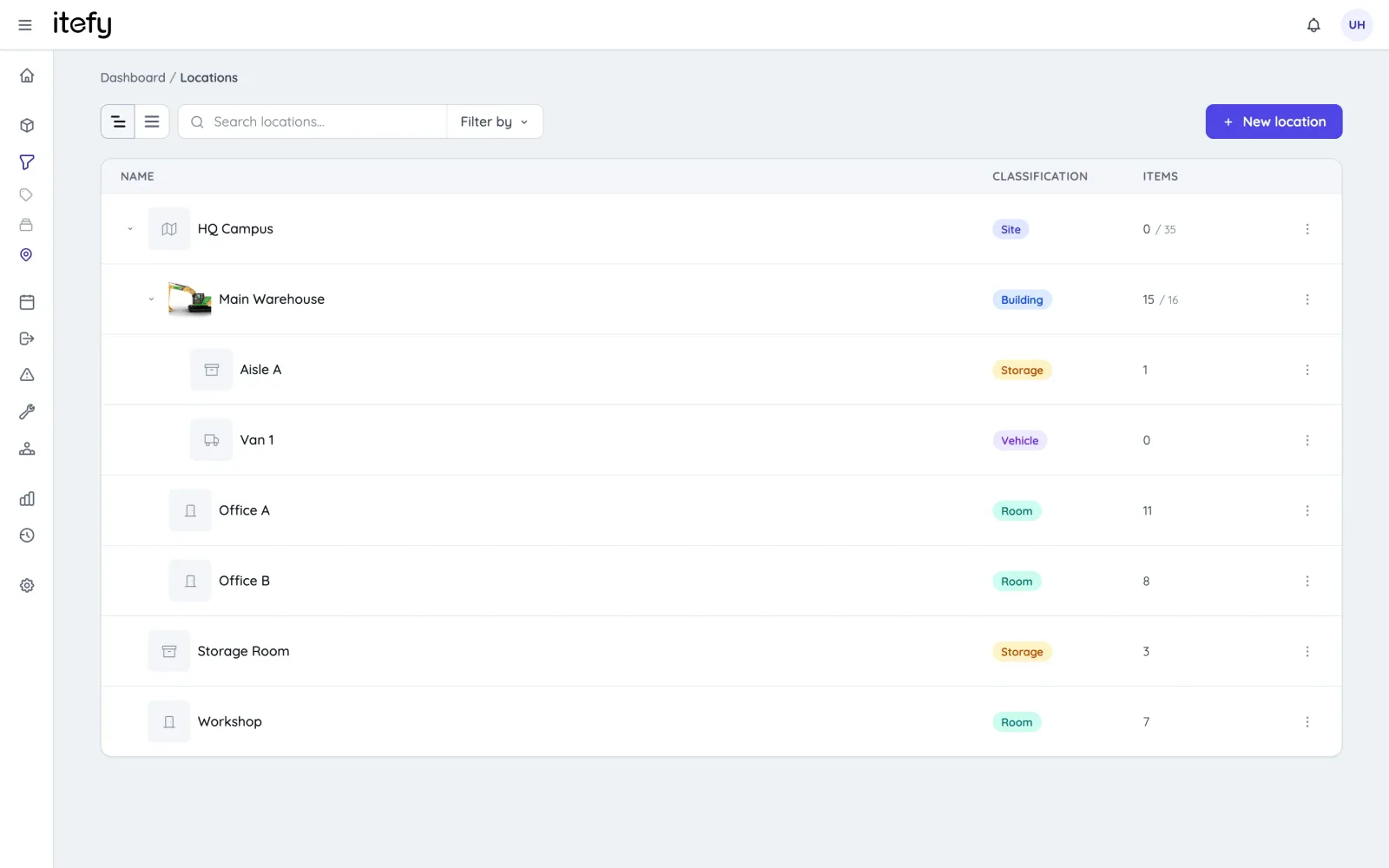
Tools live in vans and containers, so those are locations too
A tool’s address is rarely a building. It is the van that starts the week at the yard and ends it three sites away, or the container that moves when the phase does. In Itefy a van or a container is a location that is allowed to move, and what is inside it goes along.
- Location kinds include vehicle and container, which count as mobile; every move they make is logged
- Nest locations the way the work is organised: site → container → shelf, up to five levels
- Filter by a site and you see everything beneath it, vans and containers included
- Each tool has a home location, so check-in knows where it belongs
Some tools are not lent. They are issued.
The impact driver that lives in one technician’s van. The meter a site manager keeps all year. They have no return date, so they never show as overdue, and in a spreadsheet they slowly stop being anyone’s. Itefy records them as custody, and every so often asks the holder one question: do you still have it?
- Check out with No return date (custody): never overdue, and nobody can book it while it is held
- You decide how often holders are asked; they answer from a list, or by scanning the tool
- A scan is recorded as a scan: proof the tool was actually in front of them
- If someone says it is missing, or doesn’t answer within 14 days, an administrator is told
Inspections, repairs and consumables on the same record
Ladders, harnesses, lifting gear and calibrated tools come with an interval attached. Book the interval once as a recurring inspection and the reminders take care of themselves. When something breaks, whoever finds it scans it and reports it with a photo, and the broken tool stops being handed out.
- Recurring inspections on the calendar, with a reminder before each one
- An inspection nobody completed is flagged an hour after its slot ends
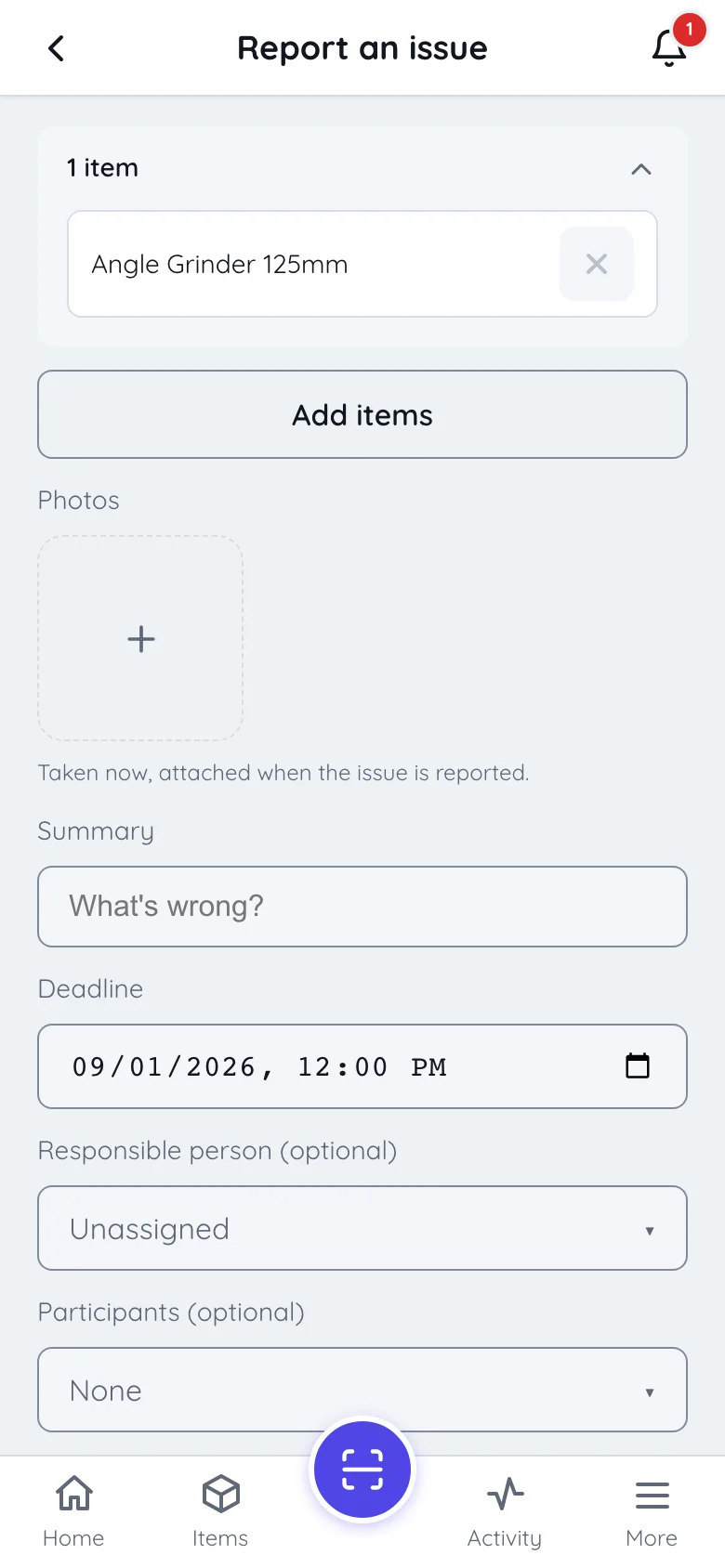
- Fault reports from the phone, with photos; one report can cover several tools
- Blades, bits and fixings tracked as stock, with a low-stock alert to the person responsible
Tool tracking by scan, not by tracker
Itefy knows who has a tool and where it was last seen because somebody scanned it, not because there is a Bluetooth tag or a GPS unit on it. There is no live dot on a map, and the phone needs a connection to record a scan. For a handful of big machines, telematics is worth having, and it is a different purchase. What scanning covers is the long tail: the hundreds of hand tools too small and too numerous to fit a tracker to, which are the ones that actually go missing.
Everything else a tool register needs
One system for the whole tool store, with nothing to bolt on later.
QR labels
Print label sheets on Avery or Herma with any laser printer, or export codes for DYMO and Brother label printers.
QR code trackingUtilization
See which tools earn their keep and which haven’t left the shelf in months, before you buy another.
Reports & insightsReservations
Book the core drill for next Tuesday, and see the clash before two crews turn up for it.
Equipment reservationsPermissions
Decide per person who can check out, move, edit or report: the store, the foremen, the crew.
Bring your tool list
Your spreadsheet becomes the import file; the wizard maps its columns to Itefy fields.
Itefy vs. ExcelCommon questions about tool tracking
What is tool tracking software?
A register of every tool you own that also records who has each one, where it is and when it is due back. The difference from a spreadsheet is when the record is made: at the hand-over, by scanning the tool, instead of being typed up afterwards, if at all.
Do we need Bluetooth tags, RFID or GPS trackers?
No. Itefy uses printed QR labels and the camera on any iOS or Android phone. That also means it shows where a tool was last scanned and who has it, not where it is at this second.
Does everyone on the crew need a login?
Anyone who scans and records check-outs themselves needs a user seat. Every plan includes some (3 to 20), and you can add extra seats at any time. Many teams keep the logins to the people who hand tools out, such as the store and the foremen, and record a borrower without a login as a contact on the checkout (Startup plan and up).
Do vans and containers count as locations?
Yes. Every site, van, container and shelf you register is a location, and plans include 15 to 250 of them. Count your vans and sites before you pick a plan.
Does it work without mobile coverage?
No. A scan is recorded when the phone is online. If the store or the basement has no signal, do the hand-over where there is coverage or Wi-Fi.
Which plan do we need for toolboxes and recurring inspections?
Kits, recurring inspections, contacts and the advanced reports start on the Startup plan. Check-out, check-in, QR labels, locations and issue reporting are on every plan. See the pricing page for the full matrix.
Can we import the tool list we already have?
Yes. Your spreadsheet becomes the import file, and a guided wizard maps its columns to Itefy fields. No list yet? Start one in the free tool tracking spreadsheet; sign in to it, and one click copies it into Itefy.
Plans & Pricing
- USD
- EUR
- NOK
-
Basic
N/Aper month, paid N/A- N/A items
- N/A locations
- N/A users included
- Extra seats N/A/month
- N/A GB storage
Core features
- Items, check-in & check-out
- Reservations & scheduling
- Calendar sync (Google, Outlook, Apple)
- Issues, maintenance & events
- QR labels & mobile app
- Public item pages
- Custom specifications
- Excel import & export
- Sign in with Google
-
Most popular
Startup
N/Aper month, paid N/A- N/A items
- N/A locations
- N/A users included
- Extra seats N/A/month
- N/A GB storage
Everything in Basic, plus
- Recurring reservations
- Kits
- Contacts
- Reports & insights
-
Business
N/Aper month, paid N/A- N/A items
- N/A locations
- N/A users included
- Extra seats N/A/month
- N/A GB storage
Everything in Startup, plus
- API access for custom integrations
- Up to 5 API keys
-
Enterprise
N/Aper month, paid N/A- N/A items
- N/A locations
- N/A users included
- Extra seats N/A/month
- N/A GB storage
Everything in Business, plus
- Up to 25 API keys
- Highest limits, built for large fleets
- Lowest extra-seat price
Know who has every tool
Try every feature free for 14 days. No credit card, no obligations.